
sawman09 - Minecraft Skins & Skin History
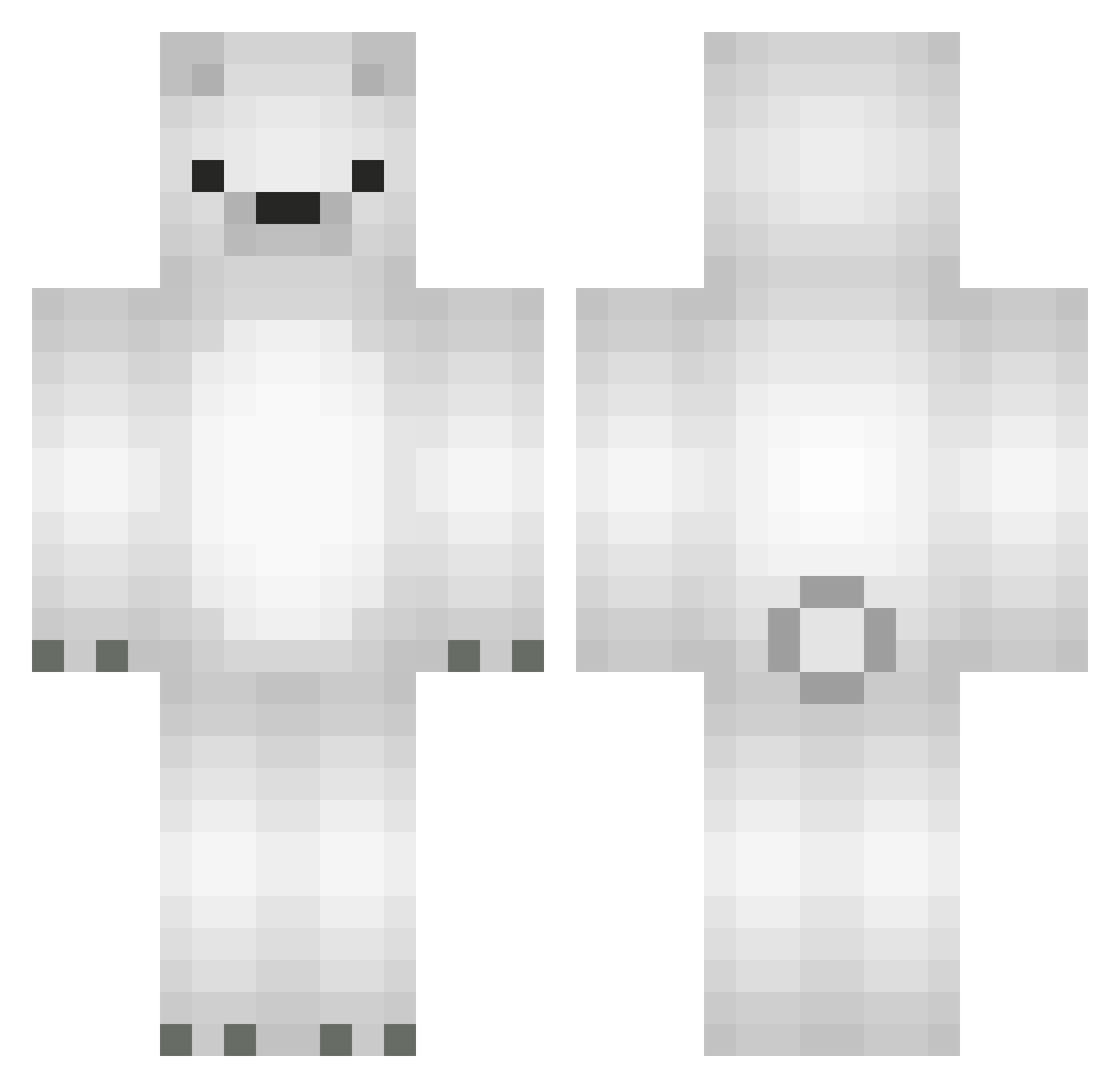
Current Minecraft skin of the player sawman09, loaded from the official Mojang API. Rotate the 3D model with your mouse or finger, then download the skin as a PNG file and use it in Minecraft: Bedrock Edition or Java Edition for free. When sawman09 changes their skin, this page updates automatically and the old skin stays in the history below.
Other players with this skin (566)
sawman09 was the 264th player we have seen with this skin, first spotted on 18.09.2026. The same skin was seen on these players. Open a nickname to see their current skin and skin history.
 bussinbear chubbyPeep TRIhardxxx taeyoung060118 laxman1212 strausenko ssong6482 Laskoo17 R_redstone kachakna SigmaJxnaZ S3XYHARIBO nanomaru MoonSaeRom dls6189 Subob 96kirishima Baptlau skymoon00 jjay1015 FreddyMacFluffy seogam StebanCuh GONG1117 ewa973 Under_Cup GussyRS Vector1100 djdai0907 wikrotia LukisusLT SavageClo ShicitaBonitaa keynut seongxha IScottNoFriends dylanooooo S1kboy bobombolzz ExoTheRat Iriswuuu SkyWind_Xi italianpeep fars_almutyry NotedNickel69 ItsAimsy Sibaljotmanggame Phoeniffe samubabu sirokuma_0001 yuicororo Only_dig_rocks 6L4 Kumagorou625 6Sw1tch9 CoolBattle Hinsent teruyo3 pigtree Krystus2007
More Polar Bear Minecraft skins
How to install the sawman09 skin
- Press the Download button above to save the skin as a PNG file.
- Minecraft: Bedrock Edition (PE): open the Dressing Room from the main menu (or tap your character → Edit Character), go to Classic Skins → Owned, press the + (new skin) button, choose the downloaded PNG and pick the Classic (Steve) model. Works on PC and mobile; consoles cannot import custom skins.
- Minecraft: Java Edition: open the Minecraft Launcher, go to the Skins tab, click New Skin, load the PNG, pick the Classic (Steve) model and press Save & Use. You can also upload it at minecraft.net → Profile → Change Skin.
The skin does not show up after import - what should I do?
Restart Minecraft and open the Dressing Room again - imported skins sometimes appear only after a restart. Also make sure you selected the imported skin and picked the Classic (Steve) model.
Which model should I choose, Classic or Slim?
This skin is designed for the Classic (Steve) model. If you pick the wrong model, the arms of the skin will look stretched or squeezed.
Is the skin of sawman09 free to download?
Yes. Press Download, save the PNG file and use it in Minecraft: Bedrock Edition or Java Edition - no payment or registration needed. The skin also works on multiplayer servers and Realms.
More skins
Looking for more? Go back to all Minecraft skins and check the top skins of the week, month and all time, or find any player's skin by nickname.