
sasco101 - Minecraft Skins & Skin History
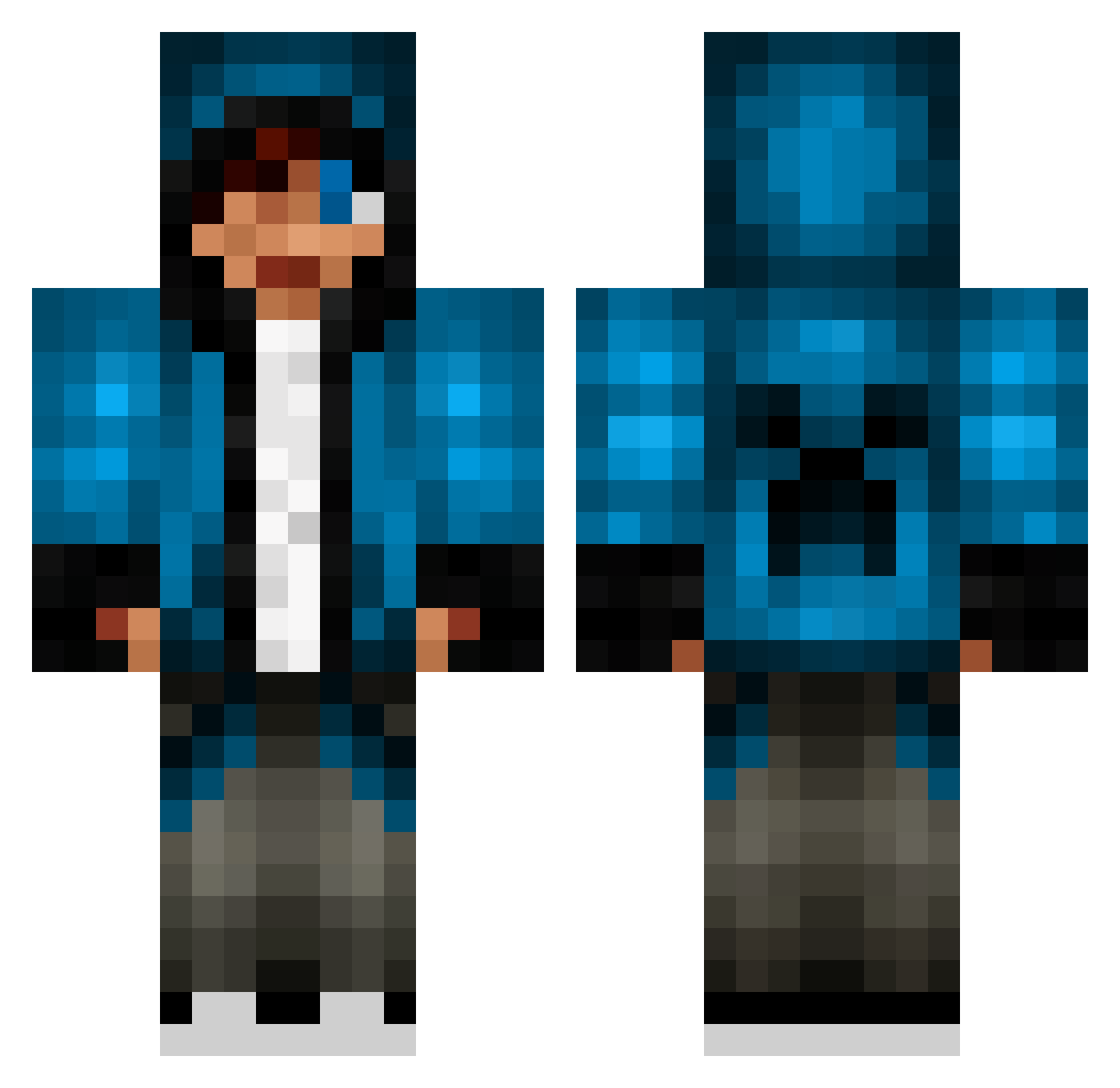
Current Minecraft skin of the player sasco101, loaded from the official Mojang API. Rotate the 3D model with your mouse or finger, then download the skin as a PNG file and use it in Minecraft: Bedrock Edition or Java Edition for free. When sasco101 changes their skin, this page updates automatically and the old skin stays in the history below.
Other players with this skin (837)
sasco101 was the 702nd player we have seen with this skin, first spotted on 28.10.2026. The same skin was seen on these players. Open a nickname to see their current skin and skin history.
 Dylan_lad_13 ashe512 killingking3 ezzio999 HolyMoly131 DJFreak151 kung67 jujuchen KMW1980 cliffthunder Baveli Godrocks6 joverthrow Malthefjensen cynicghost el_DIABLO_JR DKInHuman jrdog10 N04H3 HyperQ_Q Valentine_420 BJJC10 Toffsn TheGamer508 AjWaffles8 CloverTroff812 FireDawg2315 Landongood BladeRunner296 Tjiep Switchtro IcemanRF EnderWarrior210 SagebrushCP Danthony24 FootballNick8 Wolfpack23 TinyTurtle1234 shiku_5 JoKer1999s hubihero tjub0137 Briordan Kossu04 pjcaohusalenph Medivalor justindhaliwal Biotrade 00sickmodz ColberMax CallMeBigPapa Sanscho94 dwight_k_poop ninjamaster547 xdot3000 FlashBang002 ThomasDavies88 steamfunlab12 AyooDannyy fireyminer
More Creeper Minecraft skins
How to install the sasco101 skin
- Press the Download button above to save the skin as a PNG file.
- Minecraft: Bedrock Edition (PE): open the Dressing Room from the main menu (or tap your character → Edit Character), go to Classic Skins → Owned, press the + (new skin) button, choose the downloaded PNG and pick the Classic (Steve) model. Works on PC and mobile; consoles cannot import custom skins.
- Minecraft: Java Edition: open the Minecraft Launcher, go to the Skins tab, click New Skin, load the PNG, pick the Classic (Steve) model and press Save & Use. You can also upload it at minecraft.net → Profile → Change Skin.
The skin does not show up after import - what should I do?
Restart Minecraft and open the Dressing Room again - imported skins sometimes appear only after a restart. Also make sure you selected the imported skin and picked the Classic (Steve) model.
Which model should I choose, Classic or Slim?
This skin is designed for the Classic (Steve) model. If you pick the wrong model, the arms of the skin will look stretched or squeezed.
Is the skin of sasco101 free to download?
Yes. Press Download, save the PNG file and use it in Minecraft: Bedrock Edition or Java Edition - no payment or registration needed. The skin also works on multiplayer servers and Realms.
More skins
Looking for more? Go back to all Minecraft skins and check the top skins of the week, month and all time, or find any player's skin by nickname.