
saphage - Minecraft Skins & Skin History
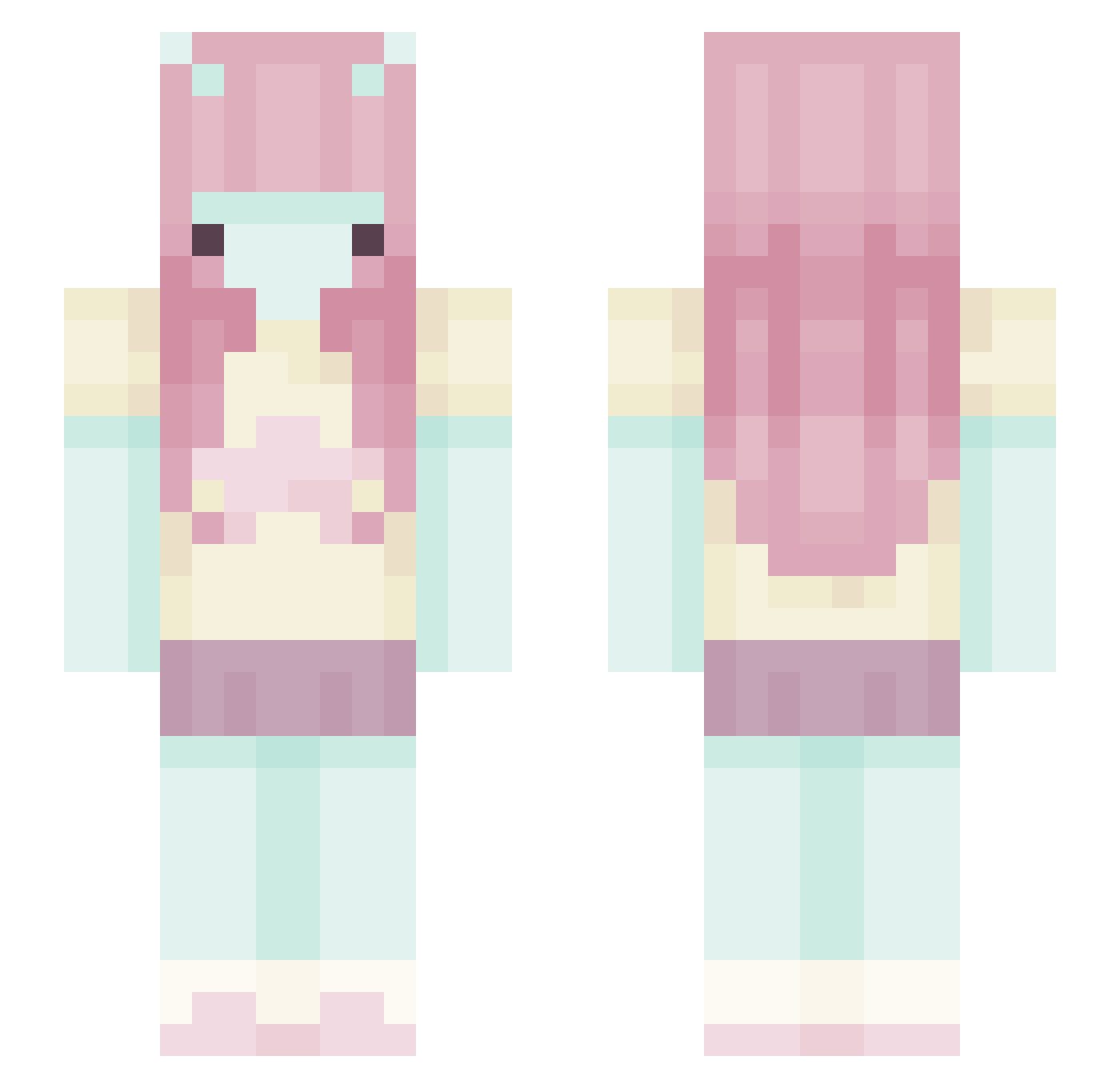
Current Minecraft skin of the player saphage, loaded from the official Mojang API. Rotate the 3D model with your mouse or finger, then download the skin as a PNG file and use it in Minecraft: Bedrock Edition or Java Edition for free. When saphage changes their skin, this page updates automatically and the old skin stays in the history below.
Other players with this skin (444)
saphage was the 264th player we have seen with this skin, first spotted on 24.09.2026. The same skin was seen on these players. Open a nickname to see their current skin and skin history.
 Vxlyn v1let Koniczyna1112 NinjaKittyyy GDTLucas woojae01 marzzybarz brookisfer Marcelovenite hharmed Josyness hunarii bleheuhh Anthian Kiioona HeatherLuz Irishsloth14 iabusemen iiiStormie GaSara88 cat4ar515 NumKidito yourfriendmai CluariaMai MalXp hello_Jelly ArianeGrenade Aadulis _NS2 Ice_Al2000 mentosik01 Bl0ody_H4LL zozowashereww Dino0_ akpanak miaoery zzinnia Aiko0505 Dolldream Iduu oskeee25 twiigasaurus KylieGriffey shortnata Deezones Hanulkaxx aliasack schiizocidal va3lri J4rgon mossbaIIs Lainkinniexoxo _hojita_ butterflukk Kchssy azaza__ ethandavidovich alyagapon Dovahellow mooncaake
More Zero Two Minecraft skins
How to install the saphage skin
- Press the Download button above to save the skin as a PNG file.
- Minecraft: Bedrock Edition (PE): open the Dressing Room from the main menu (or tap your character → Edit Character), go to Classic Skins → Owned, press the + (new skin) button, choose the downloaded PNG and pick the Slim (Alex) model. Works on PC and mobile; consoles cannot import custom skins.
- Minecraft: Java Edition: open the Minecraft Launcher, go to the Skins tab, click New Skin, load the PNG, pick the Slim (Alex) model and press Save & Use. You can also upload it at minecraft.net → Profile → Change Skin.
The skin does not show up after import - what should I do?
Restart Minecraft and open the Dressing Room again - imported skins sometimes appear only after a restart. Also make sure you selected the imported skin and picked the Slim (Alex) model.
Which model should I choose, Classic or Slim?
This skin is designed for the Slim (Alex) model. If you pick the wrong model, the arms of the skin will look stretched or squeezed.
Is the skin of saphage free to download?
Yes. Press Download, save the PNG file and use it in Minecraft: Bedrock Edition or Java Edition - no payment or registration needed. The skin also works on multiplayer servers and Realms.
More skins
Looking for more? Go back to all Minecraft skins and check the top skins of the week, month and all time, or find any player's skin by nickname.