
samuelcc2013 - Minecraft Skins & Skin History
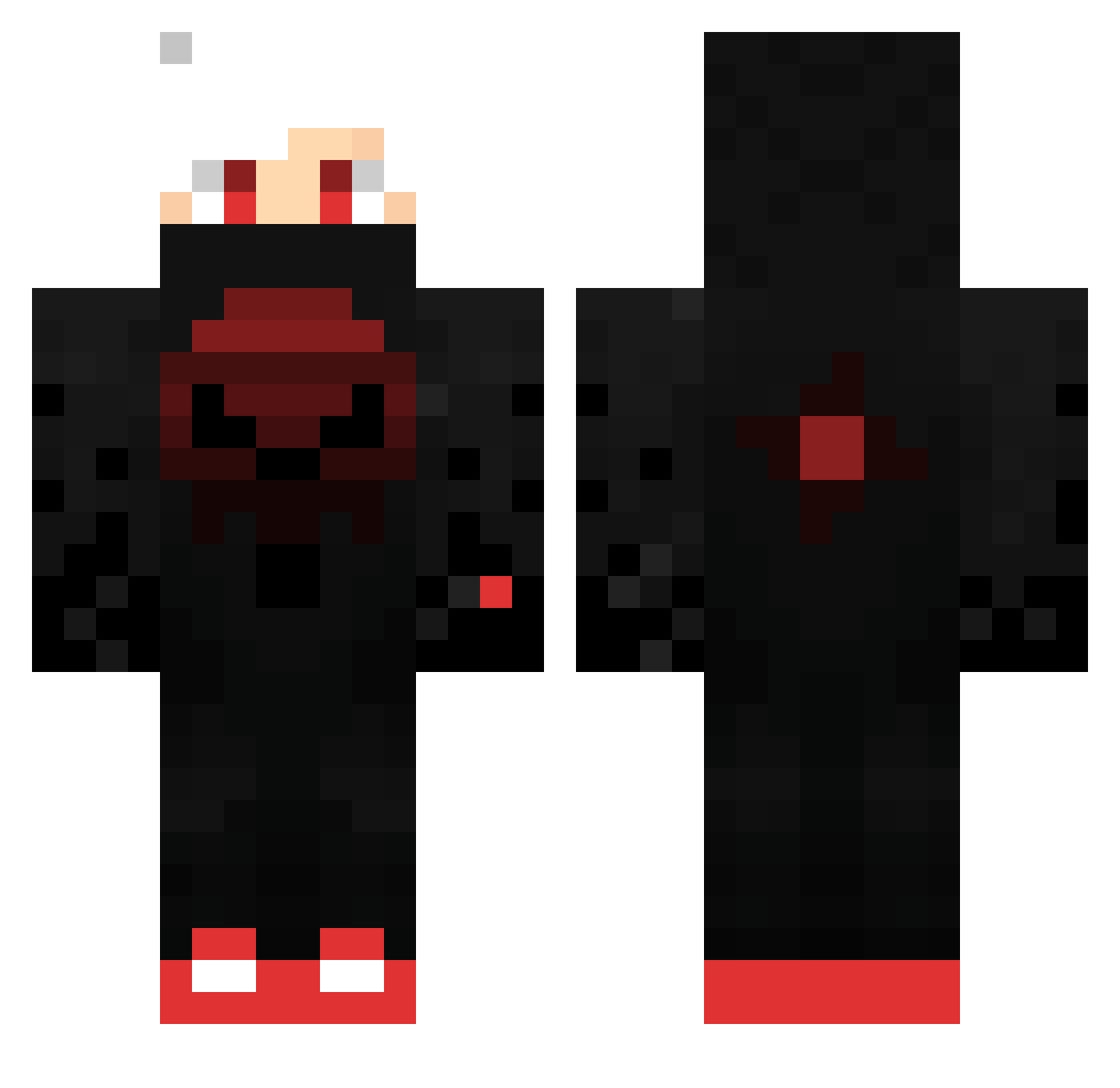
Current Minecraft skin of the player samuelcc2013, loaded from the official Mojang API. Rotate the 3D model with your mouse or finger, then download the skin as a PNG file and use it in Minecraft: Bedrock Edition or Java Edition for free. When samuelcc2013 changes their skin, this page updates automatically and the old skin stays in the history below.
Other players with this skin (445)
samuelcc2013 was the 438th player we have seen with this skin, first spotted on 03.11.2026. The same skin was seen on these players. Open a nickname to see their current skin and skin history.
 DarkBow0758 Kiwi1901 _X_x_voltik_x_X_ TengisD1203 BunaightPvP Fightingirish13 Merzunder SuiSider saric23 __V01D__ Maxi4Ever Carmona7 SyleeXin_ Ashetian Waloryan Yusuf5319 erfan_callisto YT_Bobbbb Zz_GUSTAVO_zZ TeamDonna3136 yungserbbb DexxOfcx jakob_brn FranCross93 Pyrhanox Manuel_2003 MAXIM221192 WW269 k4Nnu0 Elogo32 LuhHackr LeoStar999 mr_spongebob2 BuzzzOff PromisePlus Dr3awiii fnsamel billybongo420 MrYESGamer chengmc CarlosEduardo45G Shadow_Wolf147 david_der_colle Bilabong_ gerox_HD Mackereto XziledGaming Tomy_gamer332 LBC_Asouma GGRasta1027 QLSZyos moulbit TomatoF _Xandao_ unusedboot GayNathanatar FaMa01 Alizalanic Call6969 watalily
More Skull Minecraft skins
How to install the samuelcc2013 skin
- Press the Download button above to save the skin as a PNG file.
- Minecraft: Bedrock Edition (PE): open the Dressing Room from the main menu (or tap your character → Edit Character), go to Classic Skins → Owned, press the + (new skin) button, choose the downloaded PNG and pick the Classic (Steve) model. Works on PC and mobile; consoles cannot import custom skins.
- Minecraft: Java Edition: open the Minecraft Launcher, go to the Skins tab, click New Skin, load the PNG, pick the Classic (Steve) model and press Save & Use. You can also upload it at minecraft.net → Profile → Change Skin.
The skin does not show up after import - what should I do?
Restart Minecraft and open the Dressing Room again - imported skins sometimes appear only after a restart. Also make sure you selected the imported skin and picked the Classic (Steve) model.
Which model should I choose, Classic or Slim?
This skin is designed for the Classic (Steve) model. If you pick the wrong model, the arms of the skin will look stretched or squeezed.
Is the skin of samuelcc2013 free to download?
Yes. Press Download, save the PNG file and use it in Minecraft: Bedrock Edition or Java Edition - no payment or registration needed. The skin also works on multiplayer servers and Realms.
More skins
Looking for more? Go back to all Minecraft skins and check the top skins of the week, month and all time, or find any player's skin by nickname.