
sabinisnub69 - Minecraft Skins & Skin History
Current Minecraft skin of the player sabinisnub69, loaded from the official Mojang API. Rotate the 3D model with your mouse or finger, then download the skin as a PNG file and use it in Minecraft: Bedrock Edition or Java Edition for free. When sabinisnub69 changes their skin, this page updates automatically and the old skin stays in the history below.
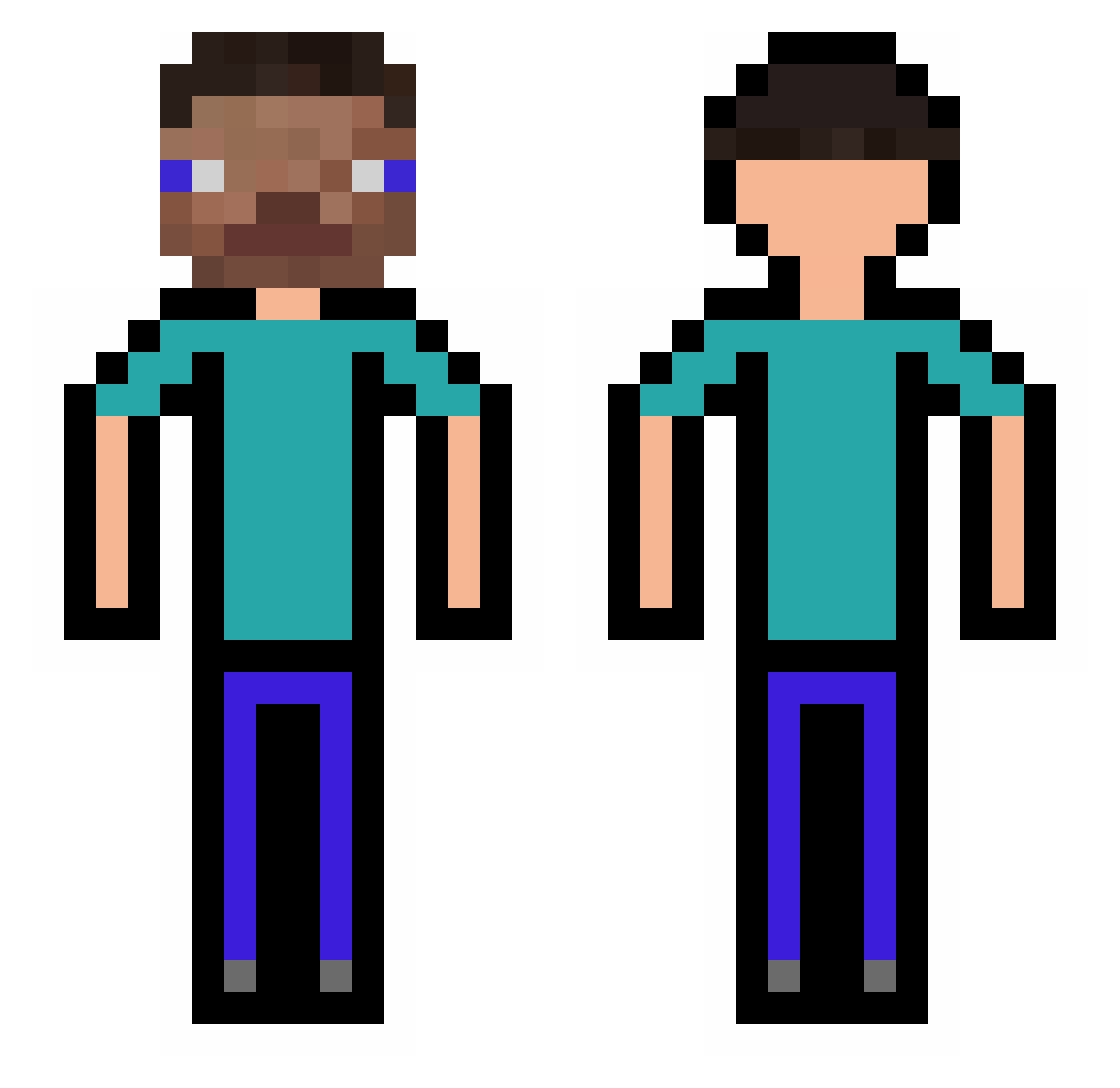
Other players with this skin (308)
sabinisnub69 was the 92nd player we have seen with this skin, first spotted on 01.09.2026. The same skin was seen on these players. Open a nickname to see their current skin and skin history.
 Oxygeniumm elvis1532 3blockies ByMarduq31
 KermitPurple schwitzi123456 David5oo5 MatHasDiabetes SSO8 ccyaaa Mtwareee Fungie OdinBoat JoDerKuhle Wakles AdultDragon tangtang__ CutoverRacer25 UpdaterXD Stonass ukrainiec41 dderos AngeloLog palasma diopane98 Washon LilTusxi Alper_brm778 HatteMallSkill LoveA788 kazsandayo Pufosul1 Leonito7 Soulylefou Hanswurst12380 DGamer123 GustavoCraft_PvP DannyRawfield JaviGarcia canvco calliofe UnjointedCrowd4 Bbearz Raikiri01 ez_Floouws HeyTaiga loliopipoipop lron1 qkrwnsdn21 Polyatomics ZweiWueste44399 yeet__lord_ TeemoTrader GhostOfTsushi69 Bubulinagasolina deepfriedburger1 Lockdown120900 Muncchh Vemik2010 paulinbiquine
How to install the sabinisnub69 skin
- Press the Download button above to save the skin as a PNG file.
- Minecraft: Bedrock Edition (PE): open the Dressing Room from the main menu (or tap your character → Edit Character), go to Classic Skins → Owned, press the + (new skin) button, choose the downloaded PNG and pick the Classic (Steve) model. Works on PC and mobile; consoles cannot import custom skins.
- Minecraft: Java Edition: open the Minecraft Launcher, go to the Skins tab, click New Skin, load the PNG, pick the Classic (Steve) model and press Save & Use. You can also upload it at minecraft.net → Profile → Change Skin.
The skin does not show up after import - what should I do?
Restart Minecraft and open the Dressing Room again - imported skins sometimes appear only after a restart. Also make sure you selected the imported skin and picked the Classic (Steve) model.
Which model should I choose, Classic or Slim?
This skin is designed for the Classic (Steve) model. If you pick the wrong model, the arms of the skin will look stretched or squeezed.
Is the skin of sabinisnub69 free to download?
Yes. Press Download, save the PNG file and use it in Minecraft: Bedrock Edition or Java Edition - no payment or registration needed. The skin also works on multiplayer servers and Realms.
More skins
Looking for more? Go back to all Minecraft skins and check the top skins of the week, month and all time, or find any player's skin by nickname.