
rudans - Minecraft Skins & Skin History
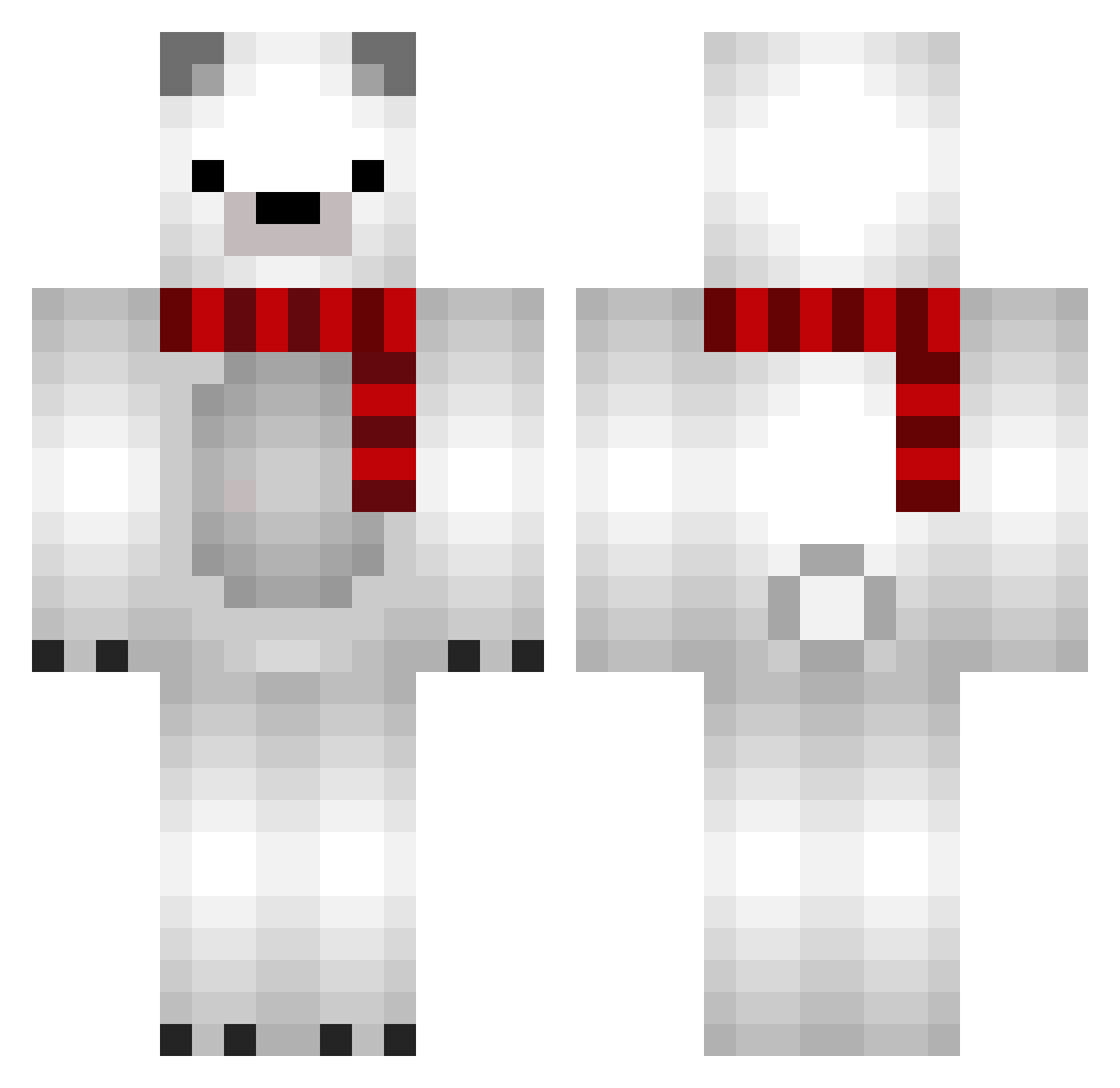
Current Minecraft skin of the player rudans, loaded from the official Mojang API. Rotate the 3D model with your mouse or finger, then download the skin as a PNG file and use it in Minecraft: Bedrock Edition or Java Edition for free. When rudans changes their skin, this page updates automatically and the old skin stays in the history below.
Other players with this skin (689)
rudans was the 302nd player we have seen with this skin, first spotted on 02.09.2026. The same skin was seen on these players. Open a nickname to see their current skin and skin history.
 _ClearLove_ 4ossy_79 Prelude_OvO DAllente nohyun Frisco69 yungrichh ybear89 LlamaDM Oqil EmirSucks zizonminju sisyasmo gi_ta OWAKONBU JopinMS H420 Japanesekid sirunde ManeMone EspiiU Koushi_09 kenny1929 logy0215 BigSosisa Arminek101 0415KCE ShibeBoii zakisanJP MrKrenzy hairbomber02 araruki007 ROSE287617 Mi_Fa Morris1557 AkihabaraNae AoMonster Altreche xqqrc lonnie_e Crownyy _ImYazeed Midnight_horizon Homisol ron1010 enyamonn VVViva
 C00KIE0W0 Gomtaeng2_ Booking62 bul1k kinana28 nana506 wimnis RyeSighx kaikun5 Nimbie Boomschagalaga NonLiquid Makironge
More Polar Bear Minecraft skins
How to install the rudans skin
- Press the Download button above to save the skin as a PNG file.
- Minecraft: Bedrock Edition (PE): open the Dressing Room from the main menu (or tap your character → Edit Character), go to Classic Skins → Owned, press the + (new skin) button, choose the downloaded PNG and pick the Classic (Steve) model. Works on PC and mobile; consoles cannot import custom skins.
- Minecraft: Java Edition: open the Minecraft Launcher, go to the Skins tab, click New Skin, load the PNG, pick the Classic (Steve) model and press Save & Use. You can also upload it at minecraft.net → Profile → Change Skin.
The skin does not show up after import - what should I do?
Restart Minecraft and open the Dressing Room again - imported skins sometimes appear only after a restart. Also make sure you selected the imported skin and picked the Classic (Steve) model.
Which model should I choose, Classic or Slim?
This skin is designed for the Classic (Steve) model. If you pick the wrong model, the arms of the skin will look stretched or squeezed.
Is the skin of rudans free to download?
Yes. Press Download, save the PNG file and use it in Minecraft: Bedrock Edition or Java Edition - no payment or registration needed. The skin also works on multiplayer servers and Realms.
More skins
Looking for more? Go back to all Minecraft skins and check the top skins of the week, month and all time, or find any player's skin by nickname.