
rise403 - Minecraft Skins & Skin History
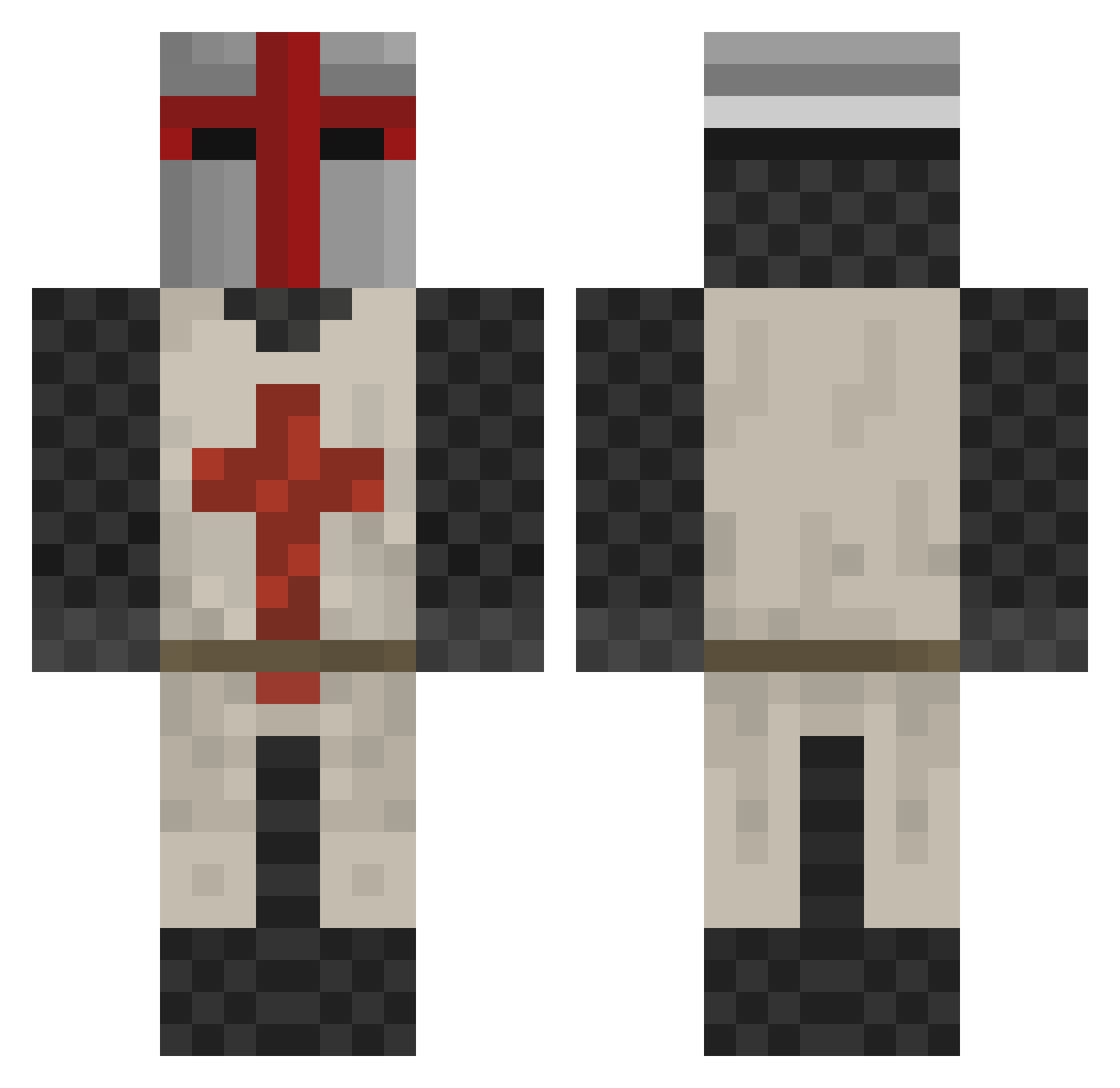
Current Minecraft skin of the player rise403, loaded from the official Mojang API. Rotate the 3D model with your mouse or finger, then download the skin as a PNG file and use it in Minecraft: Bedrock Edition or Java Edition for free. When rise403 changes their skin, this page updates automatically and the old skin stays in the history below.
Other players with this skin (518)
rise403 was the 461st player we have seen with this skin, first spotted on 09.11.2026. The same skin was seen on these players. Open a nickname to see their current skin and skin history.
 big457896 sirius1971 MurdocksC4 darksigarr biobomb Dorom skilser1 Maddog4320 Guitu CrazyFox193 Bigsecurity TEMPLICRAFT Dwsta warhammer_freak jrbatchelor Caaaaaaaarl Rapten_Ranger chrank Naykro DarkSiouxx Mercolapucko TrullSengar hughshepherd Conleymaan Backpack19 Donklord DGPStudios ltbess SkyWalker65 sxy101 Tomer90 Majorpain986 kay_hole kharon72 Untitled_ Reivaj2300 EpicFael Totengel NosferatuRomanov Skolflickan Jeb187 stelthsquid Lamadjuret_3 DADDICK loiyutytdf32435 XBob2002 MAtT_HAND Monsieur88 Ragnarruk Mitchg98 Alandawi Alex614 zorrodav Deacon50 mkmach Riisos Lord_Coggs Phlar1956 oGlolly Mortivore1986
More Crusader Minecraft skins
How to install the rise403 skin
- Press the Download button above to save the skin as a PNG file.
- Minecraft: Bedrock Edition (PE): open the Dressing Room from the main menu (or tap your character → Edit Character), go to Classic Skins → Owned, press the + (new skin) button, choose the downloaded PNG and pick the Classic (Steve) model. Works on PC and mobile; consoles cannot import custom skins.
- Minecraft: Java Edition: open the Minecraft Launcher, go to the Skins tab, click New Skin, load the PNG, pick the Classic (Steve) model and press Save & Use. You can also upload it at minecraft.net → Profile → Change Skin.
The skin does not show up after import - what should I do?
Restart Minecraft and open the Dressing Room again - imported skins sometimes appear only after a restart. Also make sure you selected the imported skin and picked the Classic (Steve) model.
Which model should I choose, Classic or Slim?
This skin is designed for the Classic (Steve) model. If you pick the wrong model, the arms of the skin will look stretched or squeezed.
Is the skin of rise403 free to download?
Yes. Press Download, save the PNG file and use it in Minecraft: Bedrock Edition or Java Edition - no payment or registration needed. The skin also works on multiplayer servers and Realms.
More skins
Looking for more? Go back to all Minecraft skins and check the top skins of the week, month and all time, or find any player's skin by nickname.