
riiika32 - Minecraft Skins & Skin History
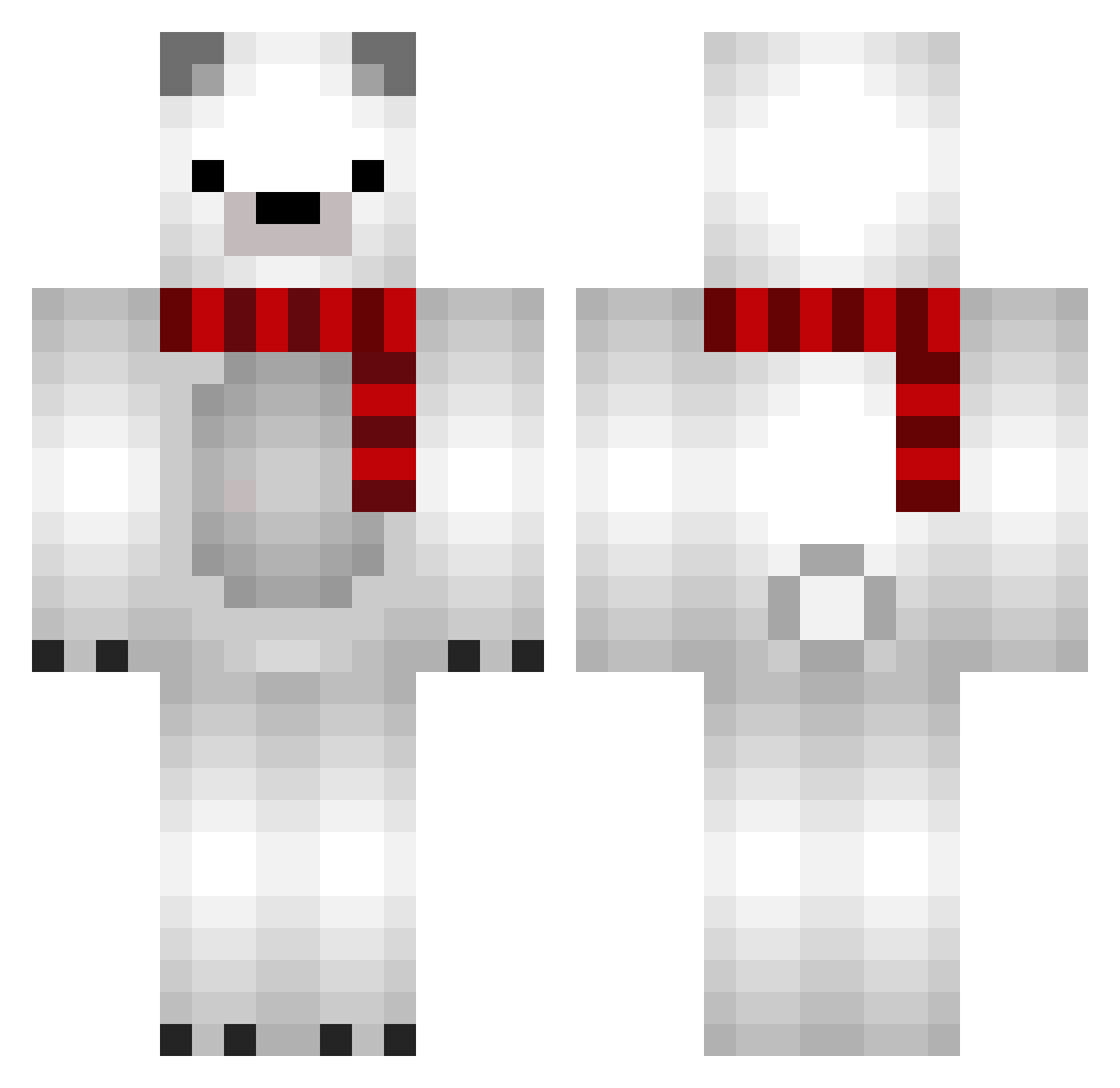
Current Minecraft skin of the player riiika32, loaded from the official Mojang API. Rotate the 3D model with your mouse or finger, then download the skin as a PNG file and use it in Minecraft: Bedrock Edition or Java Edition for free. When riiika32 changes their skin, this page updates automatically and the old skin stays in the history below.
Other players with this skin (689)
riiika32 was the 77th player we have seen with this skin, first spotted on 04.08.2026. The same skin was seen on these players. Open a nickname to see their current skin and skin history.
 engawa_gunkan yukinko0o he_ing SHINO52 TTTTTimmy Kanchito RainyUr duraley KD_Libo Ursulus17 eksgml xianmua joshbain pig456 MrBrainely UPTOWNGIRL00 Calrify YUKKURIRk Olimaristocrathe steva0513 Jun_seok05 snakeabove BerxolyAlt10 Kairyu1204 Shimashima40003 dong1nE Yooljjang SpeedySims banmoon OfureO coolmilkcute Geloo823 Redit__ yongshi341 KORN0205 AnkeHoekstra Ganzi_BBong_bra oNAGUo j_uuu Luana0705 kowakeudon PAN115 acedfsf sinewheet Lewis868614 liang_lian kkaoh SadForG ichi_58 kg778 A5WXP encerter Shandamon Baegion ThanosNL BarbSlayer Shivres GTTERRY Meganova_ BlackP3rson
More Polar Bear Minecraft skins
How to install the riiika32 skin
- Press the Download button above to save the skin as a PNG file.
- Minecraft: Bedrock Edition (PE): open the Dressing Room from the main menu (or tap your character → Edit Character), go to Classic Skins → Owned, press the + (new skin) button, choose the downloaded PNG and pick the Classic (Steve) model. Works on PC and mobile; consoles cannot import custom skins.
- Minecraft: Java Edition: open the Minecraft Launcher, go to the Skins tab, click New Skin, load the PNG, pick the Classic (Steve) model and press Save & Use. You can also upload it at minecraft.net → Profile → Change Skin.
The skin does not show up after import - what should I do?
Restart Minecraft and open the Dressing Room again - imported skins sometimes appear only after a restart. Also make sure you selected the imported skin and picked the Classic (Steve) model.
Which model should I choose, Classic or Slim?
This skin is designed for the Classic (Steve) model. If you pick the wrong model, the arms of the skin will look stretched or squeezed.
Is the skin of riiika32 free to download?
Yes. Press Download, save the PNG file and use it in Minecraft: Bedrock Edition or Java Edition - no payment or registration needed. The skin also works on multiplayer servers and Realms.
More skins
Looking for more? Go back to all Minecraft skins and check the top skins of the week, month and all time, or find any player's skin by nickname.