
relic69 - Minecraft Skins & Skin History
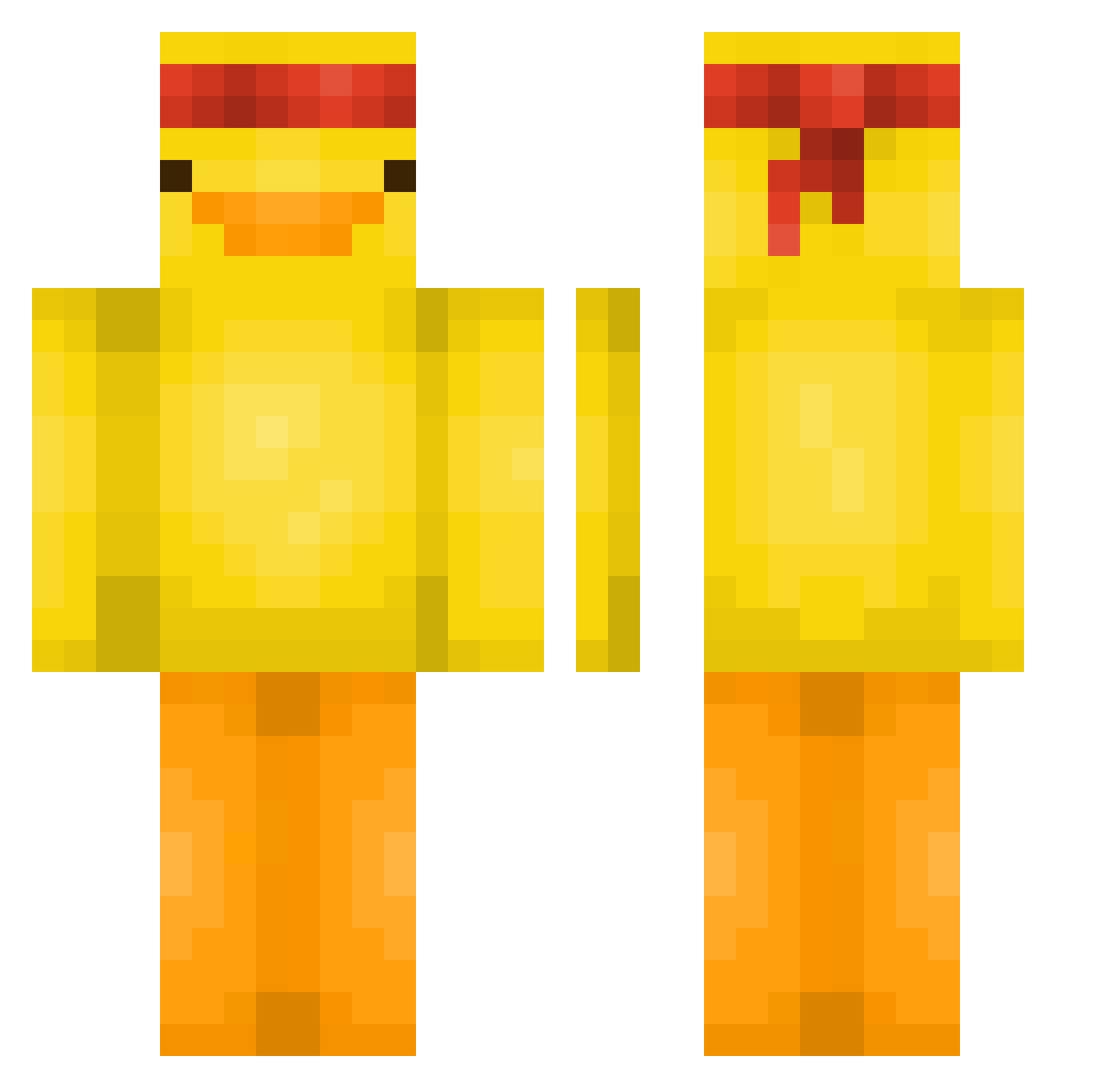
Current Minecraft skin of the player relic69, loaded from the official Mojang API. Rotate the 3D model with your mouse or finger, then download the skin as a PNG file and use it in Minecraft: Bedrock Edition or Java Edition for free. When relic69 changes their skin, this page updates automatically and the old skin stays in the history below.
Other players with this skin (561)
relic69 was the 548th player we have seen with this skin, first spotted on 30.10.2026. The same skin was seen on these players. Open a nickname to see their current skin and skin history.
 Paredes__ Nuddm odeong Bruhnterr serendipity0419 Papasprm keranzy PetalPuff24 Zynischx Zlovak IcedN8 Kozmic_ Safabinho 87xlocks Bananenbrot837 Trommanc 4wyy ItzGello Yoonwoo12 Hotrow Hmb_Ming Uneq4757 pollitox1234 PACMAN_02 lwxcass MenacingCod NoirGuy33 Potato_was_taken SuMeDooSh Bastien2109 jung_ga Hunting_Pocha Luimen richas123 FramptonFab5_ Isaboll paranoii Sipsicik Clutz1 Lelalolul Johnnys_Dad kittybike idwda FishiSushi0 Ceedeem goneuela iAm_NONE NbGraae jimmy5567822 MinecraftMathers GrossMichel Gyps835 DAYORNIGHT2 thisgameblows420 PepeTheFrog69 Carmine__10 quehaypalpan Attosecond00 FutureBoys10 HAKUN556
More Duck Minecraft skins
How to install the relic69 skin
- Press the Download button above to save the skin as a PNG file.
- Minecraft: Bedrock Edition (PE): open the Dressing Room from the main menu (or tap your character → Edit Character), go to Classic Skins → Owned, press the + (new skin) button, choose the downloaded PNG and pick the Classic (Steve) model. Works on PC and mobile; consoles cannot import custom skins.
- Minecraft: Java Edition: open the Minecraft Launcher, go to the Skins tab, click New Skin, load the PNG, pick the Classic (Steve) model and press Save & Use. You can also upload it at minecraft.net → Profile → Change Skin.
The skin does not show up after import - what should I do?
Restart Minecraft and open the Dressing Room again - imported skins sometimes appear only after a restart. Also make sure you selected the imported skin and picked the Classic (Steve) model.
Which model should I choose, Classic or Slim?
This skin is designed for the Classic (Steve) model. If you pick the wrong model, the arms of the skin will look stretched or squeezed.
Is the skin of relic69 free to download?
Yes. Press Download, save the PNG file and use it in Minecraft: Bedrock Edition or Java Edition - no payment or registration needed. The skin also works on multiplayer servers and Realms.
More skins
Looking for more? Go back to all Minecraft skins and check the top skins of the week, month and all time, or find any player's skin by nickname.