
redguo3 - Minecraft Skins & Skin History
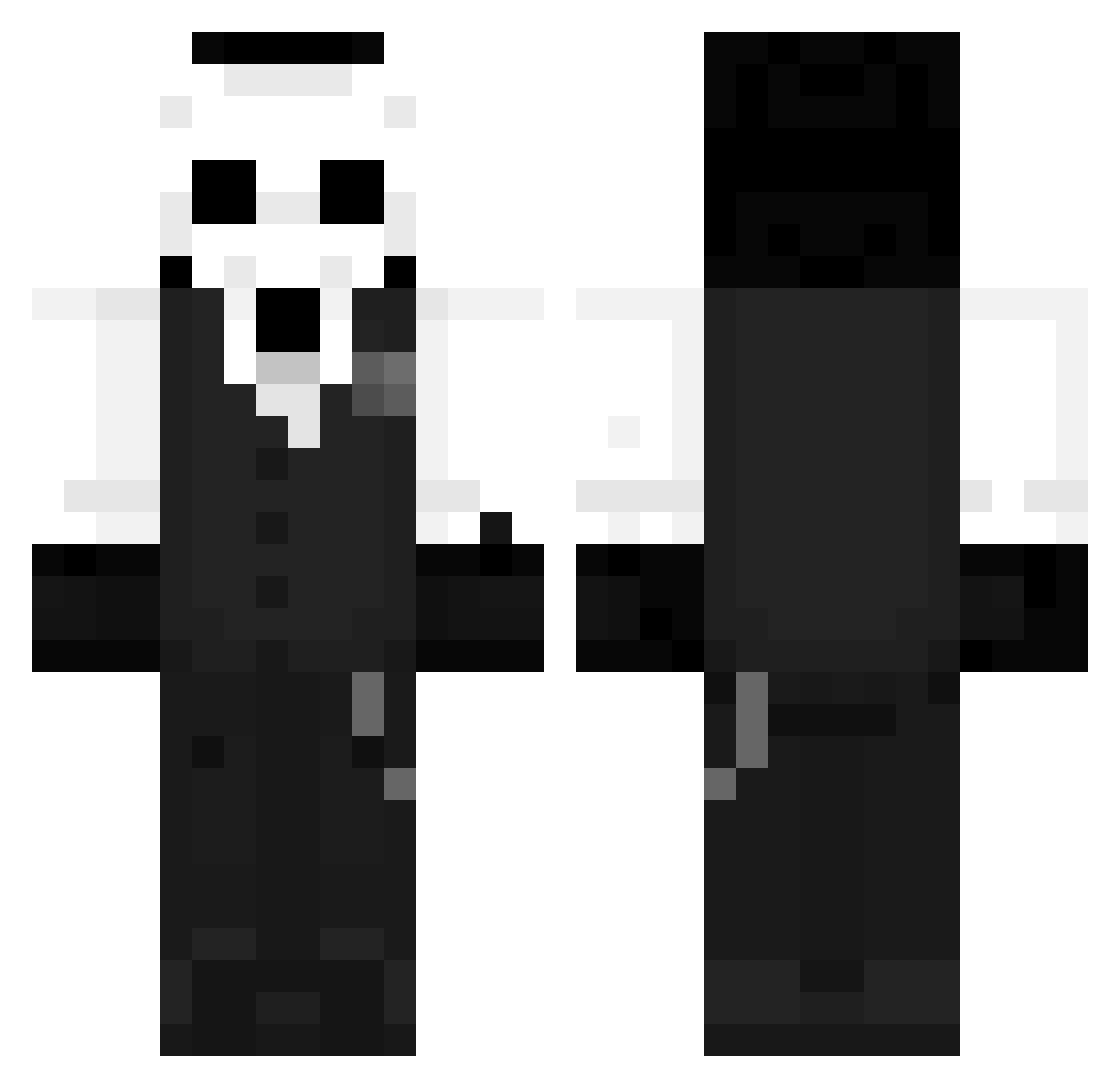
Current Minecraft skin of the player redguo3, loaded from the official Mojang API. Rotate the 3D model with your mouse or finger, then download the skin as a PNG file and use it in Minecraft: Bedrock Edition or Java Edition for free. When redguo3 changes their skin, this page updates automatically and the old skin stays in the history below.
Other players with this skin (1456)
redguo3 was the 1413th player we have seen with this skin, first spotted on 16.11.2026. The same skin was seen on these players. Open a nickname to see their current skin and skin history.
 HamTazy 44li RustHours kuruta2000 JavierManning blockily Azz8x Saski_Sdk DaddyOff white_dere TTVmonkeye eladNX RoMa345123 Waalaalaa Digmasss SaturnDiamond345 yuyuequiet EminentSinister KasztanProgres Adonisch ObbyK Sir666w BamBam1138 Flashex341 Finnieboyy_ Hg_0 zoiess Y01R0 Dessmac BlxckMyth MisterPandass Painkiller183 ProHesared772 Sarko_san SkyMo0nz Freak0316 Sinister_S xmarcx_x george20000 Ekuzok LJJSSB LilKracken Killian420 MastergamerLu Darkkariun dvxnieel DoT_YT KipGouK Jayywilson RECRECK17 wzdygr jojoqweskk1 Ezrever yvVaZ qqmh MrMoha0 Meerte LOOTzzz Arthur113 NakashimaS
More Sans Minecraft skins
How to install the redguo3 skin
- Press the Download button above to save the skin as a PNG file.
- Minecraft: Bedrock Edition (PE): open the Dressing Room from the main menu (or tap your character → Edit Character), go to Classic Skins → Owned, press the + (new skin) button, choose the downloaded PNG and pick the Classic (Steve) model. Works on PC and mobile; consoles cannot import custom skins.
- Minecraft: Java Edition: open the Minecraft Launcher, go to the Skins tab, click New Skin, load the PNG, pick the Classic (Steve) model and press Save & Use. You can also upload it at minecraft.net → Profile → Change Skin.
The skin does not show up after import - what should I do?
Restart Minecraft and open the Dressing Room again - imported skins sometimes appear only after a restart. Also make sure you selected the imported skin and picked the Classic (Steve) model.
Which model should I choose, Classic or Slim?
This skin is designed for the Classic (Steve) model. If you pick the wrong model, the arms of the skin will look stretched or squeezed.
Is the skin of redguo3 free to download?
Yes. Press Download, save the PNG file and use it in Minecraft: Bedrock Edition or Java Edition - no payment or registration needed. The skin also works on multiplayer servers and Realms.
More skins
Looking for more? Go back to all Minecraft skins and check the top skins of the week, month and all time, or find any player's skin by nickname.