
rayomaqueen777 - Minecraft Skins & Skin History
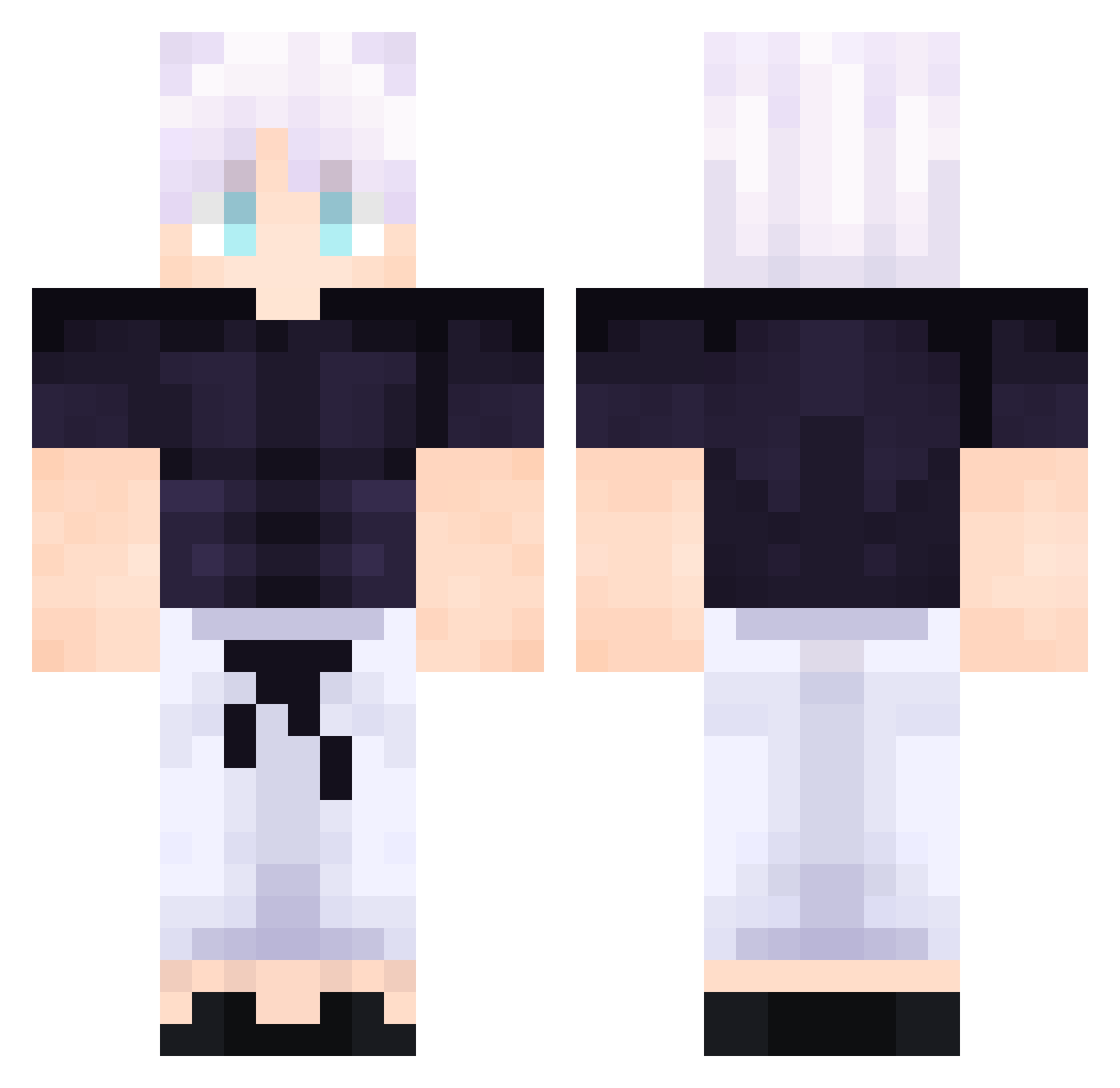
Current Minecraft skin of the player rayomaqueen777, loaded from the official Mojang API. Rotate the 3D model with your mouse or finger, then download the skin as a PNG file and use it in Minecraft: Bedrock Edition or Java Edition for free. When rayomaqueen777 changes their skin, this page updates automatically and the old skin stays in the history below.
Other players with this skin (510)
rayomaqueen777 was the 343rd player we have seen with this skin, first spotted on 04.10.2026. The same skin was seen on these players. Open a nickname to see their current skin and skin history.
 DUDUZINHO1 The_Honoured_One LukeFalcox KINGRYAN65 Pieppa mone091109 Ch_nc3y SchwarzerRaser dark_silium TechLionDevPlayz WillieBGamer2 euuchaves SrKioya adeekX Antooo7 MicahFace NozGoth EWR1N MeekToe1422 imicrodemo TurboGamer11 rexi683 Bobozingas EASTASSASSIN papapabis2 DaViD65HU topfit_ IonClap JoakoGamer17 Shees24 vitjam LordDaddyD JaviRubik Viostain tiaandersonn awssaflkoi ele2 Daniel736 QiQiLupi Metehan3311 XToprakTekin MicahBell totibikin ylKarma Ciastek7 luluxyz7 Iris_person almeerq8 inacioNinja policelovedonut Guerreiro307 j3for91 BBCmarquis LuksMert muckerduckS Ryamua01 alansmithee2 Tyou_SPCE jct2game kamryce
More Satoru Gojo Minecraft skins
See all 1319 Satoru Gojo skins
How to install the rayomaqueen777 skin
- Press the Download button above to save the skin as a PNG file.
- Minecraft: Bedrock Edition (PE): open the Dressing Room from the main menu (or tap your character → Edit Character), go to Classic Skins → Owned, press the + (new skin) button, choose the downloaded PNG and pick the Classic (Steve) model. Works on PC and mobile; consoles cannot import custom skins.
- Minecraft: Java Edition: open the Minecraft Launcher, go to the Skins tab, click New Skin, load the PNG, pick the Classic (Steve) model and press Save & Use. You can also upload it at minecraft.net → Profile → Change Skin.
The skin does not show up after import - what should I do?
Restart Minecraft and open the Dressing Room again - imported skins sometimes appear only after a restart. Also make sure you selected the imported skin and picked the Classic (Steve) model.
Which model should I choose, Classic or Slim?
This skin is designed for the Classic (Steve) model. If you pick the wrong model, the arms of the skin will look stretched or squeezed.
Is the skin of rayomaqueen777 free to download?
Yes. Press Download, save the PNG file and use it in Minecraft: Bedrock Edition or Java Edition - no payment or registration needed. The skin also works on multiplayer servers and Realms.
More skins
Looking for more? Go back to all Minecraft skins and check the top skins of the week, month and all time, or find any player's skin by nickname.