
rashers - Minecraft Skins & Skin History
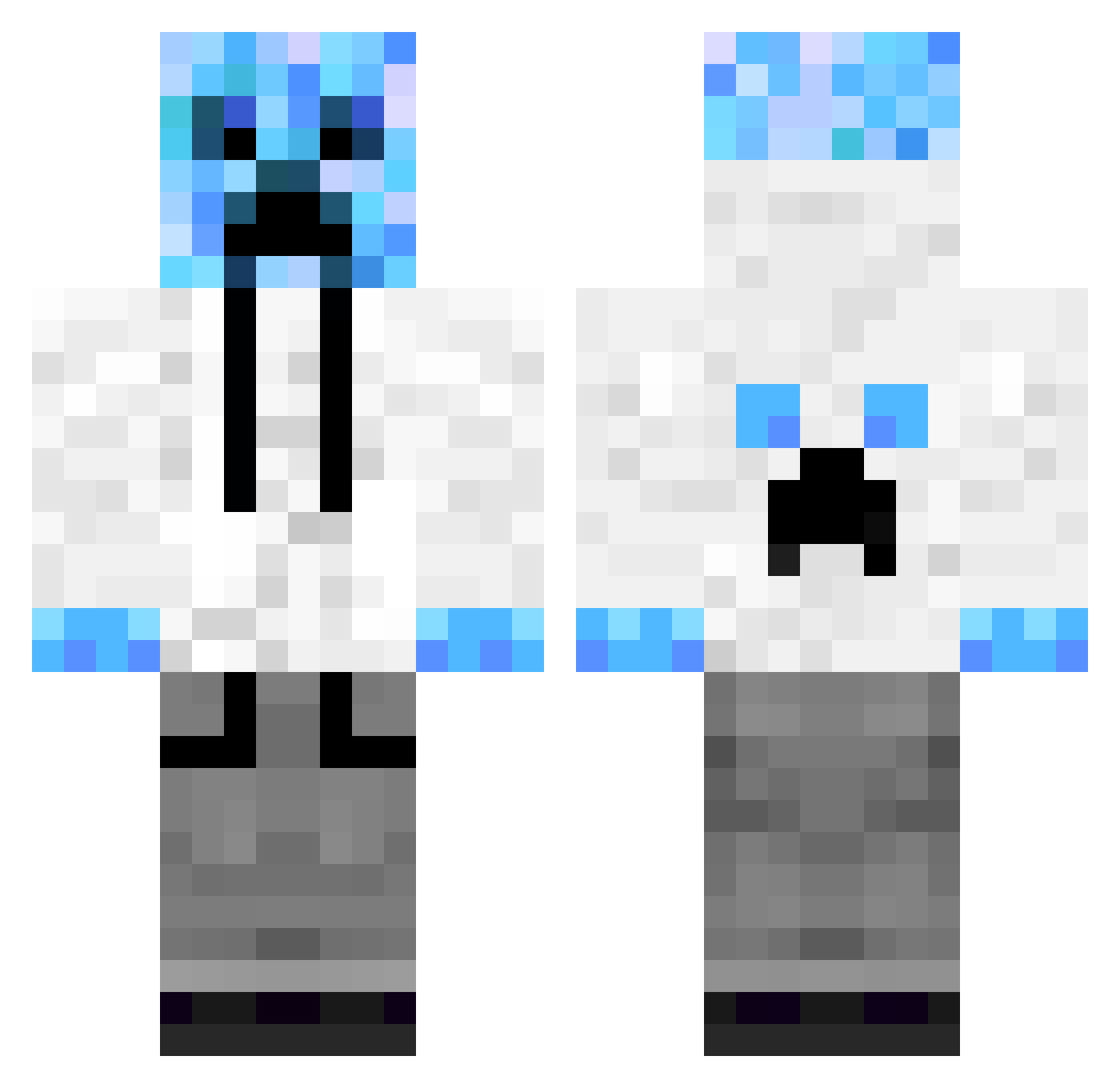
Current Minecraft skin of the player rashers, loaded from the official Mojang API. Rotate the 3D model with your mouse or finger, then download the skin as a PNG file and use it in Minecraft: Bedrock Edition or Java Edition for free. When rashers changes their skin, this page updates automatically and the old skin stays in the history below.
Other players with this skin (65)
rashers was the 23rd player we have seen with this skin, first spotted on 02.09.2026. The same skin was seen on these players. Open a nickname to see their current skin and skin history.
 Pokemon_mania BingChilling997 zombiedomonater ambush346783 Lil_B16 57DANIEL57 N0hidea ESZNZ3ZH s0s1000wysp Bottesini_ r3xvert MikeMcFart Jake_Sibi xvw__ Megatron69 manesan32 Pozboy123 ksm3210 Zaza2202 Frytka445 Mr_Slipper Avolve99 Jackcarter d0_5q LoveForTechno Ziemia678 sam50896 Ci_Rongs Mr_Djey gvg_pt raizu1337 Mr_Gorda McKiler chiiiru
 UHOUHO_gorira77 Maybe_miracle ElProfe2011 Swoobles
 AkameGore flamecrypto Flobby0610 _souvenir abcdefgaklmnopqr McDonaldsBigMac MaxuSumJebacKarp Bryan1800_ JAMES11233332 DADDOCK sangbo0707 kasterv1 Ehs0 SimpleDarkz StruzzoilTruzzo YungN_ k1ro_0 _wata Failivrin 3351 patryczek281212 Kamikaze29t
More Ice Minecraft skins
How to install the rashers skin
- Press the Download button above to save the skin as a PNG file.
- Minecraft: Bedrock Edition (PE): open the Dressing Room from the main menu (or tap your character → Edit Character), go to Classic Skins → Owned, press the + (new skin) button, choose the downloaded PNG and pick the Classic (Steve) model. Works on PC and mobile; consoles cannot import custom skins.
- Minecraft: Java Edition: open the Minecraft Launcher, go to the Skins tab, click New Skin, load the PNG, pick the Classic (Steve) model and press Save & Use. You can also upload it at minecraft.net → Profile → Change Skin.
The skin does not show up after import - what should I do?
Restart Minecraft and open the Dressing Room again - imported skins sometimes appear only after a restart. Also make sure you selected the imported skin and picked the Classic (Steve) model.
Which model should I choose, Classic or Slim?
This skin is designed for the Classic (Steve) model. If you pick the wrong model, the arms of the skin will look stretched or squeezed.
Is the skin of rashers free to download?
Yes. Press Download, save the PNG file and use it in Minecraft: Bedrock Edition or Java Edition - no payment or registration needed. The skin also works on multiplayer servers and Realms.
More skins
Looking for more? Go back to all Minecraft skins and check the top skins of the week, month and all time, or find any player's skin by nickname.