
randomaccount341 - Minecraft Skins & Skin History
Current Minecraft skin of the player randomaccount341, loaded from the official Mojang API. Rotate the 3D model with your mouse or finger, then download the skin as a PNG file and use it in Minecraft: Bedrock Edition or Java Edition for free. When randomaccount341 changes their skin, this page updates automatically and the old skin stays in the history below.
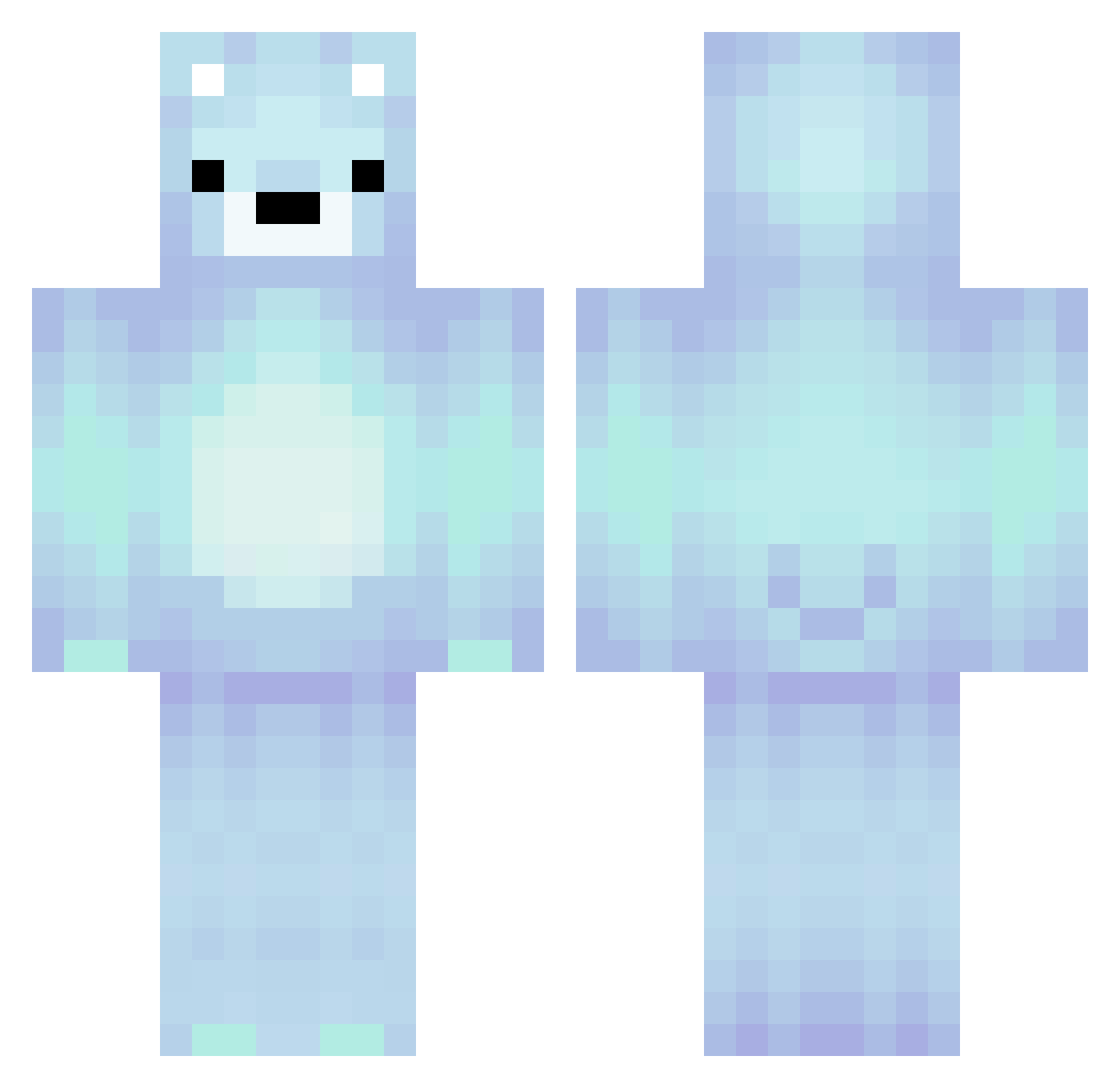
Other players with this skin (265)
randomaccount341 was the 114th player we have seen with this skin, first spotted on 12.09.2026. The same skin was seen on these players. Open a nickname to see their current skin and skin history.
 BABY_BEAR_81 InfiniteHalcyon molshopen12 bodecwc Blue_Bear_13 Fire_StrikeX heheh1029 TilluTailor GFlair81614 JadenWuzHere Bonnie421 KARTHIKROCK n4m34me ler8333 cookedbyCHICKEN Roger_Zh saritaaa__ Chrispychris78 Firestorm135 EthanRescue 4cified Ada312 jajabi Quaggy195 darklion10 0Unknown2 Hamzafareed487 Basseeeeee Crazy_Helland igxmx1m makgeolli11 Charceus Daantje03177 mrshaern iamnotf0und ohfivesoul esdHGG SuperBen_64 chookiesMC Melissaxsl JaWit1 Flatpython895 modymosa
 MrCreeper13w377 Wontti samguy77 Tarospeed WOJTAS24 xThuG_Killer JasperThijs howon_0930 stealthrider3 Giftformsanta edwardgl831
 Meow92354 jammy1004 Daikiri11 toDaniel HassanRaidz mk_meg
More Polar Bear Minecraft skins
How to install the randomaccount341 skin
- Press the Download button above to save the skin as a PNG file.
- Minecraft: Bedrock Edition (PE): open the Dressing Room from the main menu (or tap your character → Edit Character), go to Classic Skins → Owned, press the + (new skin) button, choose the downloaded PNG and pick the Classic (Steve) model. Works on PC and mobile; consoles cannot import custom skins.
- Minecraft: Java Edition: open the Minecraft Launcher, go to the Skins tab, click New Skin, load the PNG, pick the Classic (Steve) model and press Save & Use. You can also upload it at minecraft.net → Profile → Change Skin.
The skin does not show up after import - what should I do?
Restart Minecraft and open the Dressing Room again - imported skins sometimes appear only after a restart. Also make sure you selected the imported skin and picked the Classic (Steve) model.
Which model should I choose, Classic or Slim?
This skin is designed for the Classic (Steve) model. If you pick the wrong model, the arms of the skin will look stretched or squeezed.
Is the skin of randomaccount341 free to download?
Yes. Press Download, save the PNG file and use it in Minecraft: Bedrock Edition or Java Edition - no payment or registration needed. The skin also works on multiplayer servers and Realms.
More skins
Looking for more? Go back to all Minecraft skins and check the top skins of the week, month and all time, or find any player's skin by nickname.