
ra7rocket - Minecraft Skins & Skin History
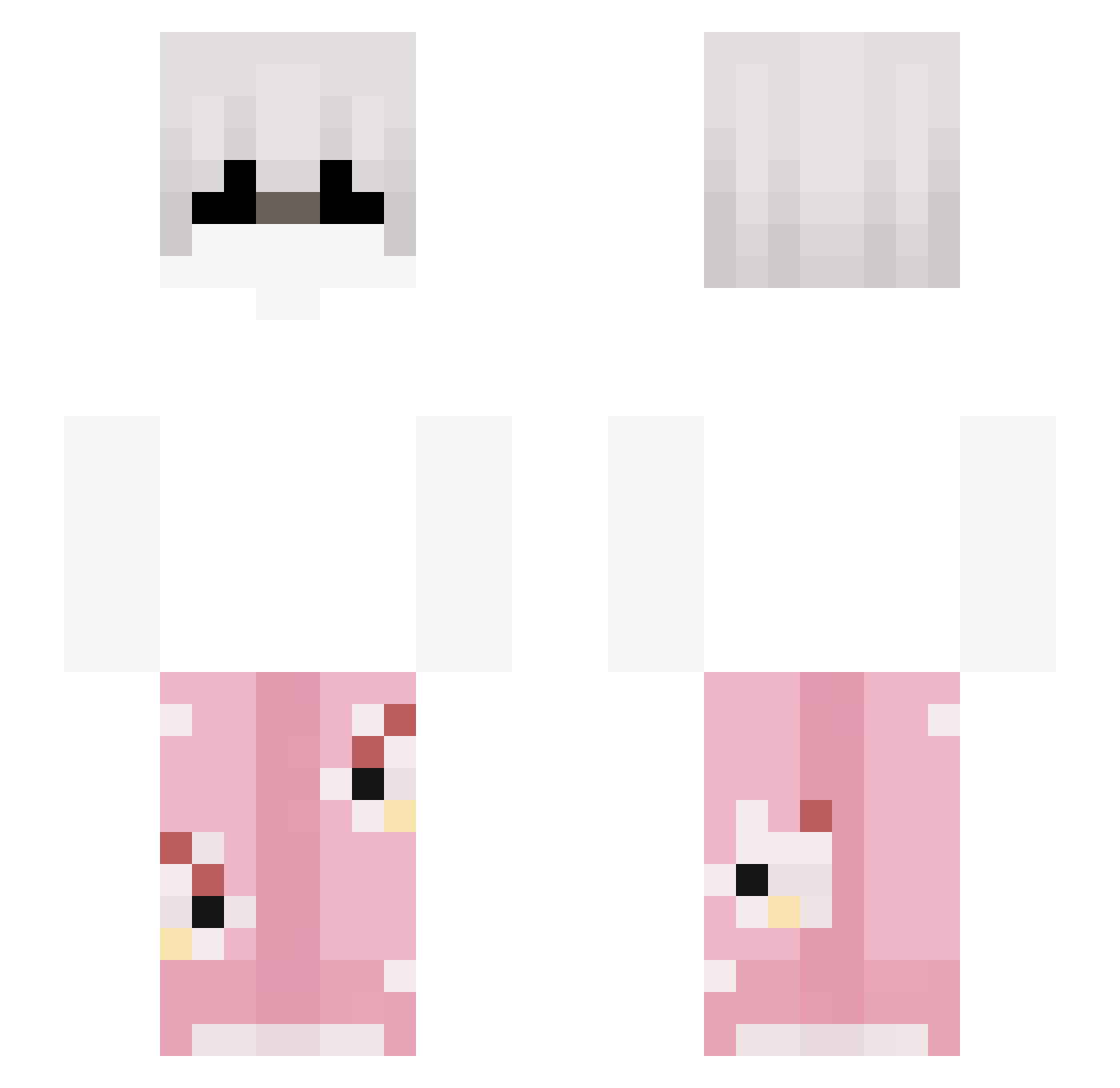
Current Minecraft skin of the player ra7rocket, loaded from the official Mojang API. Rotate the 3D model with your mouse or finger, then download the skin as a PNG file and use it in Minecraft: Bedrock Edition or Java Edition for free. When ra7rocket changes their skin, this page updates automatically and the old skin stays in the history below.
Other players with this skin (265)
ra7rocket was the 176th player we have seen with this skin, first spotted on 05.10.2026. The same skin was seen on these players. Open a nickname to see their current skin and skin history.
 Gaese sqizzii HisHollowBody Quarl_ 2rp ELISEN999 AliveVex WooBreezyyy dtape Blackrobot067 Hvnly_ The_British_Boy lov6ly_ KUB0L__ I_LOVE_BLANCIK baplayz darrko0 Emre06TR grindgwap Pokepaule15 Frwncy WaffleDev Felixlp08 VynillaMC r1rxi zv3kck_ Jx12x dabface44 SynKsiedza SANTIX_1111 BreddedToast Jarryle Bellcowfree ziomek879 v1r3llex Bulkish K4ppa1321 Kacperr21 Absolutebub Varneme Jaovot ohhmyword SebaSteing MassacreFlow Juanmi_212 Kvasokol zimpu Bobbyrizz67 zzky Crazy8114 Tiaguito492 ilovemalolo Xeksand Stulker yoyeke MuminBKW onlinerzmorgan KinderMaxiKing69 fajfus_PO Porzelbaum
More Pyjamas Minecraft skins
How to install the ra7rocket skin
- Press the Download button above to save the skin as a PNG file.
- Minecraft: Bedrock Edition (PE): open the Dressing Room from the main menu (or tap your character → Edit Character), go to Classic Skins → Owned, press the + (new skin) button, choose the downloaded PNG and pick the Slim (Alex) model. Works on PC and mobile; consoles cannot import custom skins.
- Minecraft: Java Edition: open the Minecraft Launcher, go to the Skins tab, click New Skin, load the PNG, pick the Slim (Alex) model and press Save & Use. You can also upload it at minecraft.net → Profile → Change Skin.
The skin does not show up after import - what should I do?
Restart Minecraft and open the Dressing Room again - imported skins sometimes appear only after a restart. Also make sure you selected the imported skin and picked the Slim (Alex) model.
Which model should I choose, Classic or Slim?
This skin is designed for the Slim (Alex) model. If you pick the wrong model, the arms of the skin will look stretched or squeezed.
Is the skin of ra7rocket free to download?
Yes. Press Download, save the PNG file and use it in Minecraft: Bedrock Edition or Java Edition - no payment or registration needed. The skin also works on multiplayer servers and Realms.
More skins
Looking for more? Go back to all Minecraft skins and check the top skins of the week, month and all time, or find any player's skin by nickname.