
r_eKi1 - Minecraft Skins & Skin History
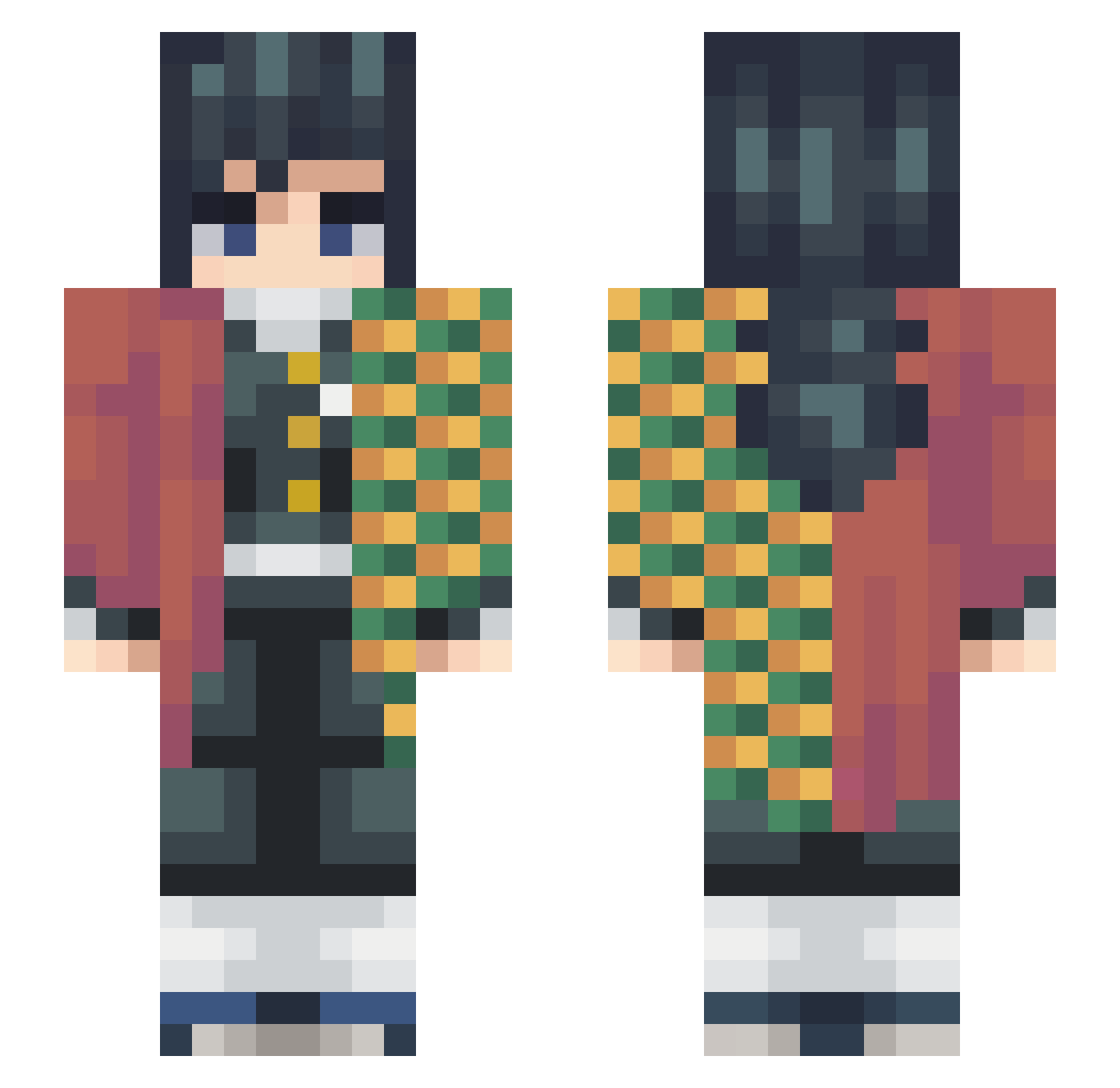
Current Minecraft skin of the player r_eKi1, loaded from the official Mojang API. Rotate the 3D model with your mouse or finger, then download the skin as a PNG file and use it in Minecraft: Bedrock Edition or Java Edition for free. When r_eKi1 changes their skin, this page updates automatically and the old skin stays in the history below.
Other players with this skin (280)
r_eKi1 was the 133rd player we have seen with this skin, first spotted on 22.09.2026. The same skin was seen on these players. Open a nickname to see their current skin and skin history.
 I1luminus Raviolofruit ThursdayAdame MysticRL Rain21 Gabusaffar Schnitzel_Boi_ Tunerpoo Blo0dZ_ G0DS3ND john123321 Zethical FerniTuCrush Peralttas baileydiaz skylethorot Burton31 kikibb0218 MigueL977 Arcos765 Viftyz _ck17_ SudaMasaki_ zw0015 Aleuan epicgamer7346 onu0302 timeles Zantsuki SinC_00 Mordex_hn Whenorwin Crmontt REILEVEL xyflorezzz lolitsmineman Im_Tamioka Assistss Noname640 Jabii Willy_the_Wonka XxhajimexX Prectic GiyuTomioka4 CubanMissile22 EnzoKK ketchupandmayo sithdownn jirples TDM_ST _ExoDiuS Giyuu_Depression MrQIAN0LI Jiromioka dinoexpert GUN9075 Fristier ktm0423 Janae972 Toji_Hiro
More Hashira Minecraft skins
How to install the r_eKi1 skin
- Press the Download button above to save the skin as a PNG file.
- Minecraft: Bedrock Edition (PE): open the Dressing Room from the main menu (or tap your character → Edit Character), go to Classic Skins → Owned, press the + (new skin) button, choose the downloaded PNG and pick the Slim (Alex) model. Works on PC and mobile; consoles cannot import custom skins.
- Minecraft: Java Edition: open the Minecraft Launcher, go to the Skins tab, click New Skin, load the PNG, pick the Slim (Alex) model and press Save & Use. You can also upload it at minecraft.net → Profile → Change Skin.
The skin does not show up after import - what should I do?
Restart Minecraft and open the Dressing Room again - imported skins sometimes appear only after a restart. Also make sure you selected the imported skin and picked the Slim (Alex) model.
Which model should I choose, Classic or Slim?
This skin is designed for the Slim (Alex) model. If you pick the wrong model, the arms of the skin will look stretched or squeezed.
Is the skin of r_eKi1 free to download?
Yes. Press Download, save the PNG file and use it in Minecraft: Bedrock Edition or Java Edition - no payment or registration needed. The skin also works on multiplayer servers and Realms.
More skins
Looking for more? Go back to all Minecraft skins and check the top skins of the week, month and all time, or find any player's skin by nickname.