
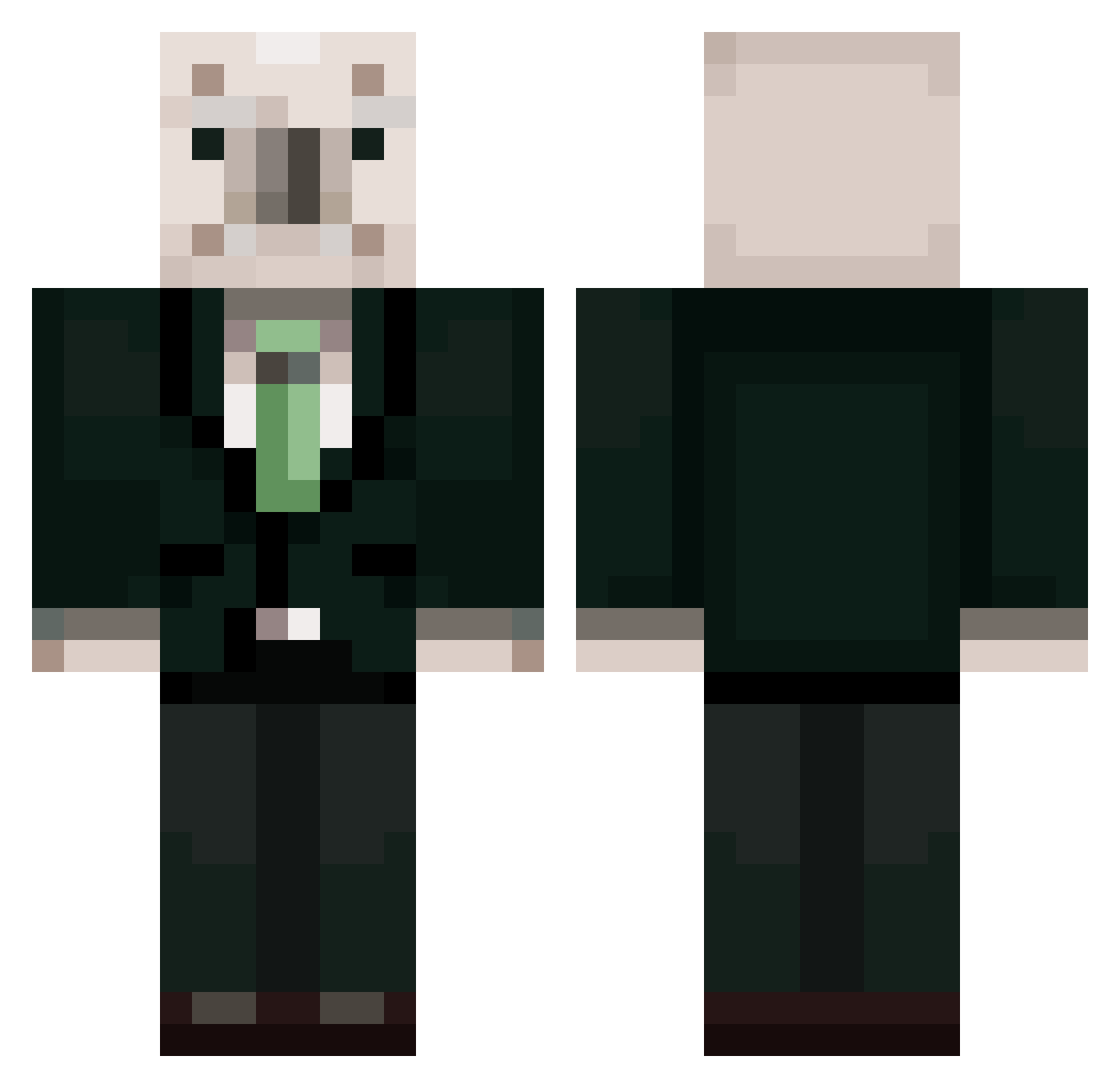
Current Minecraft skin of the player qkdrn0903, loaded from the official Mojang API. Rotate the 3D model with your mouse or finger, then download the skin as a PNG file and use it in Minecraft: Bedrock Edition or Java Edition for free. When qkdrn0903 changes their skin, this page updates automatically and the old skin stays in the history below.
Other players with this skin (368)
qkdrn0903 was the 233rd player we have seen with this skin, first spotted on 24.09.2026. The same skin was seen on these players. Open a nickname to see their current skin and skin history.
 DevilP0tato mjb111 Angus_523 juhyeon_649 givemewilli heeing1 norra523 molly486 allahAkbar11 balerie_ da1fukun Seksboy199 __NIQ aamtal cnghrud12 UiJun_ Mjenzsgd DumbRobloxPlayer ping999999 DonutsTrumpet HIFG lsgverygood0 winter9003 kimchi_list dododo1780 Mr_Pandora Psychede1icBear tav_o mandu222 apronmale choi_hyojun 123awdrm junseo110129 Kimuchiman Miss_Bartender Work_Hyeon LSH0428 2gw0 WHO_N gyuone Sayyaka wjdgmlTl29 rudgns0918 Dr_Nearl174 Dongdong2222222 MJ06198 uUuuDdaCk SHGURL YJP523 LEMDE0616 owl_rock_yellow minkishanel moonchillla IPhone69ProMax young_hun StaticCollapse I_ceBear UNGDIE Kane_TV niumma0618
More Koala Minecraft skins
How to install the qkdrn0903 skin
- Press the Download button above to save the skin as a PNG file.
- Minecraft: Bedrock Edition (PE): open the Dressing Room from the main menu (or tap your character → Edit Character), go to Classic Skins → Owned, press the + (new skin) button, choose the downloaded PNG and pick the Classic (Steve) model. Works on PC and mobile; consoles cannot import custom skins.
- Minecraft: Java Edition: open the Minecraft Launcher, go to the Skins tab, click New Skin, load the PNG, pick the Classic (Steve) model and press Save & Use. You can also upload it at minecraft.net → Profile → Change Skin.
The skin does not show up after import - what should I do?
Restart Minecraft and open the Dressing Room again - imported skins sometimes appear only after a restart. Also make sure you selected the imported skin and picked the Classic (Steve) model.
Which model should I choose, Classic or Slim?
This skin is designed for the Classic (Steve) model. If you pick the wrong model, the arms of the skin will look stretched or squeezed.
Is the skin of qkdrn0903 free to download?
Yes. Press Download, save the PNG file and use it in Minecraft: Bedrock Edition or Java Edition - no payment or registration needed. The skin also works on multiplayer servers and Realms.
More skins
Looking for more? Go back to all Minecraft skins and check the top skins of the week, month and all time, or find any player's skin by nickname.