
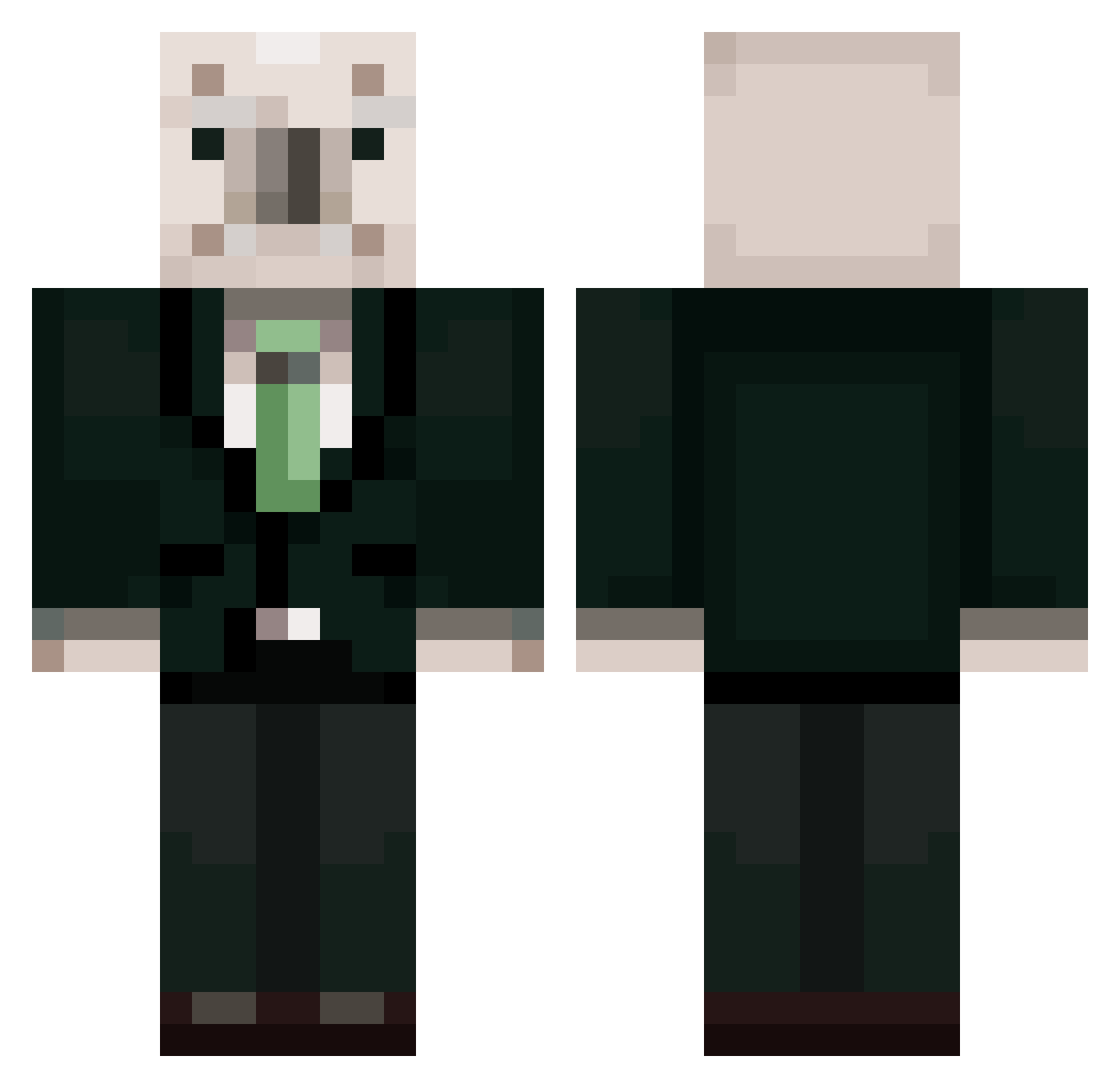
Current Minecraft skin of the player MJ06198, loaded from the official Mojang API. Rotate the 3D model with your mouse or finger, then download the skin as a PNG file and use it in Minecraft: Bedrock Edition or Java Edition for free. When MJ06198 changes their skin, this page updates automatically and the old skin stays in the history below.
Other players with this skin (368)
MJ06198 was the 256th player we have seen with this skin, first spotted on 28.09.2026. The same skin was seen on these players. Open a nickname to see their current skin and skin history.
 Dongdong2222222 uUuuDdaCk Sayyaka SHGURL YJP523 LEMDE0616 2gw0 LSH0428 Work_Hyeon moonchillla Miss_Bartender Kimuchiman young_hun apronmale mandu222 I_ceBear UNGDIE Kane_TV kimchi_list BADAHAYOON HIFG JJAMJXN DonutsTrumpet ping999999 DumbRobloxPlayer HyukDdeong SUPER_FRANKY_69 Brian3903 mongmong1213 Mjenzsgd MC_muhyungay KDY0222 kyswise dlwjddn_1122 Ava_TH moonsiy jiyoung1324 kimironsu BAE0402 ProTeran Kussogami president__roh balerie_ norra523 heeing1 givemewilli JuyoungLovesKlee juhyeon_649 8_second_ward mjb111 Aviatree Talmogaga kims1456 DevilP0tato bbongC kcy3943 qkdrn0903 Monschatz ROHSKOMNADZOR soenu
More Koala Minecraft skins
How to install the MJ06198 skin
- Press the Download button above to save the skin as a PNG file.
- Minecraft: Bedrock Edition (PE): open the Dressing Room from the main menu (or tap your character → Edit Character), go to Classic Skins → Owned, press the + (new skin) button, choose the downloaded PNG and pick the Classic (Steve) model. Works on PC and mobile; consoles cannot import custom skins.
- Minecraft: Java Edition: open the Minecraft Launcher, go to the Skins tab, click New Skin, load the PNG, pick the Classic (Steve) model and press Save & Use. You can also upload it at minecraft.net → Profile → Change Skin.
The skin does not show up after import - what should I do?
Restart Minecraft and open the Dressing Room again - imported skins sometimes appear only after a restart. Also make sure you selected the imported skin and picked the Classic (Steve) model.
Which model should I choose, Classic or Slim?
This skin is designed for the Classic (Steve) model. If you pick the wrong model, the arms of the skin will look stretched or squeezed.
Is the skin of MJ06198 free to download?
Yes. Press Download, save the PNG file and use it in Minecraft: Bedrock Edition or Java Edition - no payment or registration needed. The skin also works on multiplayer servers and Realms.
More skins
Looking for more? Go back to all Minecraft skins and check the top skins of the week, month and all time, or find any player's skin by nickname.