
qiqihhh - Minecraft Skins & Skin History
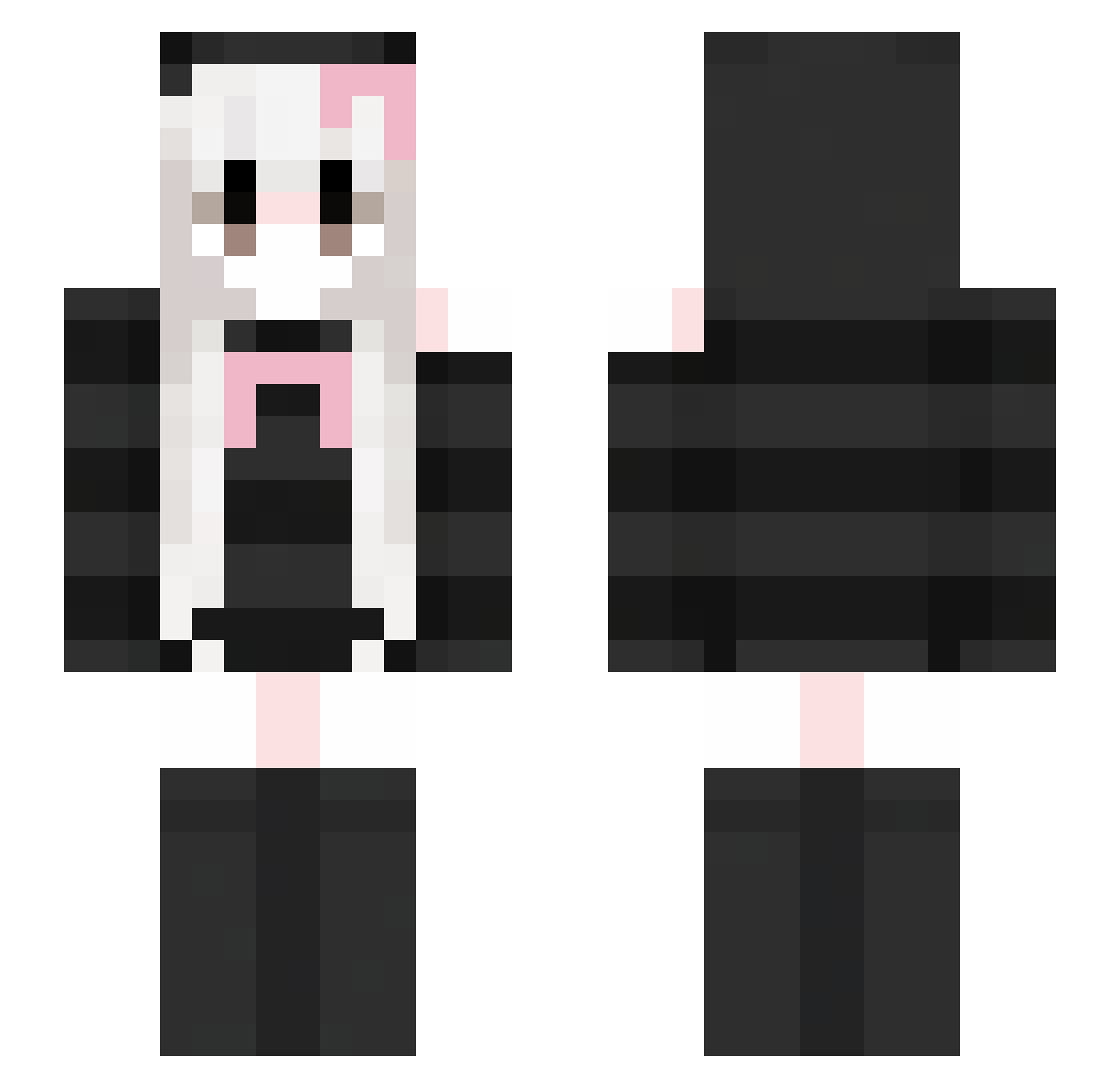
Current Minecraft skin of the player qiqihhh, loaded from the official Mojang API. Rotate the 3D model with your mouse or finger, then download the skin as a PNG file and use it in Minecraft: Bedrock Edition or Java Edition for free. When qiqihhh changes their skin, this page updates automatically and the old skin stays in the history below.
Other players with this skin (419)
qiqihhh was the 286th player we have seen with this skin, first spotted on 11.10.2026. The same skin was seen on these players. Open a nickname to see their current skin and skin history.
 KittenKiera JiuR_ 1223abc ItzTalopo_ AIXI_D zby888 asiulala Sunshinelwis neoti CactusCas2000 riluo0911 Yamiky Tzuyu17 TacoFuel2 Madayaaa Luo_Edge Sakurakouj1_Luna Didnkdk biasnnt yeelammm _qingyun_ love_1007 Chen_Luo111 keonyang1 iojanGD Shanadrae LiLyMeow Leirel PuPPu_93 Nimblex skycodari ShinobuVT NoName327 cutesparklefart0 Minxuty_ XardRMT Laulita5988 Fffffffxs meison322 Especialty03 callmenyan okogecat22 21awa12 wholefall GURAKING Mr_Mirror02 KittyKeth nana1145 Smile910219 meowfrmeow MXPKQ TianMing666 Nanaxitielu_xiay Carotis_ Elvvy ZHJCH Devilein xiang1030 XWG11 Anemone529
More Face Mask Minecraft skins
How to install the qiqihhh skin
- Press the Download button above to save the skin as a PNG file.
- Minecraft: Bedrock Edition (PE): open the Dressing Room from the main menu (or tap your character → Edit Character), go to Classic Skins → Owned, press the + (new skin) button, choose the downloaded PNG and pick the Slim (Alex) model. Works on PC and mobile; consoles cannot import custom skins.
- Minecraft: Java Edition: open the Minecraft Launcher, go to the Skins tab, click New Skin, load the PNG, pick the Slim (Alex) model and press Save & Use. You can also upload it at minecraft.net → Profile → Change Skin.
The skin does not show up after import - what should I do?
Restart Minecraft and open the Dressing Room again - imported skins sometimes appear only after a restart. Also make sure you selected the imported skin and picked the Slim (Alex) model.
Which model should I choose, Classic or Slim?
This skin is designed for the Slim (Alex) model. If you pick the wrong model, the arms of the skin will look stretched or squeezed.
Is the skin of qiqihhh free to download?
Yes. Press Download, save the PNG file and use it in Minecraft: Bedrock Edition or Java Edition - no payment or registration needed. The skin also works on multiplayer servers and Realms.
More skins
Looking for more? Go back to all Minecraft skins and check the top skins of the week, month and all time, or find any player's skin by nickname.