
qianmugen - Minecraft Skins & Skin History
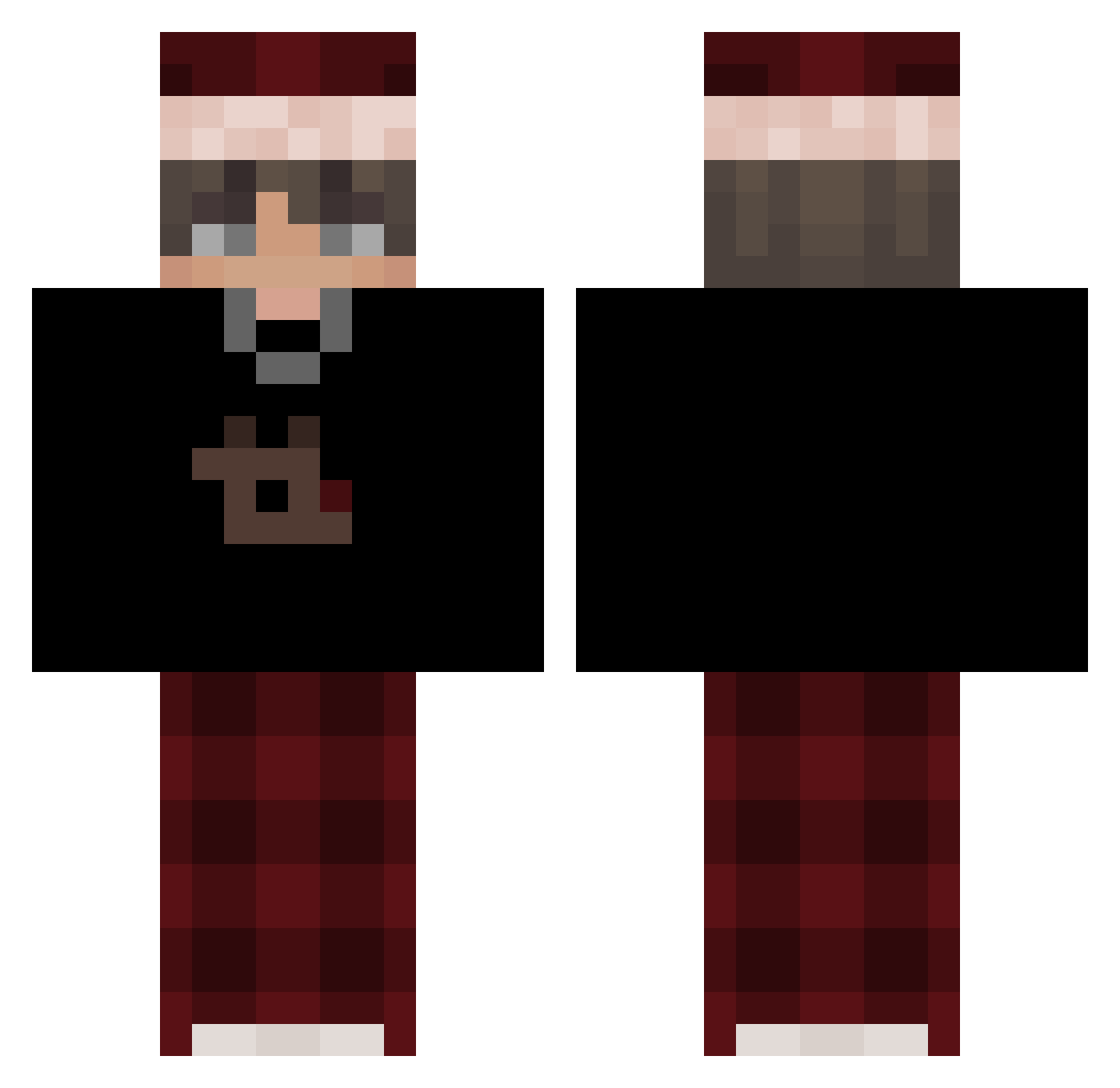
Current Minecraft skin of the player qianmugen, loaded from the official Mojang API. Rotate the 3D model with your mouse or finger, then download the skin as a PNG file and use it in Minecraft: Bedrock Edition or Java Edition for free. When qianmugen changes their skin, this page updates automatically and the old skin stays in the history below.
Other players with this skin (507)
qianmugen was the 213th player we have seen with this skin, first spotted on 29.08.2026. The same skin was seen on these players. Open a nickname to see their current skin and skin history.
 NikoMagic KingJ0y brettaroonie
 valorizedmc_ kuraga69 Riatbl Zeckmangamer mdzin00 Leoeo18 RyhanTenorio Samly_gs Lsoares10 FoShoShoSho Tukis55 kurilich_ chaluco CK1818 PleuSama appanye_B0rdell Nijoxiqushkaa Mario23321 BelaDerBOT Samy_SLB Jasmin200407 Ajazz2007 JustRyze mada_007 Mbappe66 TheRaiderBoi ElorateDor B1LCO RogtavorRL Teeny_TINY herobrajan CozyPhang vitiosity Simba435 Blueberry41 DanielGG2019 _mellamoruben_ Tima2395 Guxst_ DerKardesh Red2302 synxisurcrush nawafxr3b
 Skryxn kayto1904 WASHEDJUSTY itzpradaa El_Deivit YearOldBurrito Smaku_69 Viper_GamingX2 IVKyu ItsSafiy114 7snowyy MRJOKERXS Mister_Pala PierceBoy
More Santa Hat Minecraft skins
How to install the qianmugen skin
- Press the Download button above to save the skin as a PNG file.
- Minecraft: Bedrock Edition (PE): open the Dressing Room from the main menu (or tap your character → Edit Character), go to Classic Skins → Owned, press the + (new skin) button, choose the downloaded PNG and pick the Classic (Steve) model. Works on PC and mobile; consoles cannot import custom skins.
- Minecraft: Java Edition: open the Minecraft Launcher, go to the Skins tab, click New Skin, load the PNG, pick the Classic (Steve) model and press Save & Use. You can also upload it at minecraft.net → Profile → Change Skin.
The skin does not show up after import - what should I do?
Restart Minecraft and open the Dressing Room again - imported skins sometimes appear only after a restart. Also make sure you selected the imported skin and picked the Classic (Steve) model.
Which model should I choose, Classic or Slim?
This skin is designed for the Classic (Steve) model. If you pick the wrong model, the arms of the skin will look stretched or squeezed.
Is the skin of qianmugen free to download?
Yes. Press Download, save the PNG file and use it in Minecraft: Bedrock Edition or Java Edition - no payment or registration needed. The skin also works on multiplayer servers and Realms.
More skins
Looking for more? Go back to all Minecraft skins and check the top skins of the week, month and all time, or find any player's skin by nickname.