
qKomos - Minecraft Skins & Skin History
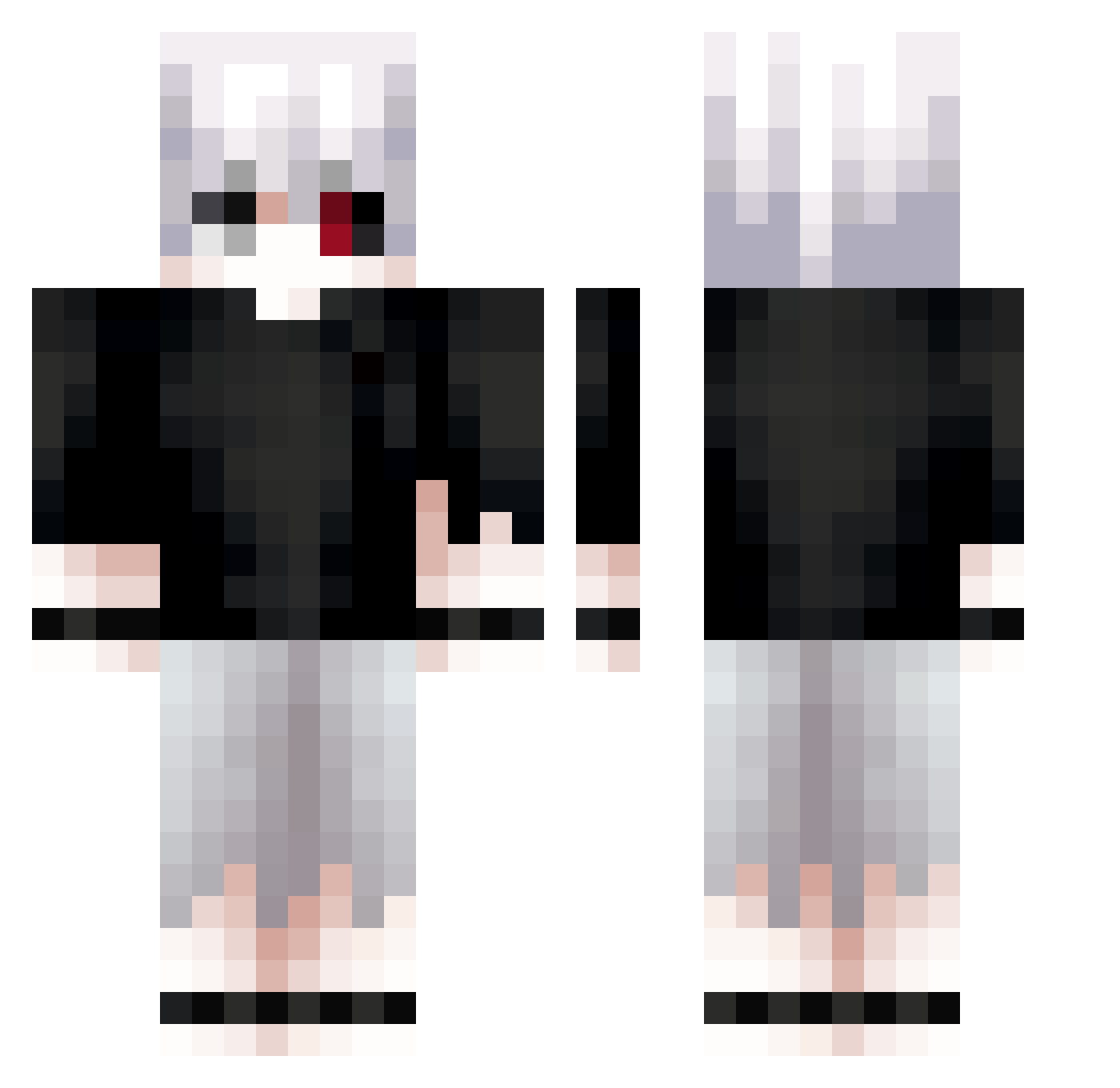
Current Minecraft skin of the player qKomos, loaded from the official Mojang API. Rotate the 3D model with your mouse or finger, then download the skin as a PNG file and use it in Minecraft: Bedrock Edition or Java Edition for free. When qKomos changes their skin, this page updates automatically and the old skin stays in the history below.
Other players with this skin (713)
qKomos was the 275th player we have seen with this skin, first spotted on 06.09.2026. The same skin was seen on these players. Open a nickname to see their current skin and skin history.
 6phax Repayable ByClientMods bisyonureeeeee CashyL AreRenD _Sylentt RedX4Bull Virus181218 Bemidbar XXL_Leqit_Player vixokl0 mizu7657 Alex_Arh
 Swightalt Fantist00 Kanash_ Rolly8618 Carjohnakos13 j3131 MoonPleure AlessandroTGC Al3xx4347 UZYM Kesuannn KoganeSama DEATHWISH92Q abell__ garson_121 k1llanov SaphyS1 DecRANKY PureVortex71 HBRO0032 dnkst Ta4ka kurenokenn Sausier6014 floweei Pawllee gbn2532 lncubuss hitman444 Slorbik _aptekarz_ AdamIHC69 vision_jinx TimKaneki EmreAtaman _sykoo_ EX0RCIST5975 vulcass soukOOO Aharonexo hiro12345678 Danekiiiii dmp16 dnwr88 zabek3402 Underground0820
More Kaneki Minecraft skins
How to install the qKomos skin
- Press the Download button above to save the skin as a PNG file.
- Minecraft: Bedrock Edition (PE): open the Dressing Room from the main menu (or tap your character → Edit Character), go to Classic Skins → Owned, press the + (new skin) button, choose the downloaded PNG and pick the Classic (Steve) model. Works on PC and mobile; consoles cannot import custom skins.
- Minecraft: Java Edition: open the Minecraft Launcher, go to the Skins tab, click New Skin, load the PNG, pick the Classic (Steve) model and press Save & Use. You can also upload it at minecraft.net → Profile → Change Skin.
The skin does not show up after import - what should I do?
Restart Minecraft and open the Dressing Room again - imported skins sometimes appear only after a restart. Also make sure you selected the imported skin and picked the Classic (Steve) model.
Which model should I choose, Classic or Slim?
This skin is designed for the Classic (Steve) model. If you pick the wrong model, the arms of the skin will look stretched or squeezed.
Is the skin of qKomos free to download?
Yes. Press Download, save the PNG file and use it in Minecraft: Bedrock Edition or Java Edition - no payment or registration needed. The skin also works on multiplayer servers and Realms.
More skins
Looking for more? Go back to all Minecraft skins and check the top skins of the week, month and all time, or find any player's skin by nickname.