
pwt0706 - Minecraft Skins & Skin History
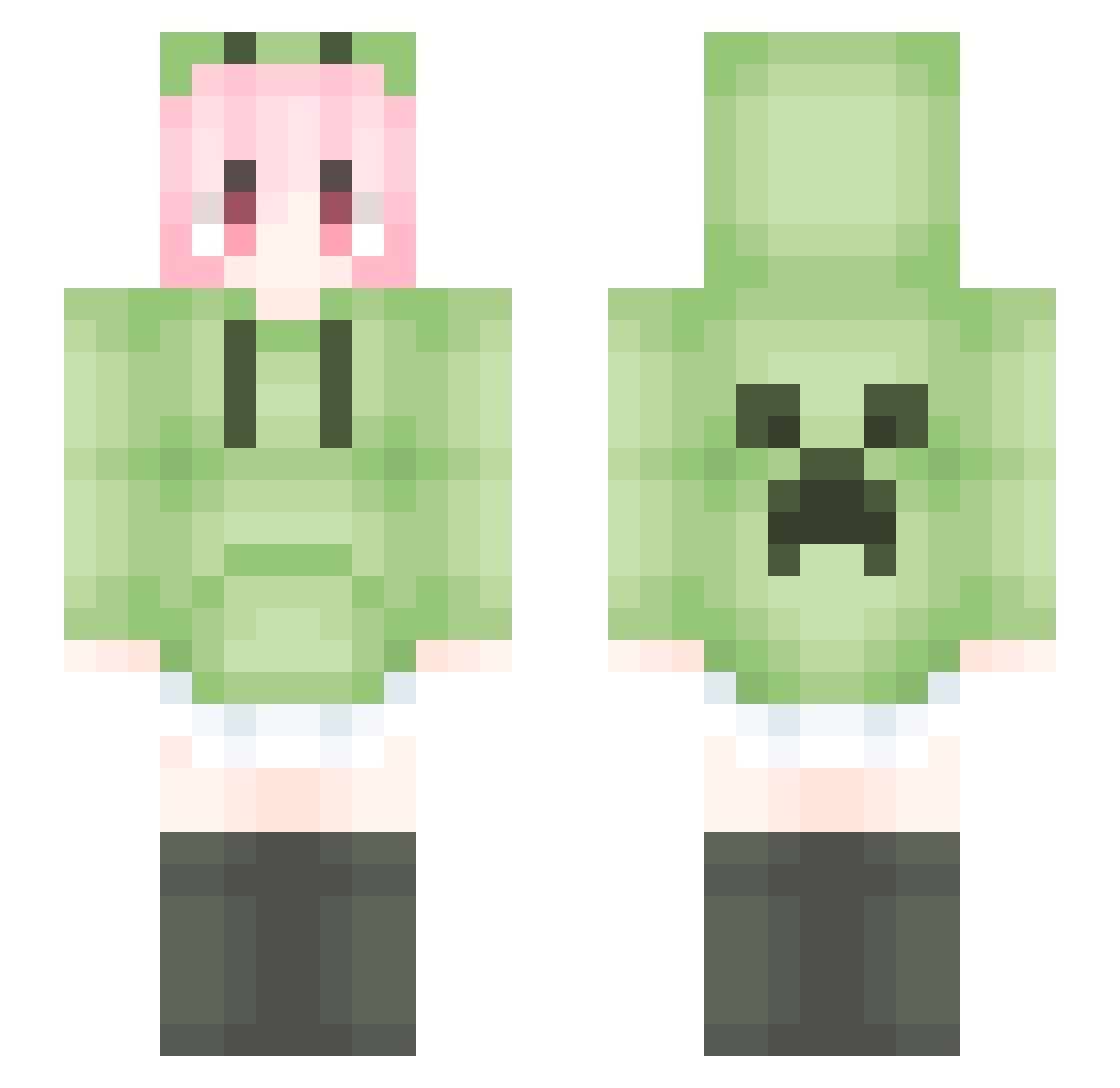
Current Minecraft skin of the player pwt0706, loaded from the official Mojang API. Rotate the 3D model with your mouse or finger, then download the skin as a PNG file and use it in Minecraft: Bedrock Edition or Java Edition for free. When pwt0706 changes their skin, this page updates automatically and the old skin stays in the history below.
Other players with this skin (1787)
pwt0706 was the 864th player we have seen with this skin, first spotted on 20.09.2026. The same skin was seen on these players. Open a nickname to see their current skin and skin history.
 chuan0803 qiu920 wang248 GLLLS WJMXSB xiaoniu0 wqwqs MybsDoges CBX0818 xiaomizhouxiafan cshzuishuai YuanJuhs kobebulainente 0meteorR chuck5263 Gushan2357 Amrtty ssuraaa LiquidBounceB41 riniheer0217 Zero_129 XINGWAI appleCy fwdebu Mik_Robert qingluo8 KamisatoAyakan jingzili Delightase modvu slilme fsrm_1 ZJJme sanlin66 FullAutoblock xiaoxiaoyuhh _YokiO HHb11 _Suffer LiquidBounceB35 zhoubingjie owoyh ankzi xingkongyuan tumihualan Mku18 shook734 qwqkun YBY_ToT Nestiny Rcazz zhangruijie666 caozhong FirstSole2 Liquid_strafe___ T_L_D Chnnol ShiQiKuangSan33 milk_231 ZCalllllllllllll
More Anime Girl Minecraft skins
See all 13731 Anime Girl skins
How to install the pwt0706 skin
- Press the Download button above to save the skin as a PNG file.
- Minecraft: Bedrock Edition (PE): open the Dressing Room from the main menu (or tap your character → Edit Character), go to Classic Skins → Owned, press the + (new skin) button, choose the downloaded PNG and pick the Slim (Alex) model. Works on PC and mobile; consoles cannot import custom skins.
- Minecraft: Java Edition: open the Minecraft Launcher, go to the Skins tab, click New Skin, load the PNG, pick the Slim (Alex) model and press Save & Use. You can also upload it at minecraft.net → Profile → Change Skin.
The skin does not show up after import - what should I do?
Restart Minecraft and open the Dressing Room again - imported skins sometimes appear only after a restart. Also make sure you selected the imported skin and picked the Slim (Alex) model.
Which model should I choose, Classic or Slim?
This skin is designed for the Slim (Alex) model. If you pick the wrong model, the arms of the skin will look stretched or squeezed.
Is the skin of pwt0706 free to download?
Yes. Press Download, save the PNG file and use it in Minecraft: Bedrock Edition or Java Edition - no payment or registration needed. The skin also works on multiplayer servers and Realms.
More skins
Looking for more? Go back to all Minecraft skins and check the top skins of the week, month and all time, or find any player's skin by nickname.