
pw0606 - Minecraft Skins & Skin History
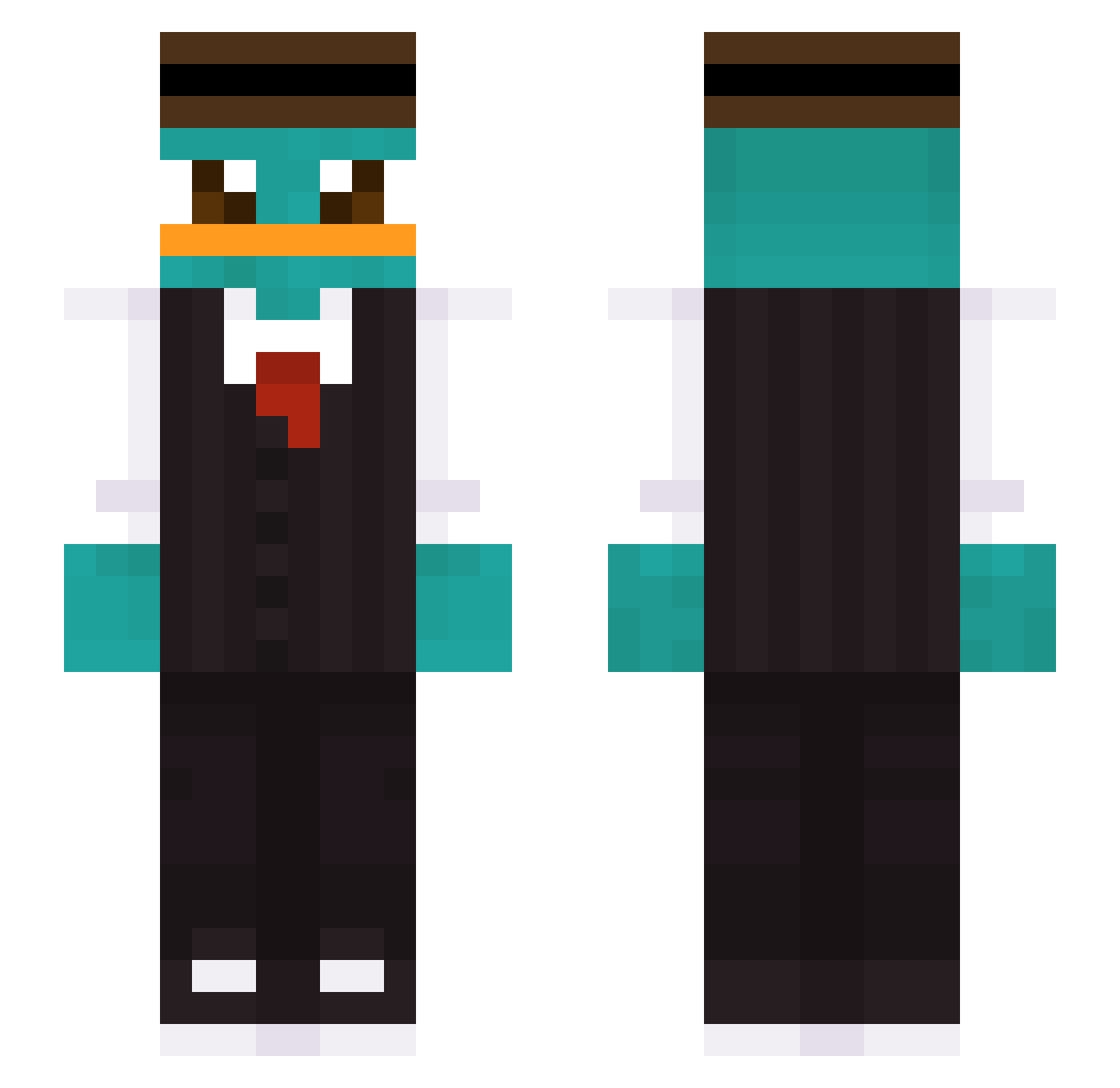
Current Minecraft skin of the player pw0606, loaded from the official Mojang API. Rotate the 3D model with your mouse or finger, then download the skin as a PNG file and use it in Minecraft: Bedrock Edition or Java Edition for free. When pw0606 changes their skin, this page updates automatically and the old skin stays in the history below.
Other players with this skin (422)
pw0606 was the 173rd player we have seen with this skin, first spotted on 10.09.2026. The same skin was seen on these players. Open a nickname to see their current skin and skin history.
 YoMamasFatDumpa Timmycekk wisfloski sludgeledarkkkk Mace_spoty R4nd0m_Pl4y3r spiderhoe911 witzy1 ItsYone ccrafter123 TOMBY04 Aigi_Crafter xxBigTeoxx NingZhu Presunto_Sadia AgenteP_dubidubi DwayneTDM LboiL wawoodagggggg deg_z iamsoul109 jxck1028 Gingerleitung9 r4were4 TsuNiWan Dawix212 ThickBootyLOL rataalemana einEsel_ DanArve KttyKitten dxx_cent immaturekid XPhianGX _sophie_789 TaeYang06 shenyousi Adas_2137 Olej_7 minjae7579 ChenWei0227 Tupacaflocka saimbabygoat Ottoreg doodoofart2k douhua420 Pig9860v0 TimpILVS KATYAPEPEL Victorbd6 eli1765 Bashmeet zaeyru _v0ndrs Andresvict DancingPanda290 DGBLeader CrazyCanuck5 Ilmagnific06 Wkill
More Platypus Minecraft skins
How to install the pw0606 skin
- Press the Download button above to save the skin as a PNG file.
- Minecraft: Bedrock Edition (PE): open the Dressing Room from the main menu (or tap your character → Edit Character), go to Classic Skins → Owned, press the + (new skin) button, choose the downloaded PNG and pick the Slim (Alex) model. Works on PC and mobile; consoles cannot import custom skins.
- Minecraft: Java Edition: open the Minecraft Launcher, go to the Skins tab, click New Skin, load the PNG, pick the Slim (Alex) model and press Save & Use. You can also upload it at minecraft.net → Profile → Change Skin.
The skin does not show up after import - what should I do?
Restart Minecraft and open the Dressing Room again - imported skins sometimes appear only after a restart. Also make sure you selected the imported skin and picked the Slim (Alex) model.
Which model should I choose, Classic or Slim?
This skin is designed for the Slim (Alex) model. If you pick the wrong model, the arms of the skin will look stretched or squeezed.
Is the skin of pw0606 free to download?
Yes. Press Download, save the PNG file and use it in Minecraft: Bedrock Edition or Java Edition - no payment or registration needed. The skin also works on multiplayer servers and Realms.
More skins
Looking for more? Go back to all Minecraft skins and check the top skins of the week, month and all time, or find any player's skin by nickname.