
purom2 - Minecraft Skins & Skin History
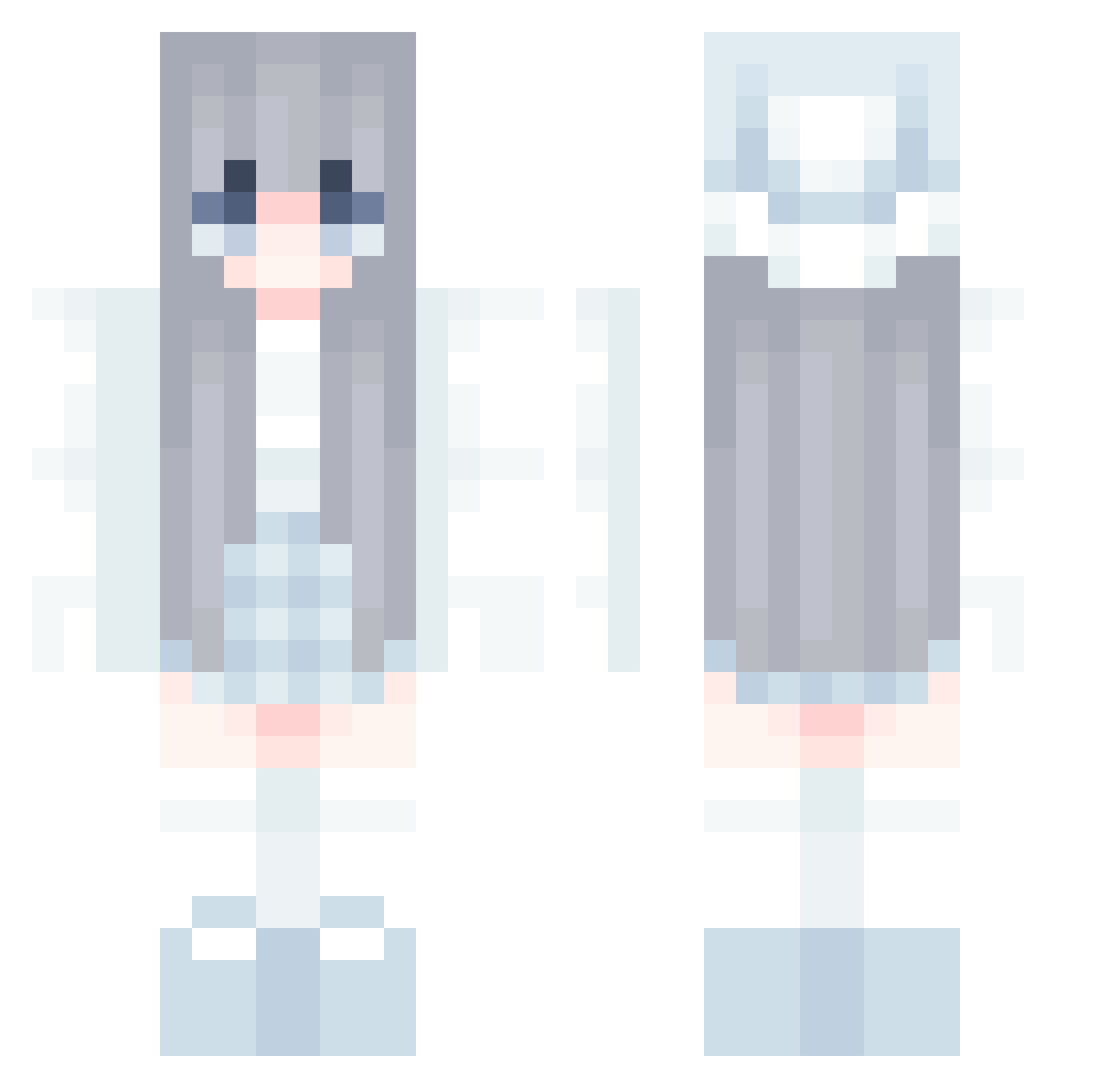
Current Minecraft skin of the player purom2, loaded from the official Mojang API. Rotate the 3D model with your mouse or finger, then download the skin as a PNG file and use it in Minecraft: Bedrock Edition or Java Edition for free. When purom2 changes their skin, this page updates automatically and the old skin stays in the history below.
Other players with this skin (580)
purom2 was the 293rd player we have seen with this skin, first spotted on 20.09.2026. The same skin was seen on these players. Open a nickname to see their current skin and skin history.
 haryt PlantAna07 Oisselaj wekkewty NutellaYum1234 Funkydoc bekirutku44 ICYGYAL xCandvx ezgisude feilpe8448 astermaple xxKaioGamerxx panna7872 Sisi_Chan Tiaa_ gaiane ESNXQ Amalinda ElephantYuki Hibanese nabbyshu SecondaryDisease FlipperPVP WxOutlaw oneone711 its_aaditya Winnie221 craftycowbuilder 301q postnateclarityy its_water Fl0opii Tha1assic AnotherOne2542 MissD28 jmnhfg TTLLOLL UltimateGamer_99 hug0412 CoolCat2985 miniboppa pastel_luvv Inxry asdoji BananaPK minpim123 lxxsell Rubinek2013 Aiden011 reirei64 TheNuoNuoNuo soruto1228 HNN2004 on_sari sopitaa01 jiwon1811 SnowyFox14 hakka_san UykiZhao
More Winter Minecraft skins
How to install the purom2 skin
- Press the Download button above to save the skin as a PNG file.
- Minecraft: Bedrock Edition (PE): open the Dressing Room from the main menu (or tap your character → Edit Character), go to Classic Skins → Owned, press the + (new skin) button, choose the downloaded PNG and pick the Classic (Steve) model. Works on PC and mobile; consoles cannot import custom skins.
- Minecraft: Java Edition: open the Minecraft Launcher, go to the Skins tab, click New Skin, load the PNG, pick the Classic (Steve) model and press Save & Use. You can also upload it at minecraft.net → Profile → Change Skin.
The skin does not show up after import - what should I do?
Restart Minecraft and open the Dressing Room again - imported skins sometimes appear only after a restart. Also make sure you selected the imported skin and picked the Classic (Steve) model.
Which model should I choose, Classic or Slim?
This skin is designed for the Classic (Steve) model. If you pick the wrong model, the arms of the skin will look stretched or squeezed.
Is the skin of purom2 free to download?
Yes. Press Download, save the PNG file and use it in Minecraft: Bedrock Edition or Java Edition - no payment or registration needed. The skin also works on multiplayer servers and Realms.
More skins
Looking for more? Go back to all Minecraft skins and check the top skins of the week, month and all time, or find any player's skin by nickname.