
promise6931 - Minecraft Skins & Skin History
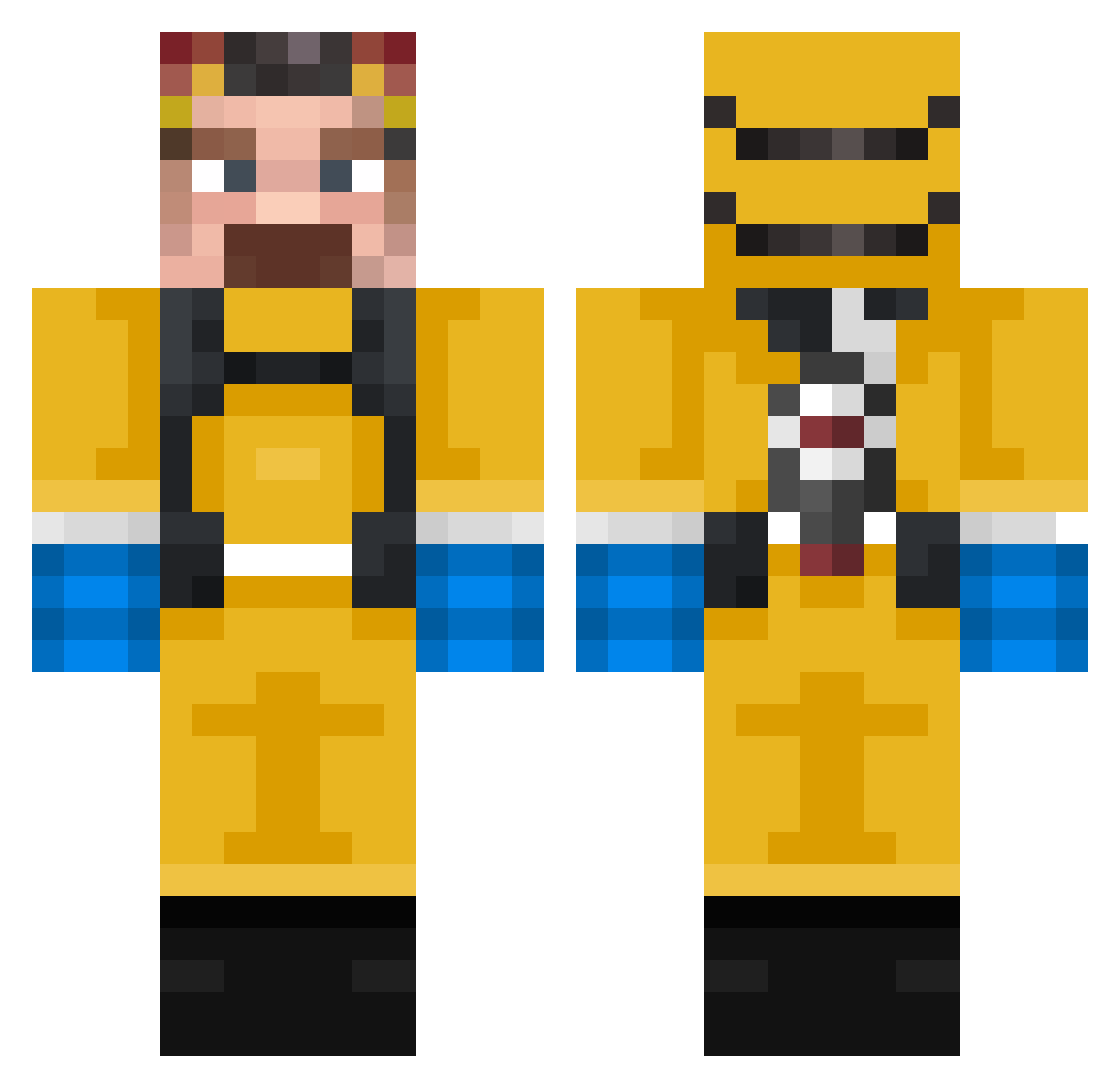
Current Minecraft skin of the player promise6931, loaded from the official Mojang API. Rotate the 3D model with your mouse or finger, then download the skin as a PNG file and use it in Minecraft: Bedrock Edition or Java Edition for free. When promise6931 changes their skin, this page updates automatically and the old skin stays in the history below.
Other players with this skin (340)
promise6931 was the 62nd player we have seen with this skin, first spotted on 10.08.2026. The same skin was seen on these players. Open a nickname to see their current skin and skin history.
 UHuangCKJC Skopy_11 MePicanLosCocos KapitanPolska 1stxrs1 guindv WoefulSoup TripleProduction badresassi Minual RoseNote Haisers YeetusDK dckh12
 Rex_Sot Obama_Gaming710 oihanemun AyaanMAG
 Arnold7708 WaltuhWhite_69 natasha02 Cocazo_rancio walter__white694 Domi_beng_geng47 Prestig18 arbo_4 coastdart ItsMrPonchee Jamesonwww ClamorisEAC Norocel79 memespang ilovecorona B4kwn_ Felefeliusz llabv Akulata12 YT_NerdyGamer123 RialPapu minegameur3 Pipasoo XxROD3O_BURG3RXx BNDRair TeaMMasteR1 Cicero753 nemmondommeg Fizzinger pickklepp Tornadoreds javiyuca noodleheader Rexmaster31 LilWeezy_ 333365745657427 arabek123 Raskoln1k0v Berk_gaming ZarahTM
 GU4VA ttyllb1
More Walter White Minecraft skins
See all 600 Walter White skins
How to install the promise6931 skin
- Press the Download button above to save the skin as a PNG file.
- Minecraft: Bedrock Edition (PE): open the Dressing Room from the main menu (or tap your character → Edit Character), go to Classic Skins → Owned, press the + (new skin) button, choose the downloaded PNG and pick the Classic (Steve) model. Works on PC and mobile; consoles cannot import custom skins.
- Minecraft: Java Edition: open the Minecraft Launcher, go to the Skins tab, click New Skin, load the PNG, pick the Classic (Steve) model and press Save & Use. You can also upload it at minecraft.net → Profile → Change Skin.
The skin does not show up after import - what should I do?
Restart Minecraft and open the Dressing Room again - imported skins sometimes appear only after a restart. Also make sure you selected the imported skin and picked the Classic (Steve) model.
Which model should I choose, Classic or Slim?
This skin is designed for the Classic (Steve) model. If you pick the wrong model, the arms of the skin will look stretched or squeezed.
Is the skin of promise6931 free to download?
Yes. Press Download, save the PNG file and use it in Minecraft: Bedrock Edition or Java Edition - no payment or registration needed. The skin also works on multiplayer servers and Realms.
More skins
Looking for more? Go back to all Minecraft skins and check the top skins of the week, month and all time, or find any player's skin by nickname.