
pongpit28 - Minecraft Skins & Skin History
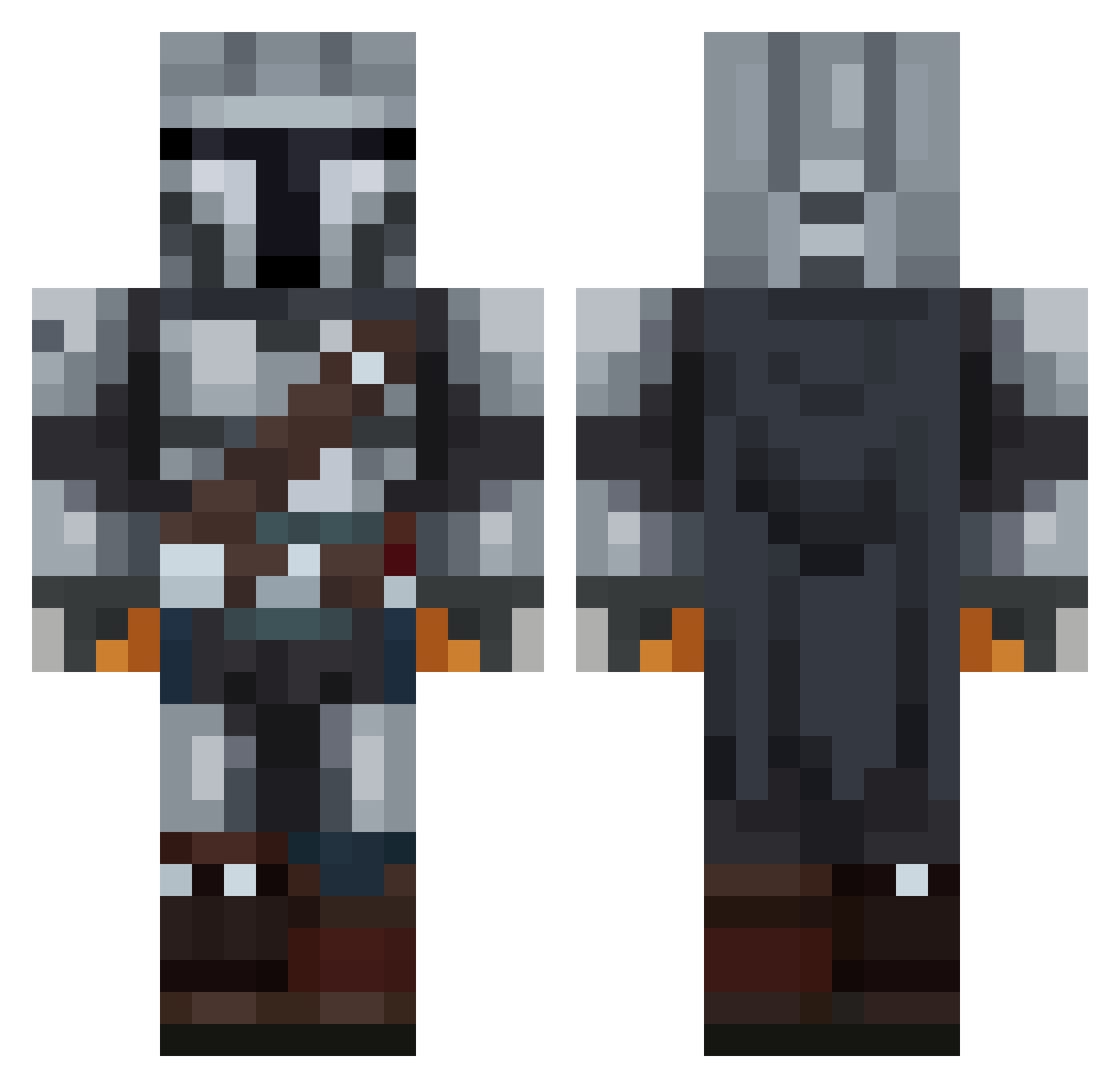
Current Minecraft skin of the player pongpit28, loaded from the official Mojang API. Rotate the 3D model with your mouse or finger, then download the skin as a PNG file and use it in Minecraft: Bedrock Edition or Java Edition for free. When pongpit28 changes their skin, this page updates automatically and the old skin stays in the history below.
Other players with this skin (93)
pongpit28 was the 40th player we have seen with this skin, first spotted on 11.09.2026. The same skin was seen on these players. Open a nickname to see their current skin and skin history.
 Void_Abyss_ NeroXPoland Ap_LogiC Juansebast1 Buc_Marley Marian_MKD FrustratedPig Ruspan_ Minikpinti korko0101 indie_rock2 Hanni4356 Ruby84 Big_C21 Ianelpro__ Lando0n ZonatedSleet10 Cechinger LtAldoRaine22 A9ezs _Hubschrauber_ qawq xd4rth Welenn22 FT4761 Wumbo678 idkname225 hazydrag DziwnyM SingingMonster_ Jonnydangerously Sidunief TheHomeGAM3R BearDad2017 BUBZIOR Degomart Zthara GeoIstoryk sweeticle90 Brauner09 Haavardiini jonman30
 schokokrem96 RedRyder14 MacsUwU IAMDEADDUDE Just_Brownie _Polarguest_ sahar1357 ICEEEEEEEEEEE1 chorizopapi Gnochhi_Dulce Tulikaarme1406 Edopaz10 GM_Bosatsu tafirol1 AKay74 xDazeRx
 treg11 Solidsnook_
More The Mandalorian Minecraft skins
See all 591 The Mandalorian skins
How to install the pongpit28 skin
- Press the Download button above to save the skin as a PNG file.
- Minecraft: Bedrock Edition (PE): open the Dressing Room from the main menu (or tap your character → Edit Character), go to Classic Skins → Owned, press the + (new skin) button, choose the downloaded PNG and pick the Classic (Steve) model. Works on PC and mobile; consoles cannot import custom skins.
- Minecraft: Java Edition: open the Minecraft Launcher, go to the Skins tab, click New Skin, load the PNG, pick the Classic (Steve) model and press Save & Use. You can also upload it at minecraft.net → Profile → Change Skin.
The skin does not show up after import - what should I do?
Restart Minecraft and open the Dressing Room again - imported skins sometimes appear only after a restart. Also make sure you selected the imported skin and picked the Classic (Steve) model.
Which model should I choose, Classic or Slim?
This skin is designed for the Classic (Steve) model. If you pick the wrong model, the arms of the skin will look stretched or squeezed.
Is the skin of pongpit28 free to download?
Yes. Press Download, save the PNG file and use it in Minecraft: Bedrock Edition or Java Edition - no payment or registration needed. The skin also works on multiplayer servers and Realms.
More skins
Looking for more? Go back to all Minecraft skins and check the top skins of the week, month and all time, or find any player's skin by nickname.