
planetajay17 - Minecraft Skins & Skin History
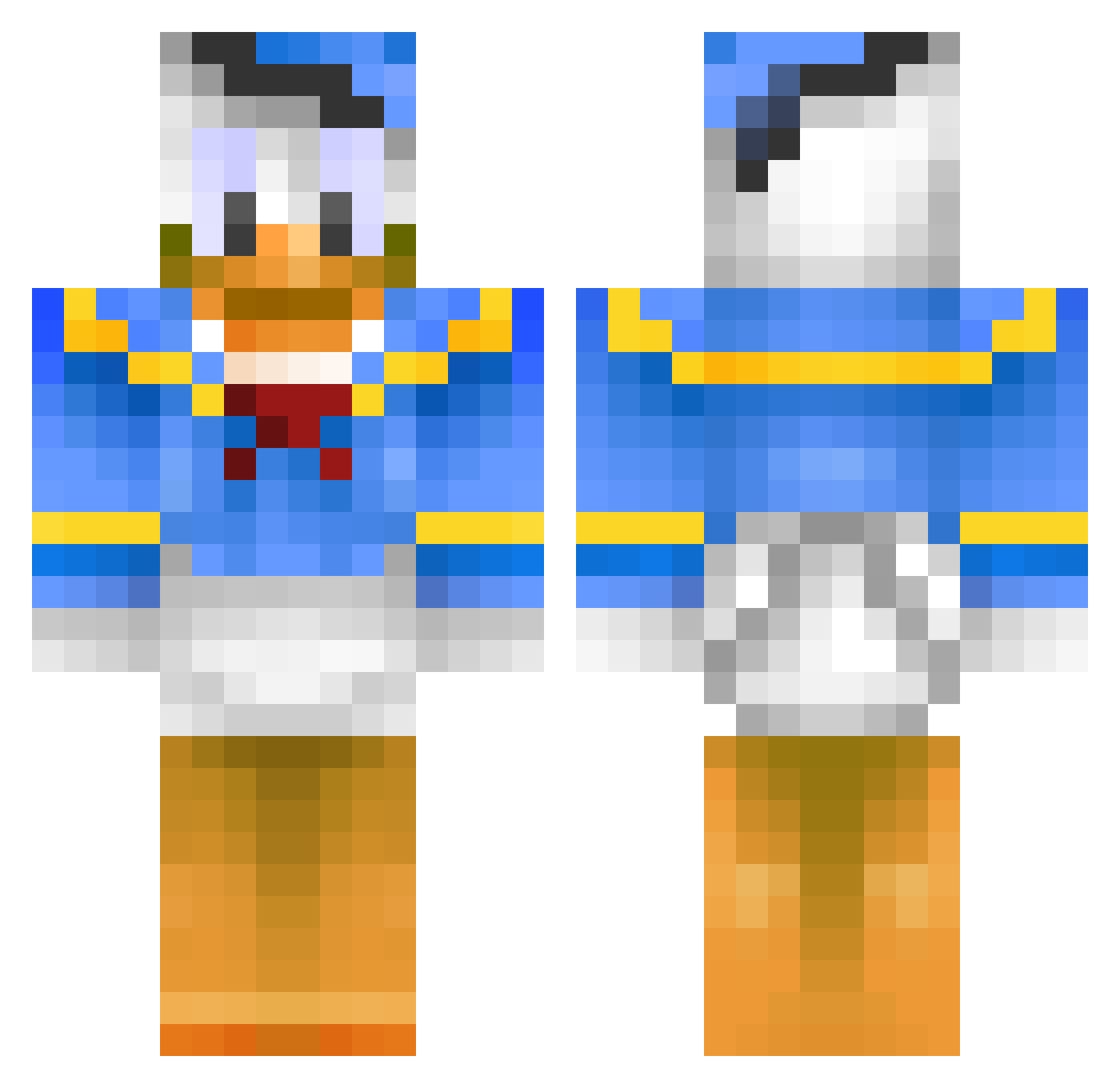
Current Minecraft skin of the player planetajay17, loaded from the official Mojang API. Rotate the 3D model with your mouse or finger, then download the skin as a PNG file and use it in Minecraft: Bedrock Edition or Java Edition for free. When planetajay17 changes their skin, this page updates automatically and the old skin stays in the history below.
Other players with this skin (399)
planetajay17 was the 173rd player we have seen with this skin, first spotted on 05.09.2026. The same skin was seen on these players. Open a nickname to see their current skin and skin history.
 WolfPackMafia MeowImAMan69 Khrystofor In_Cahoots MacDADDYcaM gijsvdlecq lucasq123 Gamer0799 Tobasti Lutzefizz jansen28 Szobo Metzgersmeister lanikai0 Tony_Killer1999 Mr_hjk HowardTDuck smarty365 BenePlayYT SpicyFidget_1 funsize625 FragDealer Ralle12395 magn7460 Americanfries_ cali10 kuduput zorglub11 ArcoMeerkerk cmoney11 0nionion TorstenFlink001 HunaKim CoolDude_123 WardVink POW_Tyrant swagking85 TAMK2005 Hungdaddy1993 xR3AP3RZx Landy12 Ragzani Leggatt1 magsig doolanmeister mainsmash GlitchPvP Robfried _Frontik_ KAISERMON DragonSleyer34 EstefiOr_YT BigFudge94 bliksembeast PvPDuckZ rehtii StrawberryPro KerizM ThijsVerschoor blanzey
More Donald Duck Minecraft skins
How to install the planetajay17 skin
- Press the Download button above to save the skin as a PNG file.
- Minecraft: Bedrock Edition (PE): open the Dressing Room from the main menu (or tap your character → Edit Character), go to Classic Skins → Owned, press the + (new skin) button, choose the downloaded PNG and pick the Classic (Steve) model. Works on PC and mobile; consoles cannot import custom skins.
- Minecraft: Java Edition: open the Minecraft Launcher, go to the Skins tab, click New Skin, load the PNG, pick the Classic (Steve) model and press Save & Use. You can also upload it at minecraft.net → Profile → Change Skin.
The skin does not show up after import - what should I do?
Restart Minecraft and open the Dressing Room again - imported skins sometimes appear only after a restart. Also make sure you selected the imported skin and picked the Classic (Steve) model.
Which model should I choose, Classic or Slim?
This skin is designed for the Classic (Steve) model. If you pick the wrong model, the arms of the skin will look stretched or squeezed.
Is the skin of planetajay17 free to download?
Yes. Press Download, save the PNG file and use it in Minecraft: Bedrock Edition or Java Edition - no payment or registration needed. The skin also works on multiplayer servers and Realms.
More skins
Looking for more? Go back to all Minecraft skins and check the top skins of the week, month and all time, or find any player's skin by nickname.