
pistonPlayzZ - Minecraft Skins & Skin History
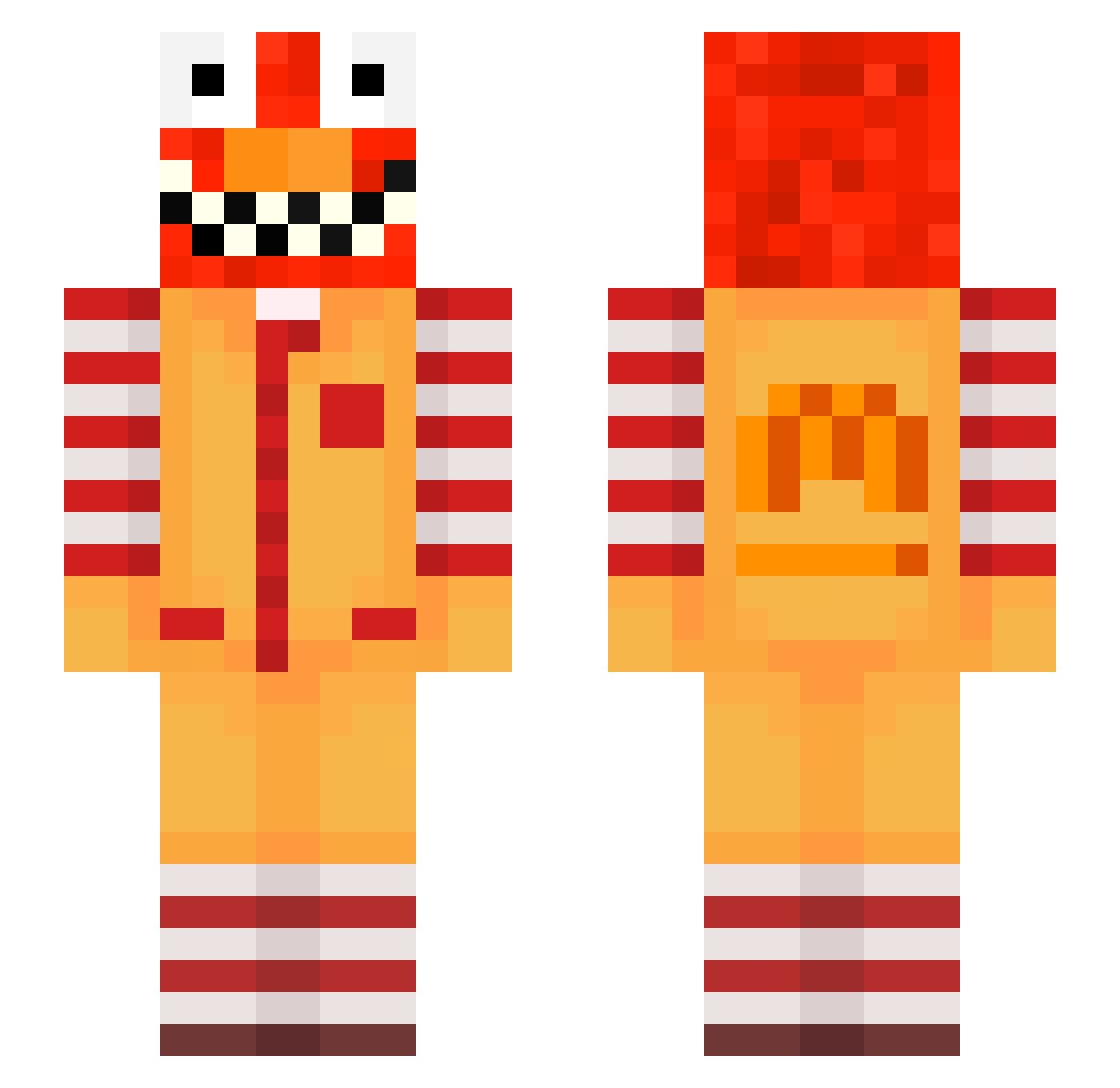
Current Minecraft skin of the player pistonPlayzZ, loaded from the official Mojang API. Rotate the 3D model with your mouse or finger, then download the skin as a PNG file and use it in Minecraft: Bedrock Edition or Java Edition for free. When pistonPlayzZ changes their skin, this page updates automatically and the old skin stays in the history below.
Other players with this skin (570)
pistonPlayzZ was the 216th player we have seen with this skin, first spotted on 29.08.2026. The same skin was seen on these players. Open a nickname to see their current skin and skin history.
 owicz_plaintive7 raveypxmBSOB raveWD02TZCT LRexTVV Sv2_Jade_hbv zz_Hcqdn_12_07 Thundercracker96 naf_msmc_f8v zzxgp_KZLwi PASIRozrmmyvk9fe qqi_msmc_37w ktg_msmc_wh0 klien54trusty226 tzi_NV7Ec_10_17 poo_pYwFX_10_09 Haruko_Smith Lawalin16obese00 az_qM14j_11_09 zzxgp_OGOHc mrb_YCNQG_10_15 meowalt_cUqgC_05 Sv2_Vex_v0r Shadow1700_ Superoragaming uddinconfused129 lbg_27uxR_03_01 sanguchitomigaa Thiessen_cooked5 FreeMCAlts_1WXSY dill_exhausted14 Minnescrisp120 LinhILake1128 raveuzTlUqV0 Nero1066 minzippy WWe315q2w4oLySv2 RecompensaOnTop2 MintShip55120 eck3sparkling730 Zalapa70pink5 Wilwert_sticky4 CuhhCrush3r Sv2AO3tGGLZc5Sv2 Dossa_normal23 78_IywOt_02_27 ota_immaterial91 PASIR1v6nzlxk5b0 raveyx5GFr6r T5on_ bz_fVp6D_11_04 bz_4ULFa_11_01 rtx_autismz12543 Echerdonly36 nyu_Abdou_gau aks_EKgT5_10_04 meowalt_HHOnE_05 Kosiara1x1 LinhrBVqv0202 1Supil disrespec5tfulO
More Ronald Mcdonald Minecraft skins
See all 126 Ronald Mcdonald skins
How to install the pistonPlayzZ skin
- Press the Download button above to save the skin as a PNG file.
- Minecraft: Bedrock Edition (PE): open the Dressing Room from the main menu (or tap your character → Edit Character), go to Classic Skins → Owned, press the + (new skin) button, choose the downloaded PNG and pick the Slim (Alex) model. Works on PC and mobile; consoles cannot import custom skins.
- Minecraft: Java Edition: open the Minecraft Launcher, go to the Skins tab, click New Skin, load the PNG, pick the Slim (Alex) model and press Save & Use. You can also upload it at minecraft.net → Profile → Change Skin.
The skin does not show up after import - what should I do?
Restart Minecraft and open the Dressing Room again - imported skins sometimes appear only after a restart. Also make sure you selected the imported skin and picked the Slim (Alex) model.
Which model should I choose, Classic or Slim?
This skin is designed for the Slim (Alex) model. If you pick the wrong model, the arms of the skin will look stretched or squeezed.
Is the skin of pistonPlayzZ free to download?
Yes. Press Download, save the PNG file and use it in Minecraft: Bedrock Edition or Java Edition - no payment or registration needed. The skin also works on multiplayer servers and Realms.
More skins
Looking for more? Go back to all Minecraft skins and check the top skins of the week, month and all time, or find any player's skin by nickname.