
pinkylemons - Minecraft Skins & Skin History
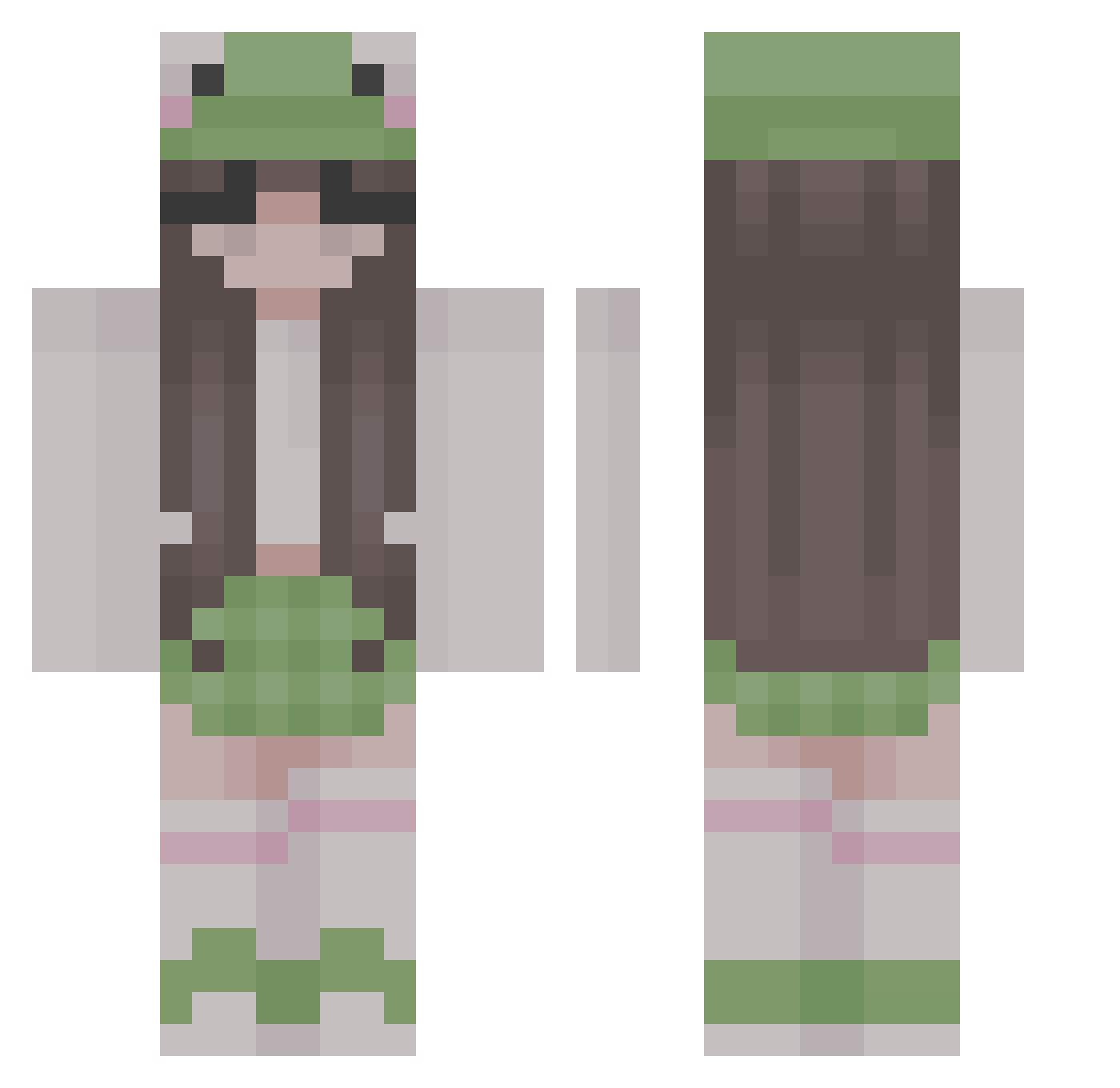
Current Minecraft skin of the player pinkylemons, loaded from the official Mojang API. Rotate the 3D model with your mouse or finger, then download the skin as a PNG file and use it in Minecraft: Bedrock Edition or Java Edition for free. When pinkylemons changes their skin, this page updates automatically and the old skin stays in the history below.
Other players with this skin (313)
pinkylemons was the 155th player we have seen with this skin, first spotted on 28.09.2026. The same skin was seen on these players. Open a nickname to see their current skin and skin history.
 SincerelyTams AtomicDenise dzieciak Romeo_Bean Hay28 AllaFox atczak ProLeo123 Oliviaskrrr SrLecheCaducada_ AbzKyle strawberriipatch xsuiren strawb3rry_ Squishy23232 dynastywin T7V Megan3696444 brookesop Arielyy Bart_ek10 lyviia Yuutoo_ zaritha7u7 Jonahm25 kiawia Bunny3452 Emichaelis LLuxas MMitsukII Ayleen1806 stukjegarnaal ambernoble_ Mia_0211 ahhhbread Amandoa CharlieRose1201 Bree0531 zillaret Emmigarfi Bageku jefilinlin abbygrace15 paulaa6 Rania_art MirMir_xox StepOnMe18 Sjurlie maddypurcell noion0809 hopeofdespairr xoxooxo Krycha_12 chenkevin0730 guagua__ Yehe masiam WavyDorian AppleCloud_ Irradicate
More Frog Hat Minecraft skins
How to install the pinkylemons skin
- Press the Download button above to save the skin as a PNG file.
- Minecraft: Bedrock Edition (PE): open the Dressing Room from the main menu (or tap your character → Edit Character), go to Classic Skins → Owned, press the + (new skin) button, choose the downloaded PNG and pick the Classic (Steve) model. Works on PC and mobile; consoles cannot import custom skins.
- Minecraft: Java Edition: open the Minecraft Launcher, go to the Skins tab, click New Skin, load the PNG, pick the Classic (Steve) model and press Save & Use. You can also upload it at minecraft.net → Profile → Change Skin.
The skin does not show up after import - what should I do?
Restart Minecraft and open the Dressing Room again - imported skins sometimes appear only after a restart. Also make sure you selected the imported skin and picked the Classic (Steve) model.
Which model should I choose, Classic or Slim?
This skin is designed for the Classic (Steve) model. If you pick the wrong model, the arms of the skin will look stretched or squeezed.
Is the skin of pinkylemons free to download?
Yes. Press Download, save the PNG file and use it in Minecraft: Bedrock Edition or Java Edition - no payment or registration needed. The skin also works on multiplayer servers and Realms.
More skins
Looking for more? Go back to all Minecraft skins and check the top skins of the week, month and all time, or find any player's skin by nickname.