
pidgeot_ - Minecraft Skins & Skin History
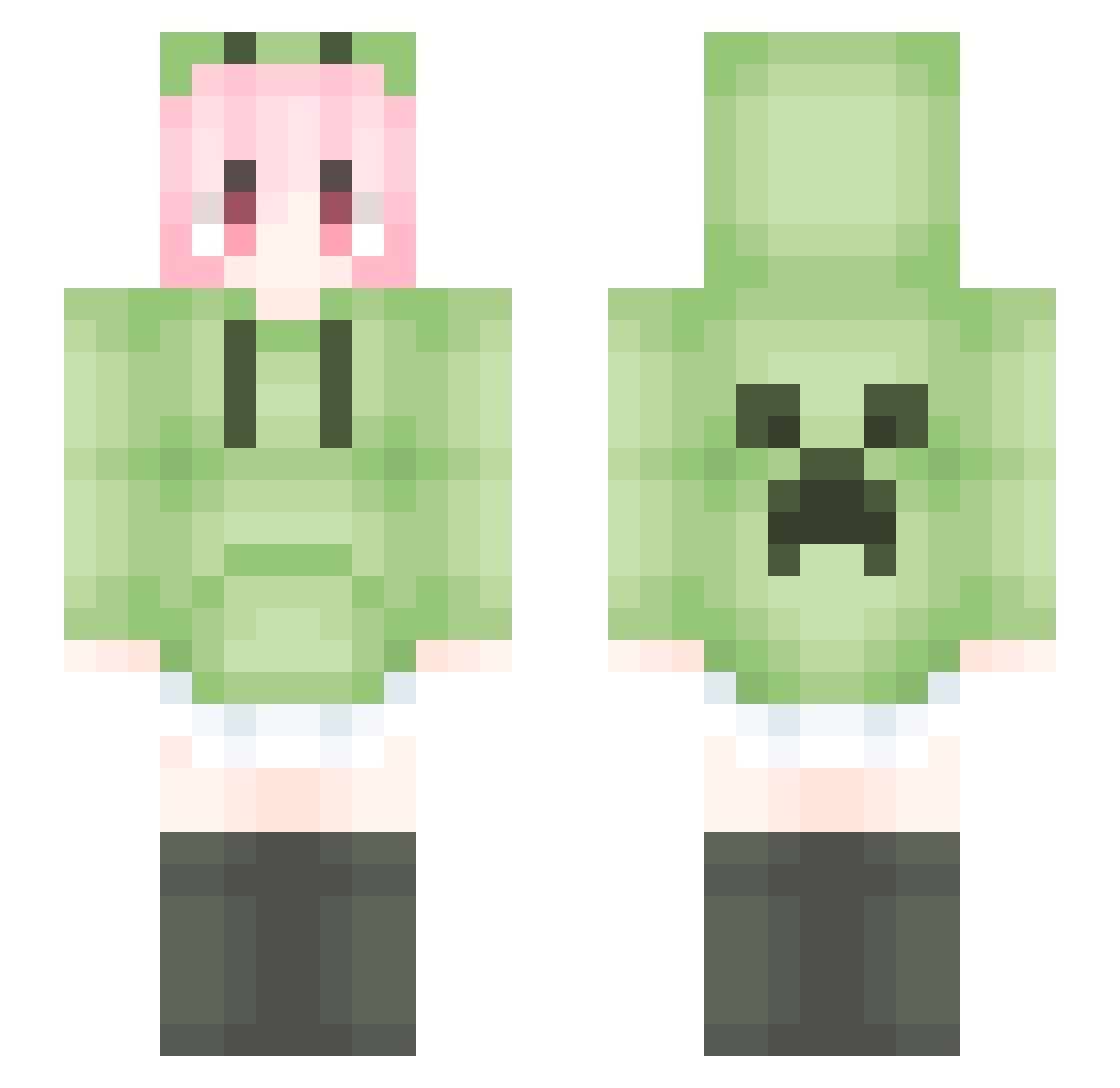
Current Minecraft skin of the player pidgeot_, loaded from the official Mojang API. Rotate the 3D model with your mouse or finger, then download the skin as a PNG file and use it in Minecraft: Bedrock Edition or Java Edition for free. When pidgeot_ changes their skin, this page updates automatically and the old skin stays in the history below.
Other players with this skin (1450)
pidgeot_ was the 201st player we have seen with this skin, first spotted on 06.08.2026. The same skin was seen on these players. Open a nickname to see their current skin and skin history.
 ccoee chi_hei_ doge233 M_64 cherin_luo ximada666 lemontea042 BSxjdj threeDoll GYIK renachichi TGA1188 noise114514 kevin42520 lingajing Lqiny DDDDAD LemonHaku studybase wsl01 granduck Augenstern9420 feifei6666 Agreenmelon25 Zygote14 Doctorlnk_ LiquidBounceB132 cbycby666 gror17 GMRgugongmen HTSRG Yuan_hui WANGRUIZE666 pqhhhh bg_bange Qinyo_2023 zhejqw 89hfgmn iamken LiquidBounceB3 ShiroBlak LovelyGirl2021 XSX_YH LiquidBounceB78 CocoSan_Triangle 316126 KillyZz maozinai Truman369 Ohcatovo gugu69 BlearSundew SweetYouna Niiikki Wussmexx MarsCola yuanjunzhu sckb666 masker123456 Muskmelon0
More Anime Girl Minecraft skins
See all 11658 Anime Girl skins
How to install the pidgeot_ skin
- Press the Download button above to save the skin as a PNG file.
- Minecraft: Bedrock Edition (PE): open the Dressing Room from the main menu (or tap your character → Edit Character), go to Classic Skins → Owned, press the + (new skin) button, choose the downloaded PNG and pick the Slim (Alex) model. Works on PC and mobile; consoles cannot import custom skins.
- Minecraft: Java Edition: open the Minecraft Launcher, go to the Skins tab, click New Skin, load the PNG, pick the Slim (Alex) model and press Save & Use. You can also upload it at minecraft.net → Profile → Change Skin.
The skin does not show up after import - what should I do?
Restart Minecraft and open the Dressing Room again - imported skins sometimes appear only after a restart. Also make sure you selected the imported skin and picked the Slim (Alex) model.
Which model should I choose, Classic or Slim?
This skin is designed for the Slim (Alex) model. If you pick the wrong model, the arms of the skin will look stretched or squeezed.
Is the skin of pidgeot_ free to download?
Yes. Press Download, save the PNG file and use it in Minecraft: Bedrock Edition or Java Edition - no payment or registration needed. The skin also works on multiplayer servers and Realms.
More skins
Looking for more? Go back to all Minecraft skins and check the top skins of the week, month and all time, or find any player's skin by nickname.