
LiquidBounceB132 - Minecraft Skins & Skin History
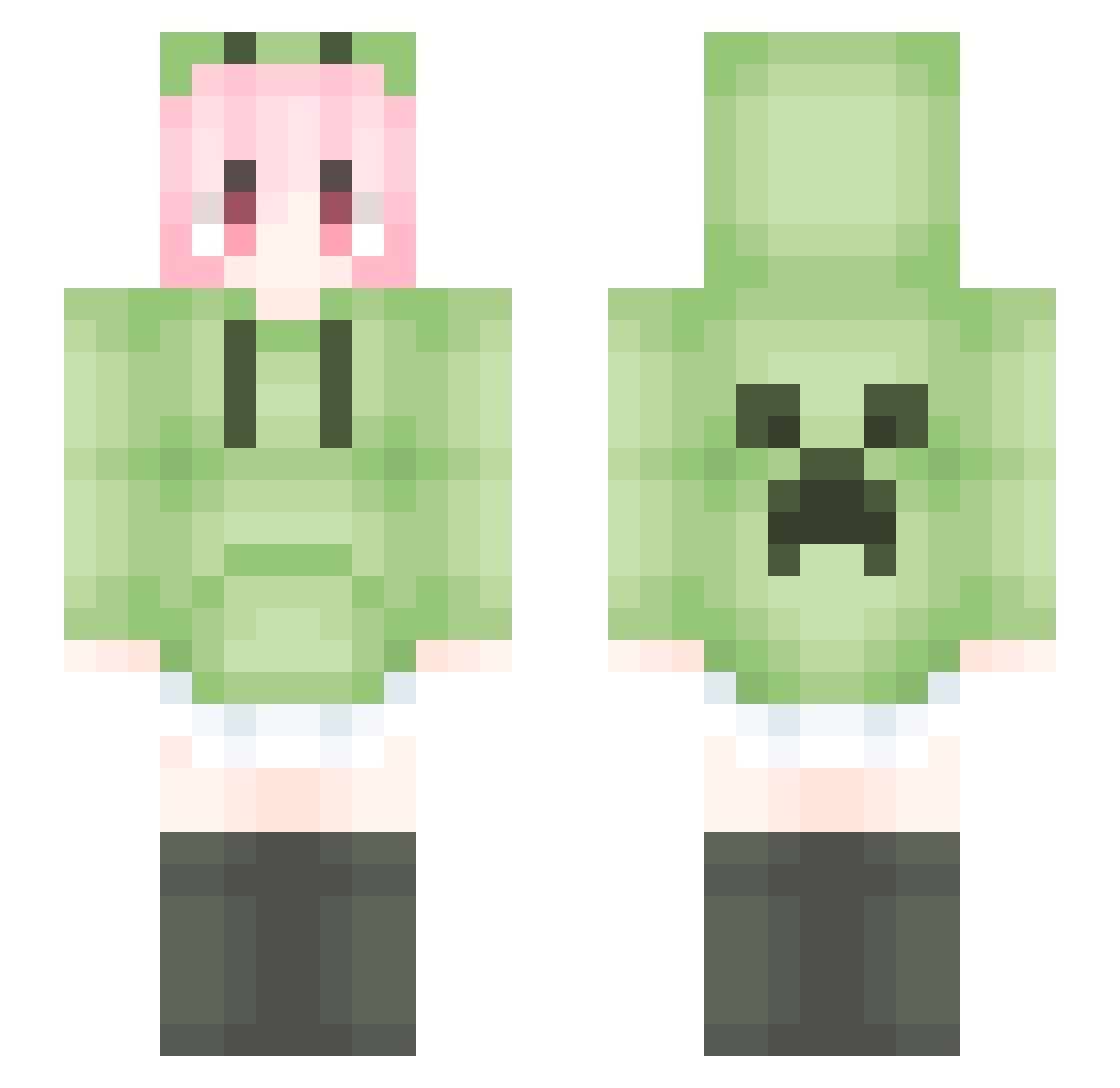
Current Minecraft skin of the player LiquidBounceB132, loaded from the official Mojang API. Rotate the 3D model with your mouse or finger, then download the skin as a PNG file and use it in Minecraft: Bedrock Edition or Java Edition for free. When LiquidBounceB132 changes their skin, this page updates automatically and the old skin stays in the history below.
Other players with this skin (1797)
LiquidBounceB132 was the 189th player we have seen with this skin, first spotted on 04.08.2026. The same skin was seen on these players. Open a nickname to see their current skin and skin history.
 Agreenmelon25 feifei6666 Augenstern9420 cbycby666 granduck gror17 HTSRG Yuan_hui Qinyo_2023 89hfgmn kevin42520 LovelyGirl2021 316126 renachichi KillyZz GYIK threeDoll SweetYouna cherin_luo yuanjunzhu doge233 masker123456 chi_hei_ Down_star Wangzhicong VICGUO MAKIMA01 pidgeot_ ccoee xiaomu373
 Moliu0207 tang0703 HBBandy laoyanzi66 M_64 ximada666 kunerr OnoeSerika_ lemontea042
 BrCheese BSxjdj IOvwvOI TGA1188 noise114514 Yenu0 lingajing Lqiny
 zhu_vv lemonqwq1314 PoloniumStark LiquidBounceB23 DDDDAD LemonHaku studybase wsl01 INs10001 Zygote14 Doctorlnk_ PurpleBear9 YingZheng213
More Anime Girl Minecraft skins
See all 13803 Anime Girl skins
How to install the LiquidBounceB132 skin
- Press the Download button above to save the skin as a PNG file.
- Minecraft: Bedrock Edition (PE): open the Dressing Room from the main menu (or tap your character → Edit Character), go to Classic Skins → Owned, press the + (new skin) button, choose the downloaded PNG and pick the Slim (Alex) model. Works on PC and mobile; consoles cannot import custom skins.
- Minecraft: Java Edition: open the Minecraft Launcher, go to the Skins tab, click New Skin, load the PNG, pick the Slim (Alex) model and press Save & Use. You can also upload it at minecraft.net → Profile → Change Skin.
The skin does not show up after import - what should I do?
Restart Minecraft and open the Dressing Room again - imported skins sometimes appear only after a restart. Also make sure you selected the imported skin and picked the Slim (Alex) model.
Which model should I choose, Classic or Slim?
This skin is designed for the Slim (Alex) model. If you pick the wrong model, the arms of the skin will look stretched or squeezed.
Is the skin of LiquidBounceB132 free to download?
Yes. Press Download, save the PNG file and use it in Minecraft: Bedrock Edition or Java Edition - no payment or registration needed. The skin also works on multiplayer servers and Realms.
More skins
Looking for more? Go back to all Minecraft skins and check the top skins of the week, month and all time, or find any player's skin by nickname.