
peter678w - Minecraft Skins & Skin History
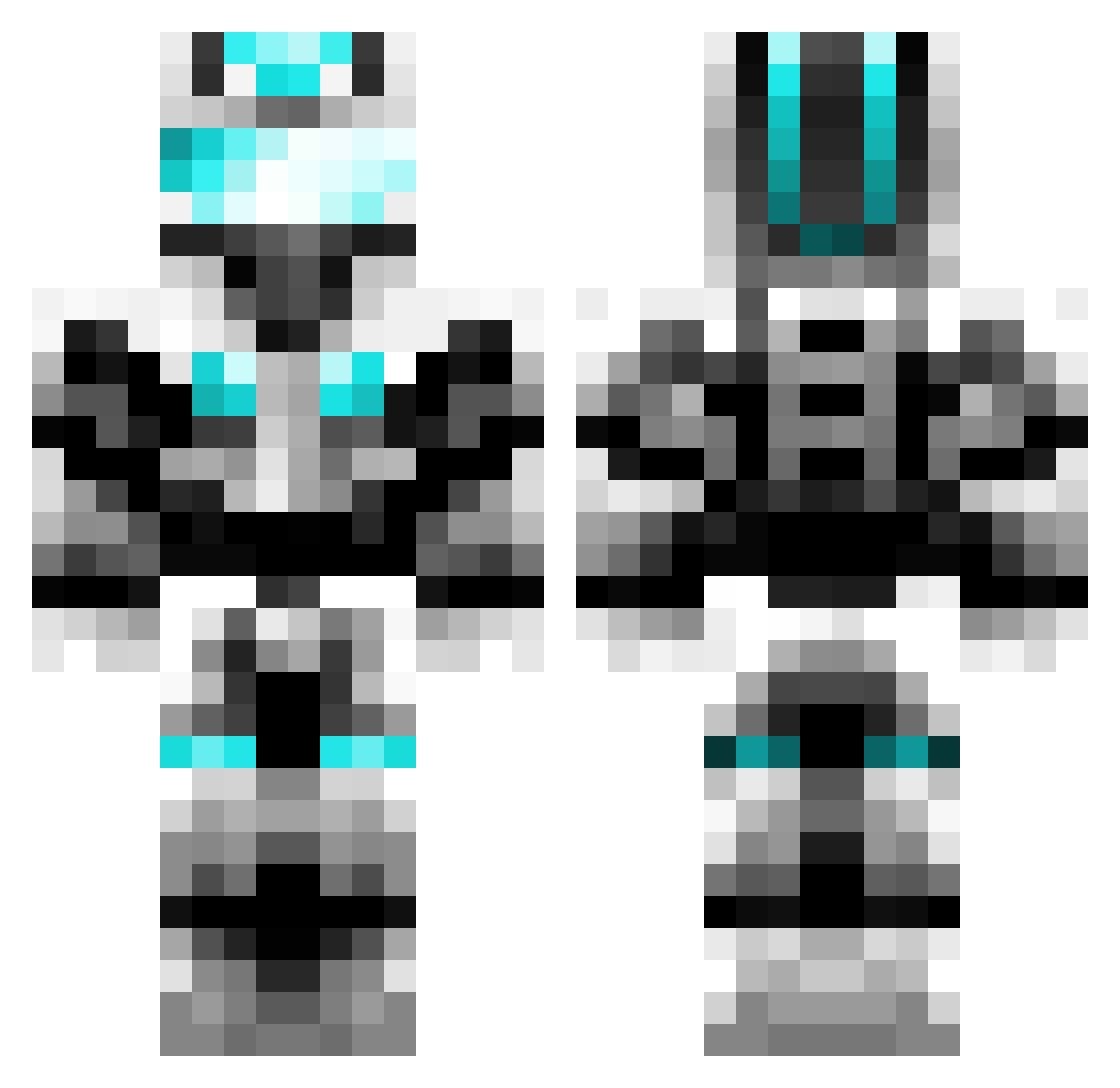
Current Minecraft skin of the player peter678w, loaded from the official Mojang API. Rotate the 3D model with your mouse or finger, then download the skin as a PNG file and use it in Minecraft: Bedrock Edition or Java Edition for free. When peter678w changes their skin, this page updates automatically and the old skin stays in the history below.
Other players with this skin (404)
peter678w was the 267th player we have seen with this skin, first spotted on 30.09.2026. The same skin was seen on these players. Open a nickname to see their current skin and skin history.
 HLinChen chi_yan_ WaitingFor519 erz5beb Aynm0 hudaxia13 sakurawas Shepherd_Block yu_nie hhk77flamedrago JIANWENDI RampantBuster aq12138 u_end Kawa_Co rgsnwdms Maxiking028 chyMinecraftJava cengjing Awesomeman495 includeMVP FYHDHP My19 yunlucky lost_knight_ KristusVoso Jaquargod lan542jorge jianglianyi CNLiuTao ShowMaker263 thy6666 rainsnowsun Leojdd SVNECAD YumeNoJidai RHTian lolikong24 tape__worm Misaka___ L_Ging _Kilian Ahri_XW BLacklightWT R34DY_P14Y3R_0N3 fjkxz ABCorD Knownboi suolong_23 jiaohuaji Banana_Handler cz52 Fighter0601 Shamsu Zyq03 Belias9x1 NoreCN asjhd ladykillerV ZZy_ne
More Cyber Soldier Minecraft skins
See all 44 Cyber Soldier skins
How to install the peter678w skin
- Press the Download button above to save the skin as a PNG file.
- Minecraft: Bedrock Edition (PE): open the Dressing Room from the main menu (or tap your character → Edit Character), go to Classic Skins → Owned, press the + (new skin) button, choose the downloaded PNG and pick the Classic (Steve) model. Works on PC and mobile; consoles cannot import custom skins.
- Minecraft: Java Edition: open the Minecraft Launcher, go to the Skins tab, click New Skin, load the PNG, pick the Classic (Steve) model and press Save & Use. You can also upload it at minecraft.net → Profile → Change Skin.
The skin does not show up after import - what should I do?
Restart Minecraft and open the Dressing Room again - imported skins sometimes appear only after a restart. Also make sure you selected the imported skin and picked the Classic (Steve) model.
Which model should I choose, Classic or Slim?
This skin is designed for the Classic (Steve) model. If you pick the wrong model, the arms of the skin will look stretched or squeezed.
Is the skin of peter678w free to download?
Yes. Press Download, save the PNG file and use it in Minecraft: Bedrock Edition or Java Edition - no payment or registration needed. The skin also works on multiplayer servers and Realms.
More skins
Looking for more? Go back to all Minecraft skins and check the top skins of the week, month and all time, or find any player's skin by nickname.