
pedoalfredo - Minecraft Skins & Skin History
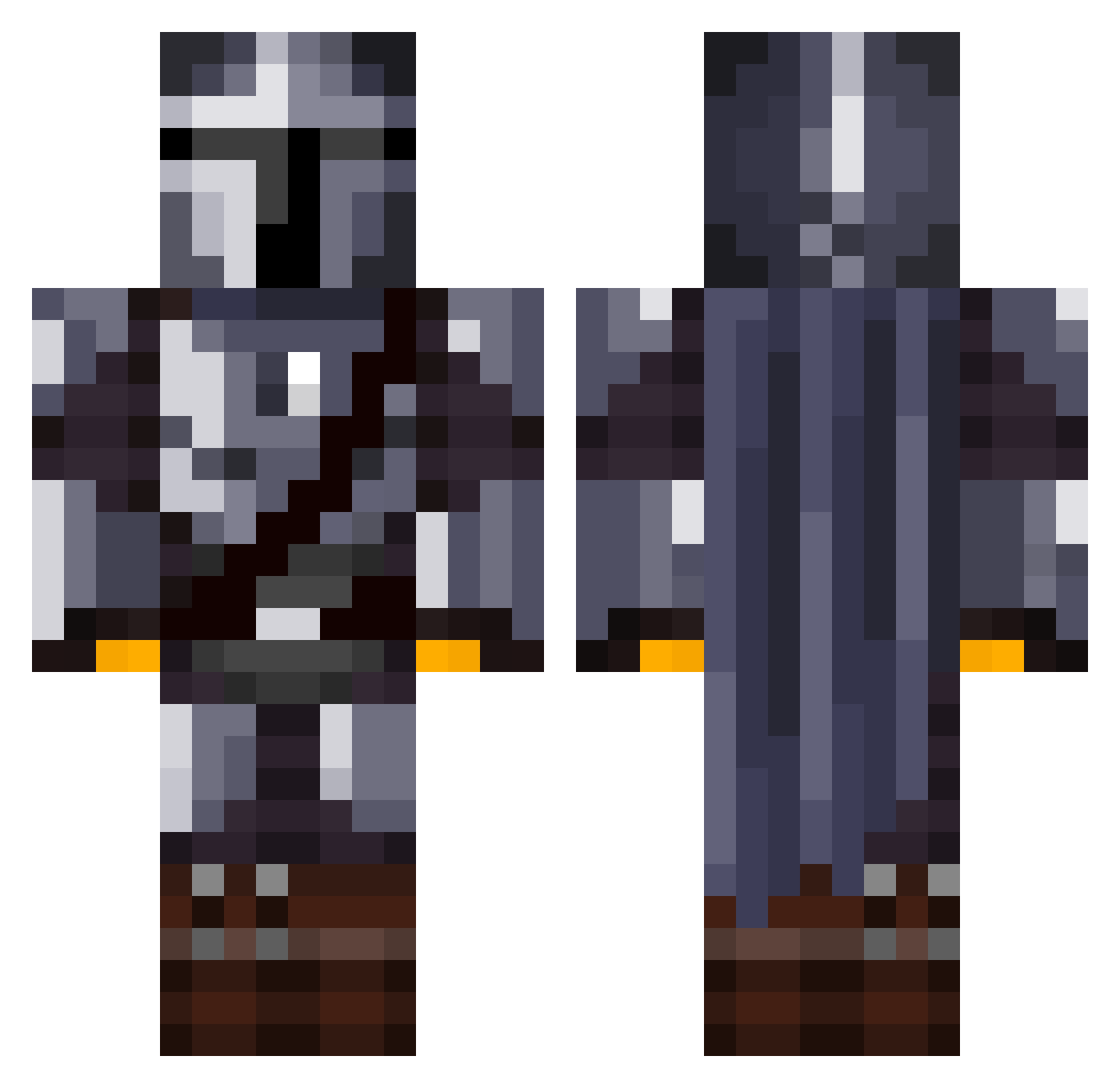
Current Minecraft skin of the player pedoalfredo, loaded from the official Mojang API. Rotate the 3D model with your mouse or finger, then download the skin as a PNG file and use it in Minecraft: Bedrock Edition or Java Edition for free. When pedoalfredo changes their skin, this page updates automatically and the old skin stays in the history below.
Other players with this skin (1070)
pedoalfredo was the 677th player we have seen with this skin, first spotted on 23.09.2026. The same skin was seen on these players. Open a nickname to see their current skin and skin history.
 MandoBZH BadBats101 nachein Reinholzen Gsgameeer ozarS kawa_uma boa270 FireCrit RareMandalorian Xanthanis KampfBart Finch6838 etwuwu MatthesO xAmzu123 SkittleDiddler J_haug Morebak YTbIP0K Tagged1 _Ruiin_ ShinobiBobaTea GuaficsMaster69 LyricalSlew ZipLock95 142xe14 p3coran3ra Vault5911 KomandoMuz Das_Ham Mungaloo LYKOSDEV LuckyClucky Fourmizzzz Trild96 TYL3R___ attack_d0g landerp95 Erwin_S MrrToon ChocoTaco123 PineappleWTF AlphaCriptic OMGitsPaul maffo95 jackpap10 Newrias kXsrXs MLH12 DamienSilvert Natandrake16 mrwizard5 LogamotiveLive BKDNOVA Drayconis HolyTalez Gilkard Tomiicb WholesomeBosco
More The Mandalorian Minecraft skins
See all 525 The Mandalorian skins
How to install the pedoalfredo skin
- Press the Download button above to save the skin as a PNG file.
- Minecraft: Bedrock Edition (PE): open the Dressing Room from the main menu (or tap your character → Edit Character), go to Classic Skins → Owned, press the + (new skin) button, choose the downloaded PNG and pick the Classic (Steve) model. Works on PC and mobile; consoles cannot import custom skins.
- Minecraft: Java Edition: open the Minecraft Launcher, go to the Skins tab, click New Skin, load the PNG, pick the Classic (Steve) model and press Save & Use. You can also upload it at minecraft.net → Profile → Change Skin.
The skin does not show up after import - what should I do?
Restart Minecraft and open the Dressing Room again - imported skins sometimes appear only after a restart. Also make sure you selected the imported skin and picked the Classic (Steve) model.
Which model should I choose, Classic or Slim?
This skin is designed for the Classic (Steve) model. If you pick the wrong model, the arms of the skin will look stretched or squeezed.
Is the skin of pedoalfredo free to download?
Yes. Press Download, save the PNG file and use it in Minecraft: Bedrock Edition or Java Edition - no payment or registration needed. The skin also works on multiplayer servers and Realms.
More skins
Looking for more? Go back to all Minecraft skins and check the top skins of the week, month and all time, or find any player's skin by nickname.