
paudley2 - Minecraft Skins & Skin History
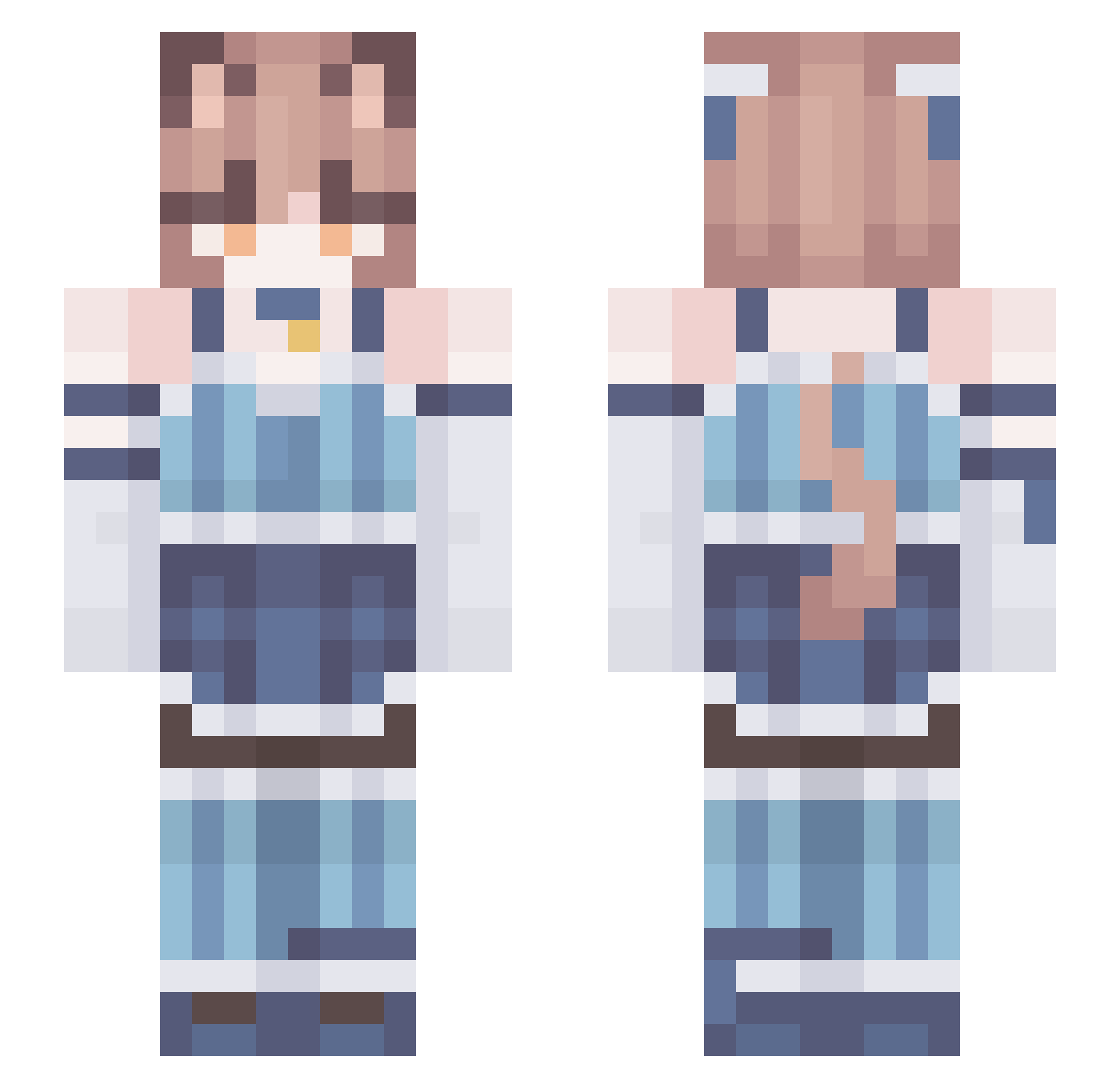
Current Minecraft skin of the player paudley2, loaded from the official Mojang API. Rotate the 3D model with your mouse or finger, then download the skin as a PNG file and use it in Minecraft: Bedrock Edition or Java Edition for free. When paudley2 changes their skin, this page updates automatically and the old skin stays in the history below.
Other players with this skin (208)
paudley2 was the 162nd player we have seen with this skin, first spotted on 03.10.2026. The same skin was seen on these players. Open a nickname to see their current skin and skin history.
 TheSmileModder Buchhaendler TeGeToUsE PixelBullet Slimee_n_joe tvoia_mama M4nuXx Thandwhich CutieWheelz ICantNameThings FeliksTTV Flake217 GHOSTRAIDER17 NekoTosha Medo1077 Silunie popfizz195 fjordglimper Nikas228Lesha GAMERBOINASH Fetsodes DerektheHobo uripex Akiraaaa_ MagicalPyro Noperinno FemboyTrappy prshpa EchidnasTeaLover HYPERC4T paradiseeeee TheEmirsch 82v GenaDosvidos maisonjl kud0i zuvf_ Seren1n Tu3na Haocto wojtek225 typical_mayo YNF_Sheep TheArbiter To_Jest_Arbuz femboysakura CloudV2 sukablyatman wicket27 peregrimes Arisponder KittySune UraniumOre92 69slut69 Nikaimeni XChrisNinja 4Snazzy paqtom D1ad Tuna51
More Collar Minecraft skins
How to install the paudley2 skin
- Press the Download button above to save the skin as a PNG file.
- Minecraft: Bedrock Edition (PE): open the Dressing Room from the main menu (or tap your character → Edit Character), go to Classic Skins → Owned, press the + (new skin) button, choose the downloaded PNG and pick the Slim (Alex) model. Works on PC and mobile; consoles cannot import custom skins.
- Minecraft: Java Edition: open the Minecraft Launcher, go to the Skins tab, click New Skin, load the PNG, pick the Slim (Alex) model and press Save & Use. You can also upload it at minecraft.net → Profile → Change Skin.
The skin does not show up after import - what should I do?
Restart Minecraft and open the Dressing Room again - imported skins sometimes appear only after a restart. Also make sure you selected the imported skin and picked the Slim (Alex) model.
Which model should I choose, Classic or Slim?
This skin is designed for the Slim (Alex) model. If you pick the wrong model, the arms of the skin will look stretched or squeezed.
Is the skin of paudley2 free to download?
Yes. Press Download, save the PNG file and use it in Minecraft: Bedrock Edition or Java Edition - no payment or registration needed. The skin also works on multiplayer servers and Realms.
More skins
Looking for more? Go back to all Minecraft skins and check the top skins of the week, month and all time, or find any player's skin by nickname.