
paolxw_zzz - Minecraft Skins & Skin History
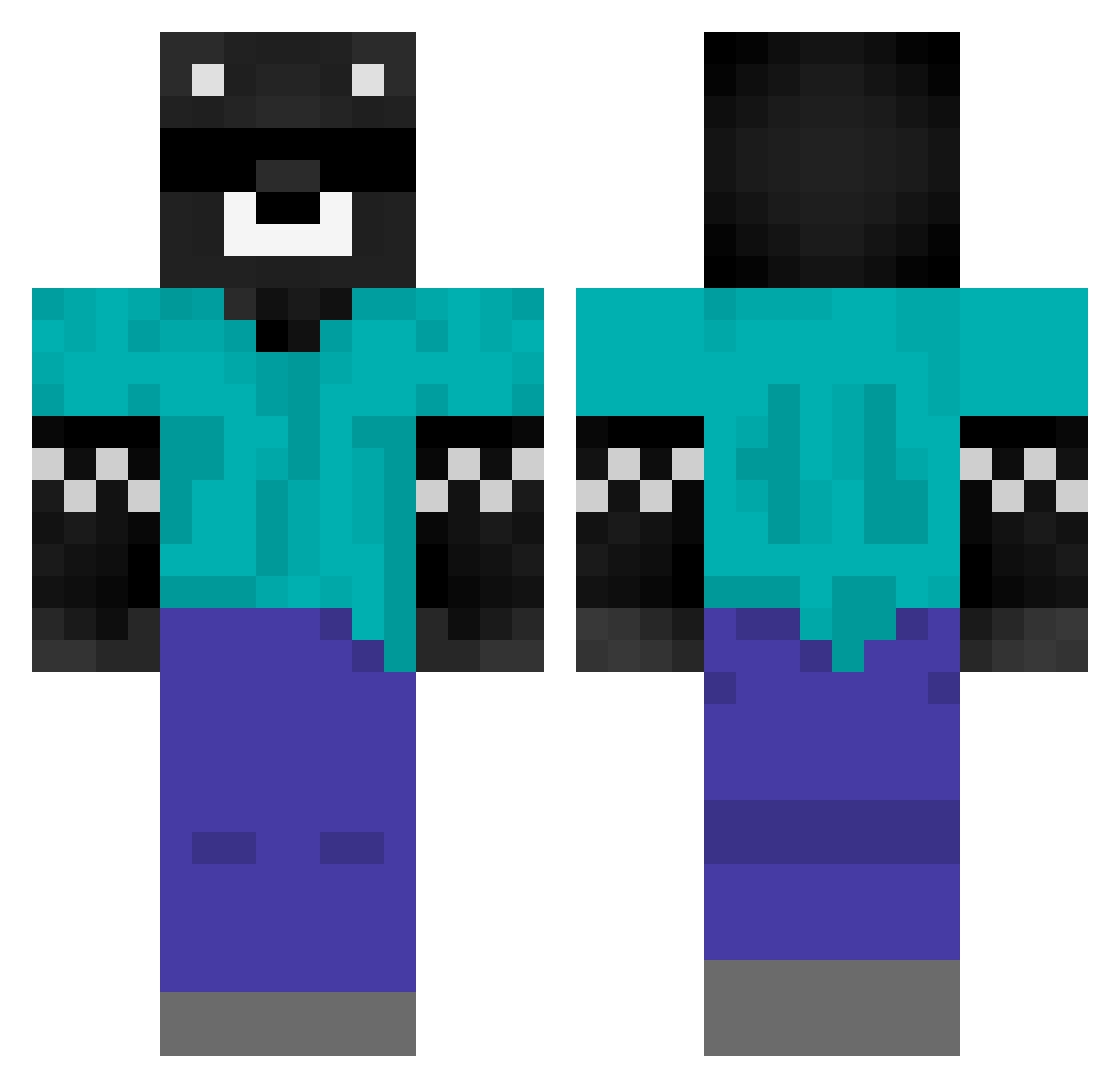
Current Minecraft skin of the player paolxw_zzz, loaded from the official Mojang API. Rotate the 3D model with your mouse or finger, then download the skin as a PNG file and use it in Minecraft: Bedrock Edition or Java Edition for free. When paolxw_zzz changes their skin, this page updates automatically and the old skin stays in the history below.
Other players with this skin (441)
paolxw_zzz was the 86th player we have seen with this skin, first spotted on 14.08.2026. The same skin was seen on these players. Open a nickname to see their current skin and skin history.
 V4l3nt1ng losmolina18
 osito7934 _SpreenDMC Kuclesx iTzBlitZzzz rubiuswtf Alejandr0XD ydselv Pazztilla Lopez_sgr Papu2112 xXMr_YeetXx DANICO33 kaklwd manuelitossj RomexMC
 SpreenDMC oojiih2 angelmr42 totyrt_ lolitogg SpreenCM RICKI777 rwzDawk Disolzor Kazuu7 LelumaxPS bastianrojas FABIAN100XD matiagos13 xvictorzzzx __ElSebitax__ Sr0110 XxMorPickXx Adexus09 iRaaaaayo AKIREM2 elchambero Chupetin222 kasamasay DjGeorgeOne wesexxx adler08_ Nic0_oo abelproo maurogamer242 LiN43 Alandkle OMERYAS DonCuack _xDarEvilx duran23 ElChinoRB yury1597 josscxst D1egoMT elpapujr Leg01as_ un_pato
More Bear Minecraft skins
How to install the paolxw_zzz skin
- Press the Download button above to save the skin as a PNG file.
- Minecraft: Bedrock Edition (PE): open the Dressing Room from the main menu (or tap your character → Edit Character), go to Classic Skins → Owned, press the + (new skin) button, choose the downloaded PNG and pick the Classic (Steve) model. Works on PC and mobile; consoles cannot import custom skins.
- Minecraft: Java Edition: open the Minecraft Launcher, go to the Skins tab, click New Skin, load the PNG, pick the Classic (Steve) model and press Save & Use. You can also upload it at minecraft.net → Profile → Change Skin.
The skin does not show up after import - what should I do?
Restart Minecraft and open the Dressing Room again - imported skins sometimes appear only after a restart. Also make sure you selected the imported skin and picked the Classic (Steve) model.
Which model should I choose, Classic or Slim?
This skin is designed for the Classic (Steve) model. If you pick the wrong model, the arms of the skin will look stretched or squeezed.
Is the skin of paolxw_zzz free to download?
Yes. Press Download, save the PNG file and use it in Minecraft: Bedrock Edition or Java Edition - no payment or registration needed. The skin also works on multiplayer servers and Realms.
More skins
Looking for more? Go back to all Minecraft skins and check the top skins of the week, month and all time, or find any player's skin by nickname.