
one_eska - Minecraft Skins & Skin History
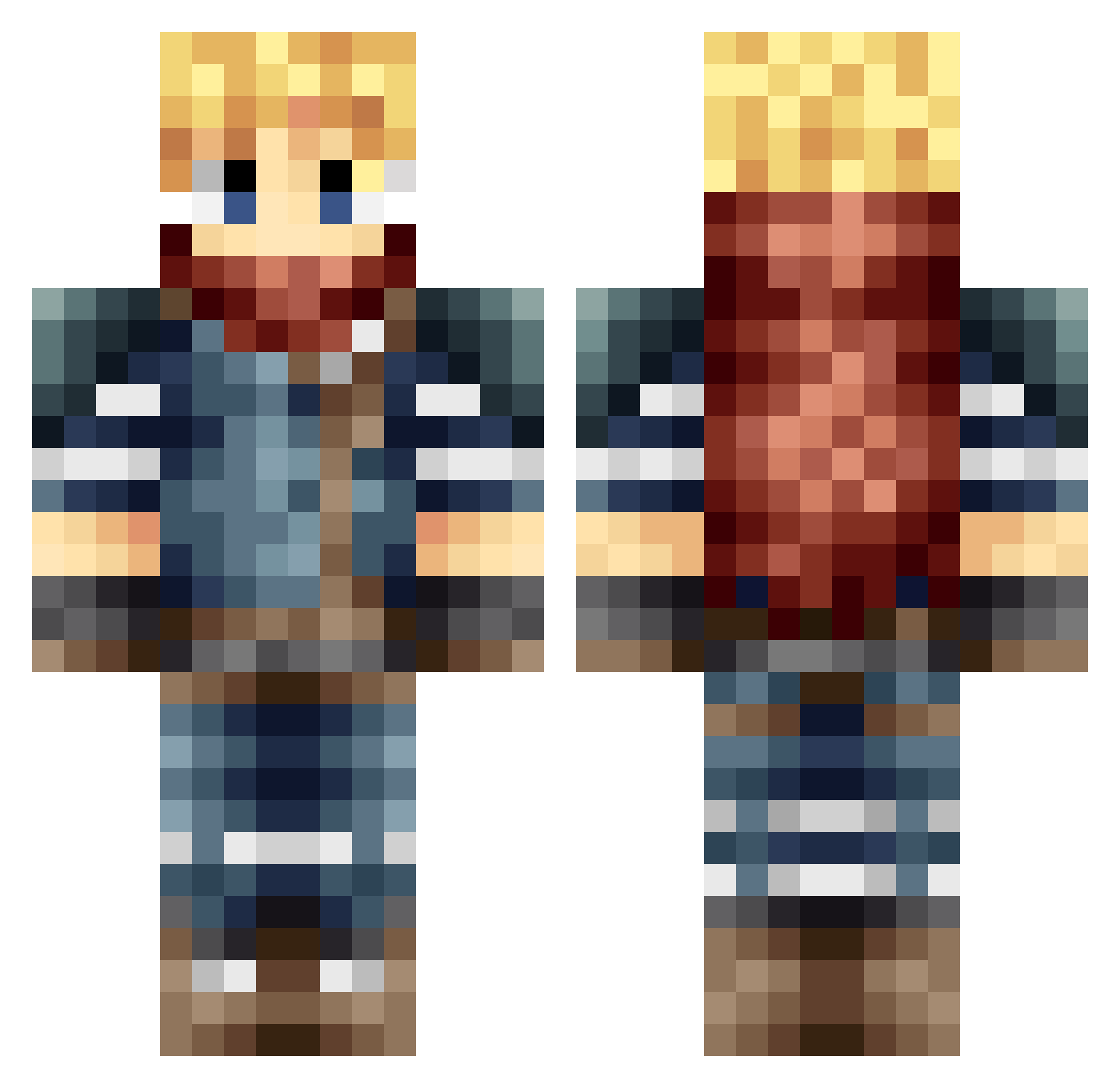
Current Minecraft skin of the player one_eska, loaded from the official Mojang API. Rotate the 3D model with your mouse or finger, then download the skin as a PNG file and use it in Minecraft: Bedrock Edition or Java Edition for free. When one_eska changes their skin, this page updates automatically and the old skin stays in the history below.
Other players with this skin (665)
one_eska was the 153rd player we have seen with this skin, first spotted on 22.08.2026. The same skin was seen on these players. Open a nickname to see their current skin and skin history.
 arthuro91280 Maxmega_42 EsamAlpha BiggieBeans lopiom jmn115 ullianboss yoyo0506 adrmarher NelChew Necrose07 Unibluex paleasmoon Sanctuaries Nyderas bobthebad123 CitronViolent SipsodePLx Skykook PharroW draloc91 wfsYamaha PurOwnage SheerBlur meraxlis Justone_5 Galaxy_Soultaker Alexhunter6 Thaals dentake Ratherin27 Chronoas guigui200 RileyTheWolf yyasef hugosupermario Scift Aremes ItSooKuru Lillbonk Monty_Morgoth H1GHR1D3R princedarkangel EscapeDroid Backsp1n Blinding_Son Scerion Gragoth90 NecrosisPedo Ssaarm bayo05 CreeperBeast55 TheExtoni JoToTheHannes UnkoPapi Cipher525 Ahek Wizard__Games DarkxCloud69 Kurfy
More Adventurer Minecraft skins
How to install the one_eska skin
- Press the Download button above to save the skin as a PNG file.
- Minecraft: Bedrock Edition (PE): open the Dressing Room from the main menu (or tap your character → Edit Character), go to Classic Skins → Owned, press the + (new skin) button, choose the downloaded PNG and pick the Classic (Steve) model. Works on PC and mobile; consoles cannot import custom skins.
- Minecraft: Java Edition: open the Minecraft Launcher, go to the Skins tab, click New Skin, load the PNG, pick the Classic (Steve) model and press Save & Use. You can also upload it at minecraft.net → Profile → Change Skin.
The skin does not show up after import - what should I do?
Restart Minecraft and open the Dressing Room again - imported skins sometimes appear only after a restart. Also make sure you selected the imported skin and picked the Classic (Steve) model.
Which model should I choose, Classic or Slim?
This skin is designed for the Classic (Steve) model. If you pick the wrong model, the arms of the skin will look stretched or squeezed.
Is the skin of one_eska free to download?
Yes. Press Download, save the PNG file and use it in Minecraft: Bedrock Edition or Java Edition - no payment or registration needed. The skin also works on multiplayer servers and Realms.
More skins
Looking for more? Go back to all Minecraft skins and check the top skins of the week, month and all time, or find any player's skin by nickname.