
one_chef - Minecraft Skins & Skin History
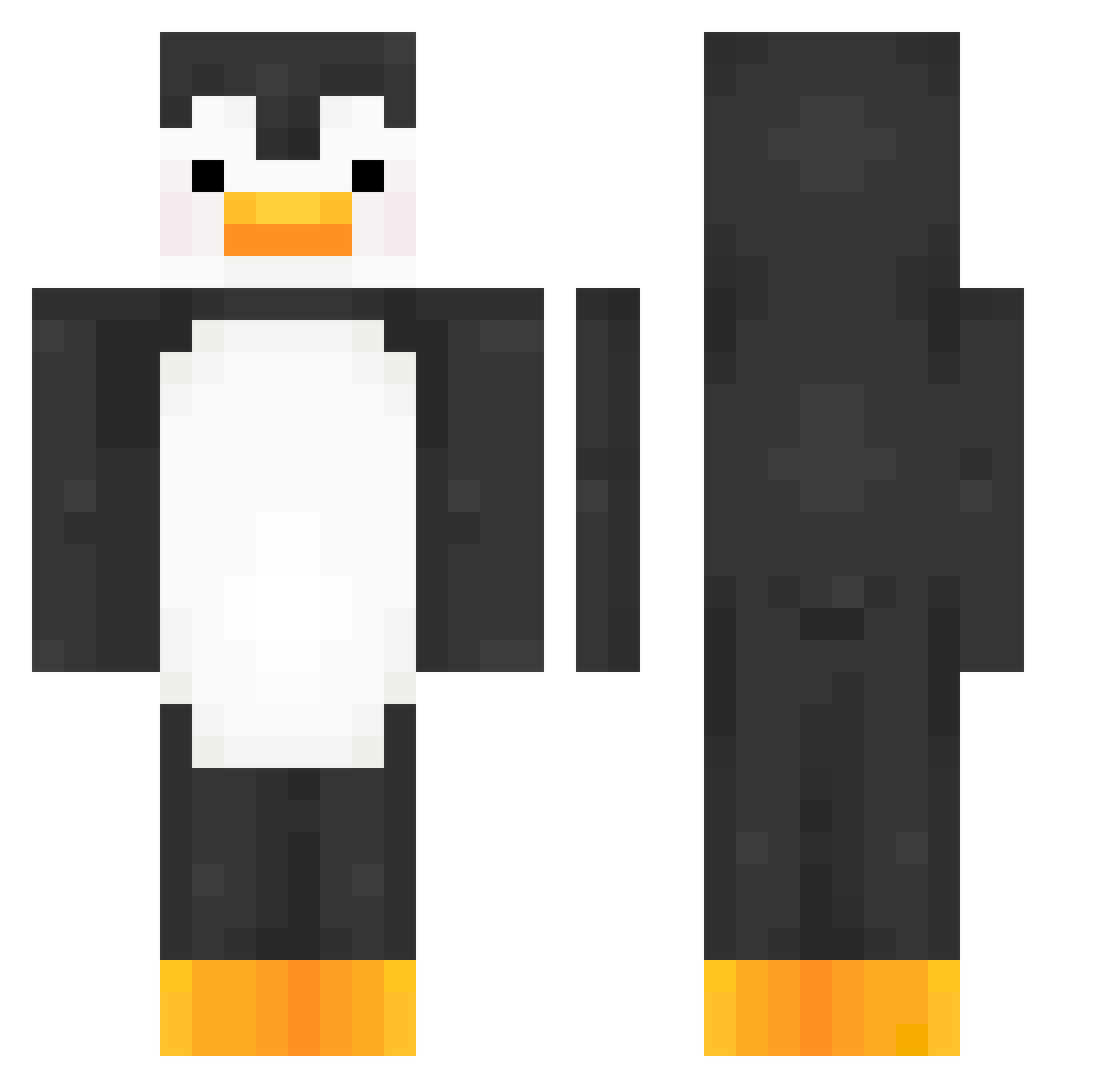
Current Minecraft skin of the player one_chef, loaded from the official Mojang API. Rotate the 3D model with your mouse or finger, then download the skin as a PNG file and use it in Minecraft: Bedrock Edition or Java Edition for free. When one_chef changes their skin, this page updates automatically and the old skin stays in the history below.
Other players with this skin (427)
one_chef was the 389th player we have seen with this skin, first spotted on 10.11.2026. The same skin was seen on these players. Open a nickname to see their current skin and skin history.
 HoneyPie_o seadonkey12 Devidius IgoLeo221 kanojoimasen Its_Shai yurseb Z0H111 TheKraftingOne Qusavon101 lemonsparkling nattypatty29 EluasxD nanook43 gabehx0 Klipthru ElSevenkm sakethv1 kskdz mts6 BAIGEI11AA huhdoken xXoca ZeroEG_EVO StereoR2D2 electr0on one_ro zombiehunt5r115 Stalin_Simp69 SilentHaste sametk69 Tropical73 KillerRabbitz darkkx4 Damoklo XXDilanvXX Scoobie1000 NexusPraid leftwing35 EasedCargo09230 Sumorocky1324 BlindDumbDeaf YoursBalenciaga Rakimz Makislo nicksondes Trong_Nguyen RobotPenguin123 harry7_ IsabellaGOD Adamahhh _Coxa__ longeliu p3ngoat Rip_Penguin MrLeo24 CaveBearGaming TheDimerYT ThatOneArdoni rhinogaff
More Animal Minecraft skins
How to install the one_chef skin
- Press the Download button above to save the skin as a PNG file.
- Minecraft: Bedrock Edition (PE): open the Dressing Room from the main menu (or tap your character → Edit Character), go to Classic Skins → Owned, press the + (new skin) button, choose the downloaded PNG and pick the Classic (Steve) model. Works on PC and mobile; consoles cannot import custom skins.
- Minecraft: Java Edition: open the Minecraft Launcher, go to the Skins tab, click New Skin, load the PNG, pick the Classic (Steve) model and press Save & Use. You can also upload it at minecraft.net → Profile → Change Skin.
The skin does not show up after import - what should I do?
Restart Minecraft and open the Dressing Room again - imported skins sometimes appear only after a restart. Also make sure you selected the imported skin and picked the Classic (Steve) model.
Which model should I choose, Classic or Slim?
This skin is designed for the Classic (Steve) model. If you pick the wrong model, the arms of the skin will look stretched or squeezed.
Is the skin of one_chef free to download?
Yes. Press Download, save the PNG file and use it in Minecraft: Bedrock Edition or Java Edition - no payment or registration needed. The skin also works on multiplayer servers and Realms.
More skins
Looking for more? Go back to all Minecraft skins and check the top skins of the week, month and all time, or find any player's skin by nickname.