
oliveoilwithnuts - Minecraft Skins & Skin History
Current Minecraft skin of the player oliveoilwithnuts, loaded from the official Mojang API. Rotate the 3D model with your mouse or finger, then download the skin as a PNG file and use it in Minecraft: Bedrock Edition or Java Edition for free. When oliveoilwithnuts changes their skin, this page updates automatically and the old skin stays in the history below.
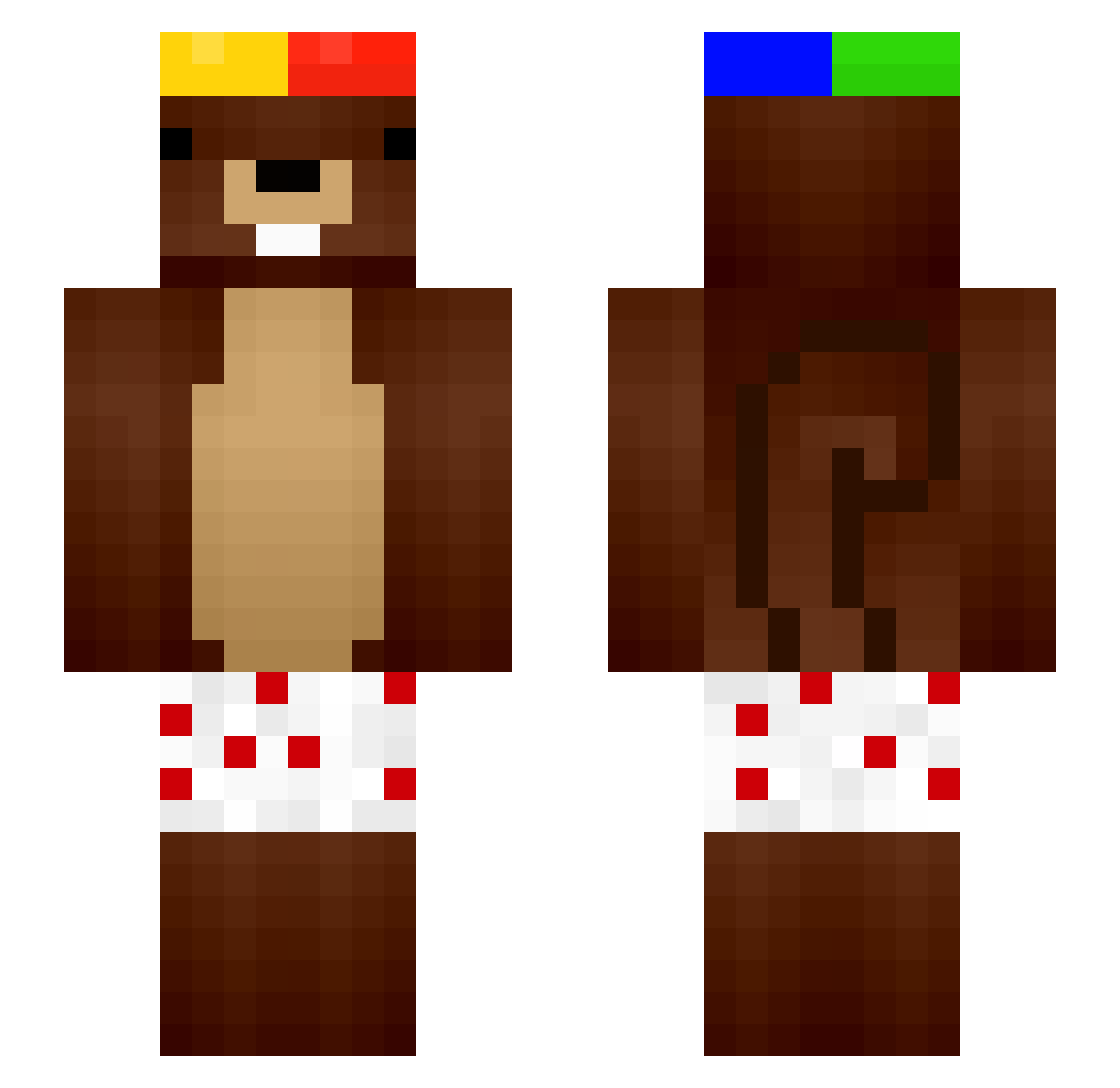
Other players with this skin (126)
oliveoilwithnuts was the 71st player we have seen with this skin, first spotted on 17.09.2026. The same skin was seen on these players. Open a nickname to see their current skin and skin history.
 qAless nicofalga _XIAVIX_ PrrPrrPatapin75 miki_thebest Raqqo 2bsa Molester11111111 deszv GoR_54 GregoIsBack_ Levandelat GyaHuuy WUEDER _Timmeh__ vasis10 NtR0sX0 protoprak66
 zaibuzaizai adequack yaunete r3w4n ElKanas BlessedByL0cked GreyGamer15 HONGKONGDRAKE88 JHessler04 niemiecki_wasacz FRANCS75 Juanmiita curin _TicoMiia_ Muusssssss Valuccchooo kienuyiuu _Fr3nzyy_ FerretyFern
 Franeu_ Blaero10 HuiJin1228 Ma7xuss npcvp Blackjack2212 ItzAhmed999 Davee033 __Kokos
 XSlothGuyX haseung01
 tinobum seemo__ B1blioteka DANA3637 uLegiteexz patito_onichan1 T9rq FooGytsu LuisDXY tywzcc bigboiz69 KAAFFY
More Squirrel Minecraft skins
How to install the oliveoilwithnuts skin
- Press the Download button above to save the skin as a PNG file.
- Minecraft: Bedrock Edition (PE): open the Dressing Room from the main menu (or tap your character → Edit Character), go to Classic Skins → Owned, press the + (new skin) button, choose the downloaded PNG and pick the Slim (Alex) model. Works on PC and mobile; consoles cannot import custom skins.
- Minecraft: Java Edition: open the Minecraft Launcher, go to the Skins tab, click New Skin, load the PNG, pick the Slim (Alex) model and press Save & Use. You can also upload it at minecraft.net → Profile → Change Skin.
The skin does not show up after import - what should I do?
Restart Minecraft and open the Dressing Room again - imported skins sometimes appear only after a restart. Also make sure you selected the imported skin and picked the Slim (Alex) model.
Which model should I choose, Classic or Slim?
This skin is designed for the Slim (Alex) model. If you pick the wrong model, the arms of the skin will look stretched or squeezed.
Is the skin of oliveoilwithnuts free to download?
Yes. Press Download, save the PNG file and use it in Minecraft: Bedrock Edition or Java Edition - no payment or registration needed. The skin also works on multiplayer servers and Realms.
More skins
Looking for more? Go back to all Minecraft skins and check the top skins of the week, month and all time, or find any player's skin by nickname.