
oXBeRnArDXo - Minecraft Skins & Skin History
Current Minecraft skin of the player oXBeRnArDXo, loaded from the official Mojang API. Rotate the 3D model with your mouse or finger, then download the skin as a PNG file and use it in Minecraft: Bedrock Edition or Java Edition for free. When oXBeRnArDXo changes their skin, this page updates automatically and the old skin stays in the history below.
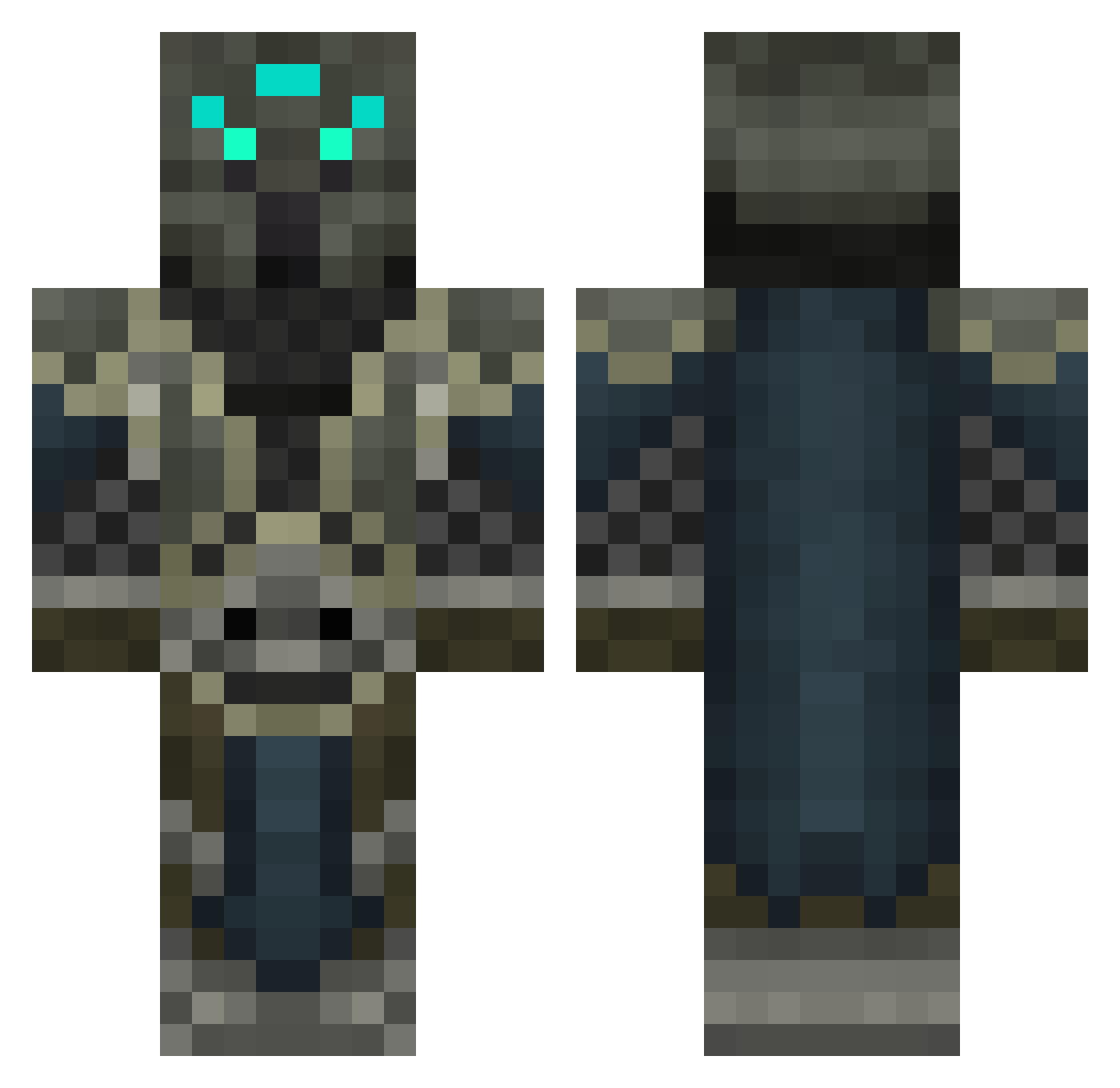
Other players with this skin (455)
oXBeRnArDXo was the 441st player we have seen with this skin, first spotted on 28.10.2026. The same skin was seen on these players. Open a nickname to see their current skin and skin history.
 DarastrixPrime jmaster2003 Valras Rikitaru JEDS_51 Seimeii Perf3ctkill KING_PIXELZ epic_destroyer Shocknuk mrepix101 LichKing000 Biodiv swaamp veNjebtw LexLow sean2611 Hedius Djfreeisi epicfacex101 LichKing11 bigkinggosebang casielliot funkyness Sylroby xirt98 Hykkar OogieBoogieWoogi RhynHD Mehrunezz frankthetank1253 Dresse2005 Warcite adamksmith faweur cooperman1639 killermaster461 TOLGaming TheLichDestroyer KalleOwN12 Chu_darwin RedofDarkness Demonic713 lucienvdhoek musraz paxx0r Xpilia Taurgan MrGoodPops Cristoffle COLTHORRION Jayum Woiski Rogoranee maxitaxi1700 Heritic546 RozerZeDictator Cybitzer Suzaku999 MRHeavenN
More Medieval Minecraft skins
How to install the oXBeRnArDXo skin
- Press the Download button above to save the skin as a PNG file.
- Minecraft: Bedrock Edition (PE): open the Dressing Room from the main menu (or tap your character → Edit Character), go to Classic Skins → Owned, press the + (new skin) button, choose the downloaded PNG and pick the Classic (Steve) model. Works on PC and mobile; consoles cannot import custom skins.
- Minecraft: Java Edition: open the Minecraft Launcher, go to the Skins tab, click New Skin, load the PNG, pick the Classic (Steve) model and press Save & Use. You can also upload it at minecraft.net → Profile → Change Skin.
The skin does not show up after import - what should I do?
Restart Minecraft and open the Dressing Room again - imported skins sometimes appear only after a restart. Also make sure you selected the imported skin and picked the Classic (Steve) model.
Which model should I choose, Classic or Slim?
This skin is designed for the Classic (Steve) model. If you pick the wrong model, the arms of the skin will look stretched or squeezed.
Is the skin of oXBeRnArDXo free to download?
Yes. Press Download, save the PNG file and use it in Minecraft: Bedrock Edition or Java Edition - no payment or registration needed. The skin also works on multiplayer servers and Realms.
More skins
Looking for more? Go back to all Minecraft skins and check the top skins of the week, month and all time, or find any player's skin by nickname.