
noboost - Minecraft Skins & Skin History
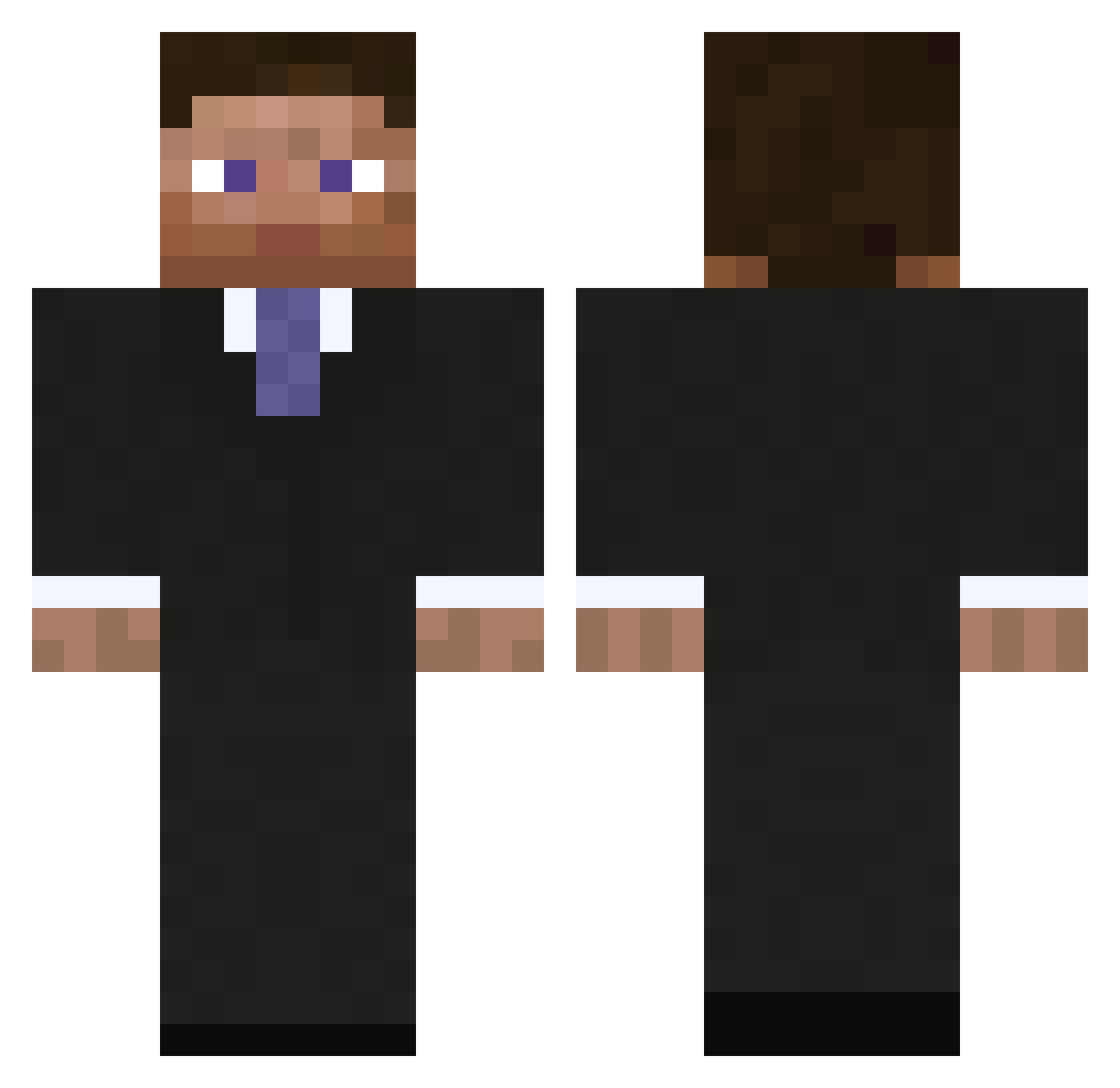
Current Minecraft skin of the player noboost, loaded from the official Mojang API. Rotate the 3D model with your mouse or finger, then download the skin as a PNG file and use it in Minecraft: Bedrock Edition or Java Edition for free. When noboost changes their skin, this page updates automatically and the old skin stays in the history below.
Other players with this skin (793)
noboost was the 709th player we have seen with this skin, first spotted on 11.10.2026. The same skin was seen on these players. Open a nickname to see their current skin and skin history.
 viking672 Alajxx Telesphoreo Shcone jonikins Raze_Mordom ASLapix RipCore84 fatalesprit Doc05 Oofreestyle jfdcwd13 alexjv_ footshake DevonSait hkferlife1 SaifHunter Timur_08 Jordan199 Obes raeessuperboy Nahnay waviou1 Wadekind MapPlease special115 ChipMunks TheJepeto sauce_gawd Martisacra Chitzuka DarknightAUS landohb EpicosityAlex fishy1233 Harcin _DarkPredator_ StickeyCraft Silentacer bigwwefans MauFau MadRebel karatemand123 masterification Isa_e_Mu AnToiNiZaBe muratilg BackToSchool benjaminpower100 Royski Poermetz RaganR Fredmizterio madrat7 Den787 radines Jocke9801 RealReax DarkWolf_57 mercass
More Businessman Minecraft skins
See all 5473 Businessman skins
How to install the noboost skin
- Press the Download button above to save the skin as a PNG file.
- Minecraft: Bedrock Edition (PE): open the Dressing Room from the main menu (or tap your character → Edit Character), go to Classic Skins → Owned, press the + (new skin) button, choose the downloaded PNG and pick the Classic (Steve) model. Works on PC and mobile; consoles cannot import custom skins.
- Minecraft: Java Edition: open the Minecraft Launcher, go to the Skins tab, click New Skin, load the PNG, pick the Classic (Steve) model and press Save & Use. You can also upload it at minecraft.net → Profile → Change Skin.
The skin does not show up after import - what should I do?
Restart Minecraft and open the Dressing Room again - imported skins sometimes appear only after a restart. Also make sure you selected the imported skin and picked the Classic (Steve) model.
Which model should I choose, Classic or Slim?
This skin is designed for the Classic (Steve) model. If you pick the wrong model, the arms of the skin will look stretched or squeezed.
Is the skin of noboost free to download?
Yes. Press Download, save the PNG file and use it in Minecraft: Bedrock Edition or Java Edition - no payment or registration needed. The skin also works on multiplayer servers and Realms.
More skins
Looking for more? Go back to all Minecraft skins and check the top skins of the week, month and all time, or find any player's skin by nickname.