
nneeddaaKK - Minecraft Skins & Skin History
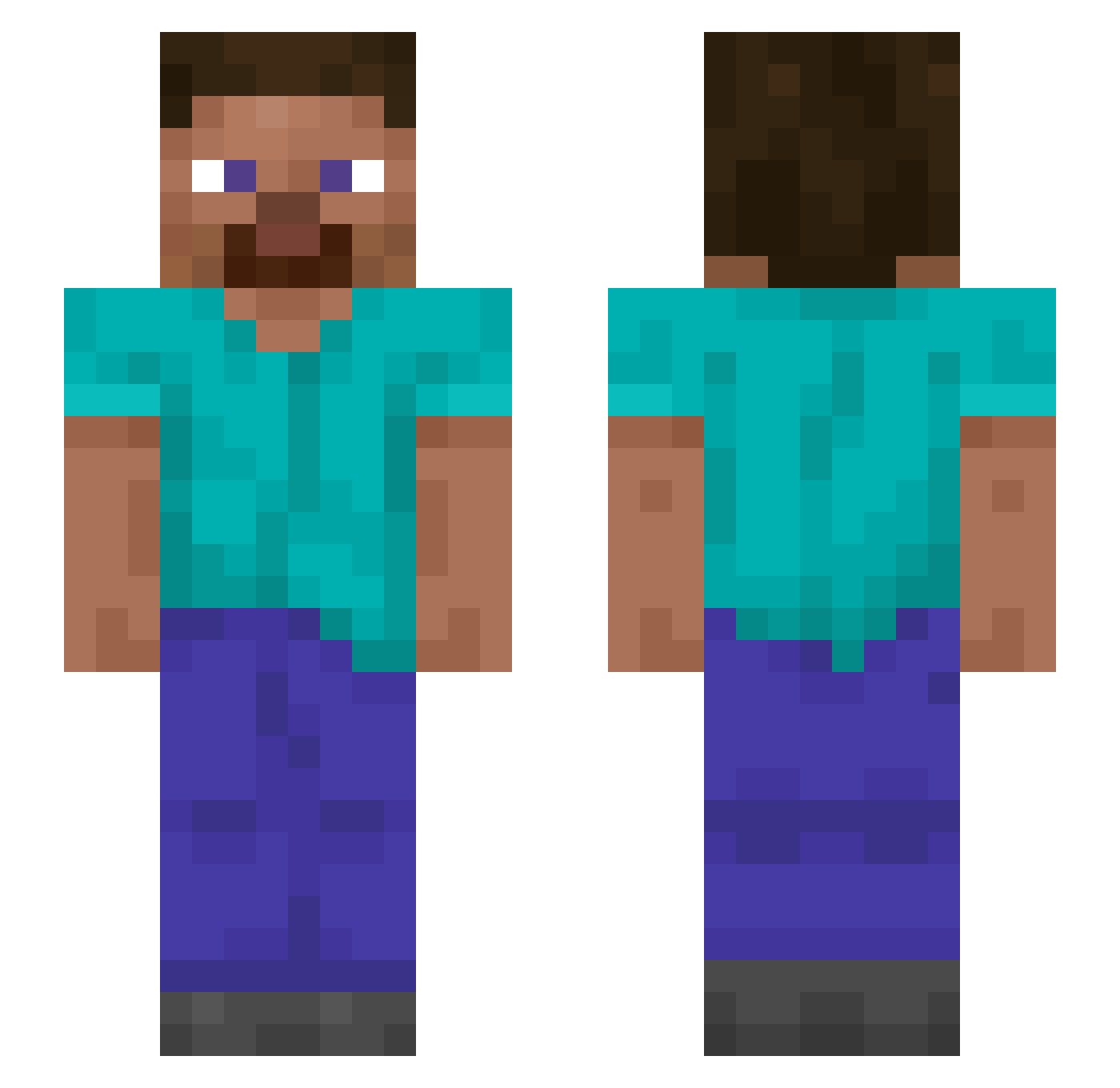
Current Minecraft skin of the player nneeddaaKK, loaded from the official Mojang API. Rotate the 3D model with your mouse or finger, then download the skin as a PNG file and use it in Minecraft: Bedrock Edition or Java Edition for free. When nneeddaaKK changes their skin, this page updates automatically and the old skin stays in the history below.
Other players with this skin (1412)
nneeddaaKK was the 1324th player we have seen with this skin, first spotted on 03.11.2026. The same skin was seen on these players. Open a nickname to see their current skin and skin history.
 CrazyMartino Thalyan fix1o5 Ruely Phentixx hxxxmn LuminousKry KohanBeats_ Orcist TAPHOUSE 1zwovo Ticktocky Ameland GerrieEnRys27676 Makaros Games_Preston wuhry1 Hoffmeisters gubss HaRiBo____o BigRaga exclusionary WEKI ShufoLOL riddl3b0x Cagoule alf638 Proinstance47 BenAFK Accrued Carvels _Hypeer1337 dcmls Ktxmi cadere Dribbler ravesKUwCcL3 Housty Chambul Venecro embezzling MrTrashToast ParkuCat Quittal veig_ SemiPacifist ReInstall Reliableness 3Nimatro yukian CPVPOctopuz Scrags NinCom Scamph stabile Fidelis08 Triploid Variegated Ross111 a1exogic
Previous skins of nneeddaaKK
Skins that nneeddaaKK wore before, newest first. Click a skin to open its page and download it.
How to install the nneeddaaKK skin
- Press the Download button above to save the skin as a PNG file.
- Minecraft: Bedrock Edition (PE): open the Dressing Room from the main menu (or tap your character → Edit Character), go to Classic Skins → Owned, press the + (new skin) button, choose the downloaded PNG and pick the Slim (Alex) model. Works on PC and mobile; consoles cannot import custom skins.
- Minecraft: Java Edition: open the Minecraft Launcher, go to the Skins tab, click New Skin, load the PNG, pick the Slim (Alex) model and press Save & Use. You can also upload it at minecraft.net → Profile → Change Skin.
The skin does not show up after import - what should I do?
Restart Minecraft and open the Dressing Room again - imported skins sometimes appear only after a restart. Also make sure you selected the imported skin and picked the Slim (Alex) model.
Which model should I choose, Classic or Slim?
This skin is designed for the Slim (Alex) model. If you pick the wrong model, the arms of the skin will look stretched or squeezed.
Is the skin of nneeddaaKK free to download?
Yes. Press Download, save the PNG file and use it in Minecraft: Bedrock Edition or Java Edition - no payment or registration needed. The skin also works on multiplayer servers and Realms.
More skins
Looking for more? Go back to all Minecraft skins and check the top skins of the week, month and all time, or find any player's skin by nickname.