
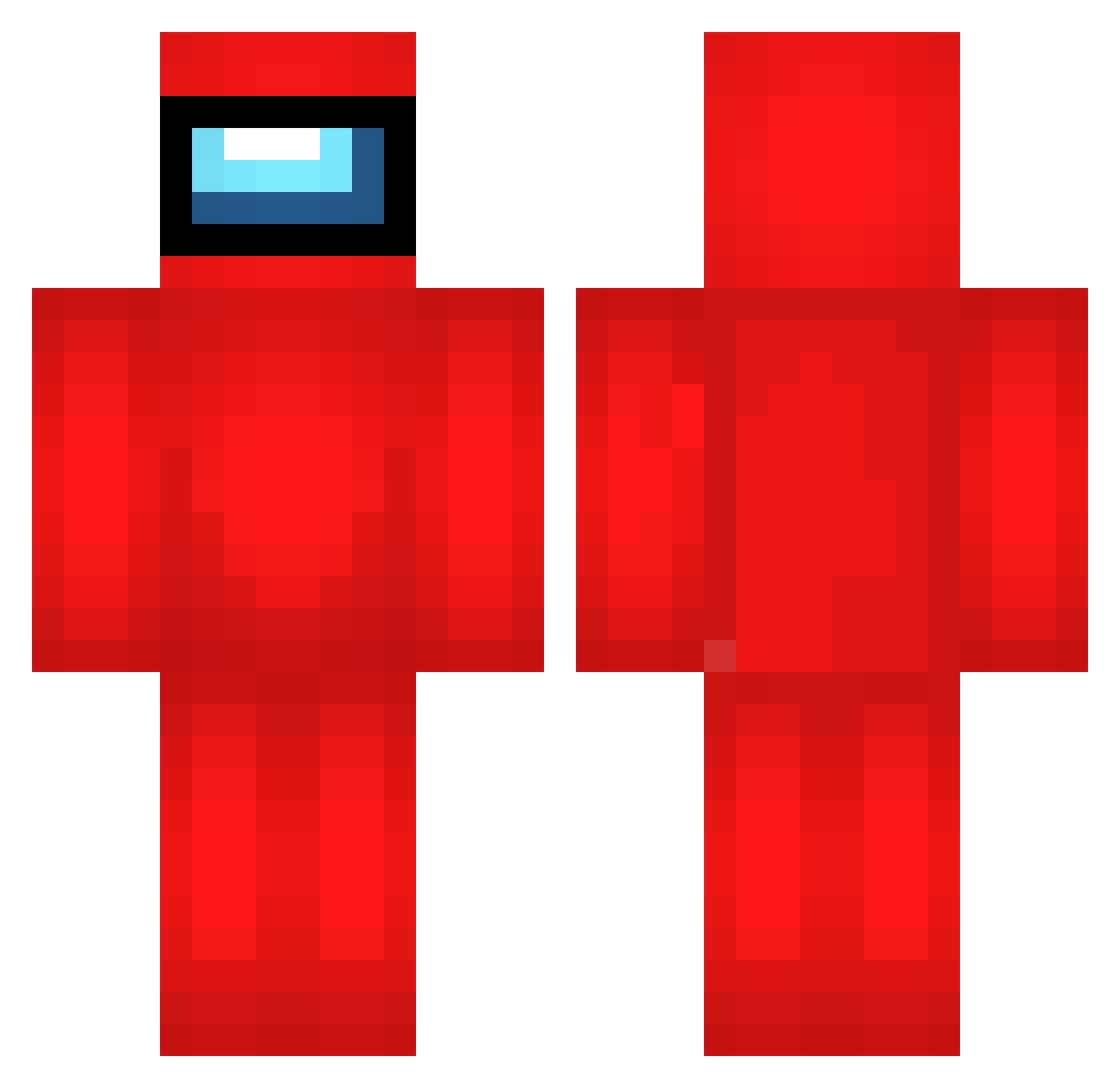
Current Minecraft skin of the player nis138, loaded from the official Mojang API. Rotate the 3D model with your mouse or finger, then download the skin as a PNG file and use it in Minecraft: Bedrock Edition or Java Edition for free. When nis138 changes their skin, this page updates automatically and the old skin stays in the history below.
Other players with this skin (537)
nis138 was the 416th player we have seen with this skin, first spotted on 02.10.2026. The same skin was seen on these players. Open a nickname to see their current skin and skin history.
 Kui164 AWe843 Floppa_roger Raven_zz KingJeevs nzY364 ZFg439 realhyengun FTT856 LZg281 Costco_Churro Jlr144 Lqp800 jzf216 Vkh500 SLm671 aNu308 idkidk123321 aww517 dipsiaktokozak Bmoney11 Fabileko SEM329 Vvo300 iLQ20 uYO526 THB784 FHu873 TheGoatier adm799 DlO369 aGf277 ElOsi Syncro7__ gmD768 yyO316 iuX620 Seriouswar Lost69BilToWipe eZq578 Fnc368 qOE333 fJc14 KQf596 VictOl azf332 kzI799 BeW31 tDd472 IUV472 iAg972 GzL828 Omselix ouE684 bTB22 jOc520 ztB939 uhm7 Ugn793 XUQ509
More Crewmate Minecraft skins
How to install the nis138 skin
- Press the Download button above to save the skin as a PNG file.
- Minecraft: Bedrock Edition (PE): open the Dressing Room from the main menu (or tap your character → Edit Character), go to Classic Skins → Owned, press the + (new skin) button, choose the downloaded PNG and pick the Classic (Steve) model. Works on PC and mobile; consoles cannot import custom skins.
- Minecraft: Java Edition: open the Minecraft Launcher, go to the Skins tab, click New Skin, load the PNG, pick the Classic (Steve) model and press Save & Use. You can also upload it at minecraft.net → Profile → Change Skin.
The skin does not show up after import - what should I do?
Restart Minecraft and open the Dressing Room again - imported skins sometimes appear only after a restart. Also make sure you selected the imported skin and picked the Classic (Steve) model.
Which model should I choose, Classic or Slim?
This skin is designed for the Classic (Steve) model. If you pick the wrong model, the arms of the skin will look stretched or squeezed.
Is the skin of nis138 free to download?
Yes. Press Download, save the PNG file and use it in Minecraft: Bedrock Edition or Java Edition - no payment or registration needed. The skin also works on multiplayer servers and Realms.
More skins
Looking for more? Go back to all Minecraft skins and check the top skins of the week, month and all time, or find any player's skin by nickname.