
nemuite - Minecraft Skins & Skin History
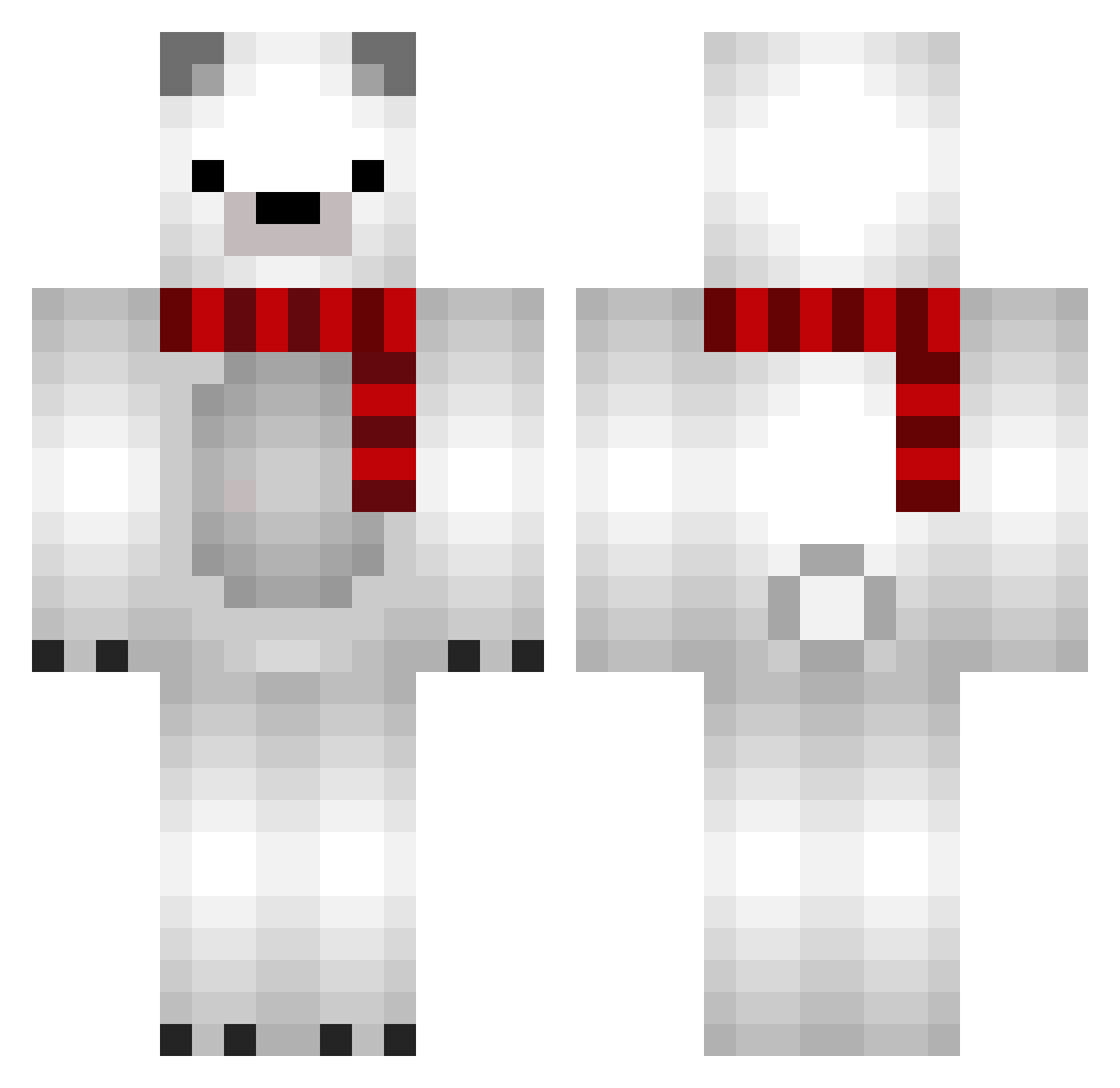
Current Minecraft skin of the player nemuite, loaded from the official Mojang API. Rotate the 3D model with your mouse or finger, then download the skin as a PNG file and use it in Minecraft: Bedrock Edition or Java Edition for free. When nemuite changes their skin, this page updates automatically and the old skin stays in the history below.
Other players with this skin (689)
nemuite was the 384th player we have seen with this skin, first spotted on 17.09.2026. The same skin was seen on these players. Open a nickname to see their current skin and skin history.
 Only_Attack miel0703 SkyyDog iNucham Doheun artisofa anebul Yunvet Du_bhe raz0202 maruchan338 clairelovejk Grinbi sheeeen27 nato03 Line_woo Noblige Anplame doinkerz Begravaren_ gunhee_1126 haeng0 BuffitosJR demoribim maimaiboo99 yu_kei7209 DarrkFrostt Holdyshark sduner GangstaPvP tikuwawa2in muIbird Nessuhsant Alplololol Premium_Juicer Iphon10 jedi_showtime MultFlame Almduudler Broke4Bananas Queen009 MineRivas BigToasty9 erebuswish Paeryliss 260hzzz BigSStats kingcapic3rn l_jae_hun LuluPoilAuCul Methay ANTLELO Forendz WDKLQ Gangsin POTAT0KOREA naomuun Myrialys Asiente Leuks_
More Polar Bear Minecraft skins
How to install the nemuite skin
- Press the Download button above to save the skin as a PNG file.
- Minecraft: Bedrock Edition (PE): open the Dressing Room from the main menu (or tap your character → Edit Character), go to Classic Skins → Owned, press the + (new skin) button, choose the downloaded PNG and pick the Classic (Steve) model. Works on PC and mobile; consoles cannot import custom skins.
- Minecraft: Java Edition: open the Minecraft Launcher, go to the Skins tab, click New Skin, load the PNG, pick the Classic (Steve) model and press Save & Use. You can also upload it at minecraft.net → Profile → Change Skin.
The skin does not show up after import - what should I do?
Restart Minecraft and open the Dressing Room again - imported skins sometimes appear only after a restart. Also make sure you selected the imported skin and picked the Classic (Steve) model.
Which model should I choose, Classic or Slim?
This skin is designed for the Classic (Steve) model. If you pick the wrong model, the arms of the skin will look stretched or squeezed.
Is the skin of nemuite free to download?
Yes. Press Download, save the PNG file and use it in Minecraft: Bedrock Edition or Java Edition - no payment or registration needed. The skin also works on multiplayer servers and Realms.
More skins
Looking for more? Go back to all Minecraft skins and check the top skins of the week, month and all time, or find any player's skin by nickname.