
natan3q - Minecraft Skins & Skin History
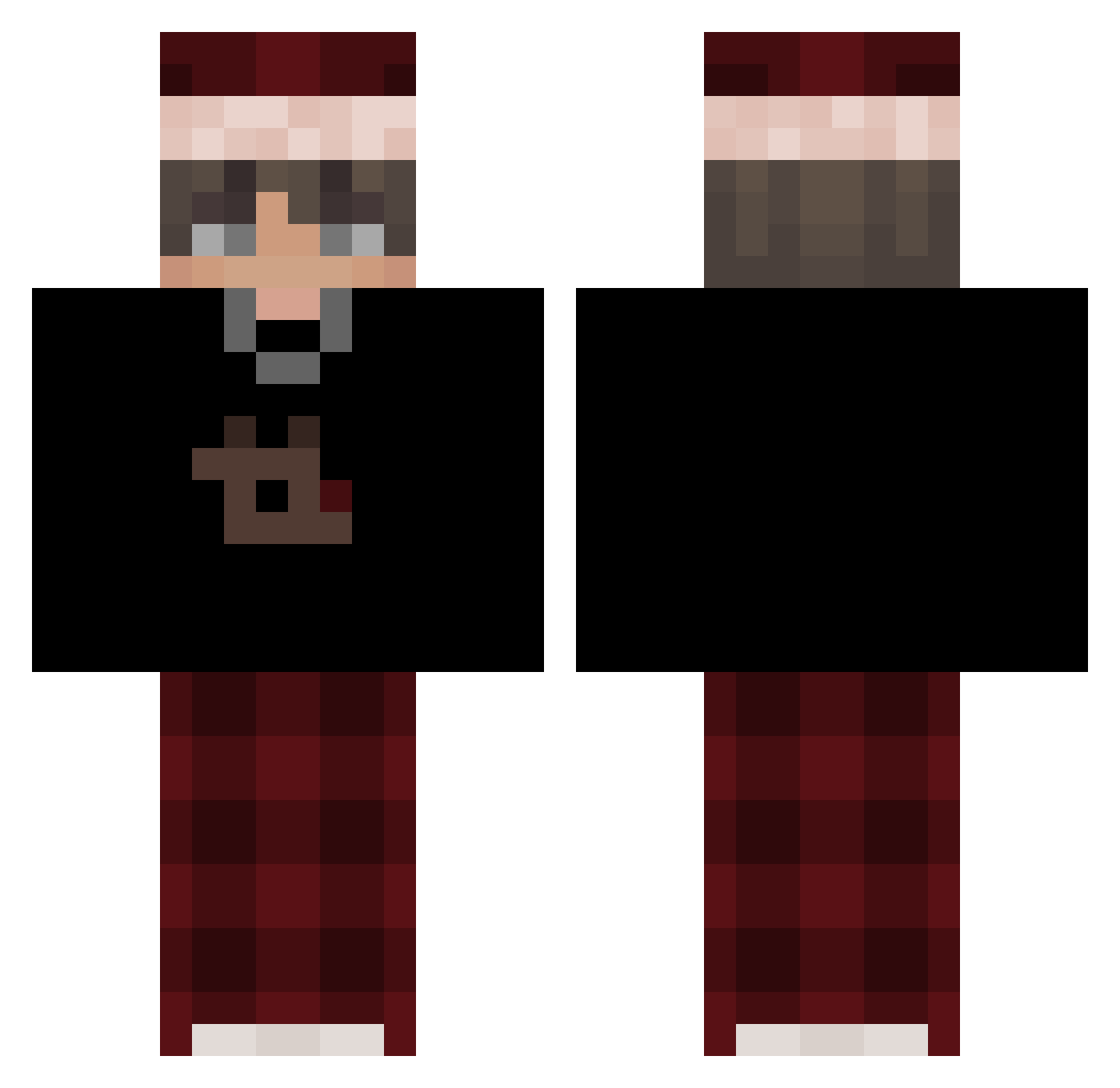
Current Minecraft skin of the player natan3q, loaded from the official Mojang API. Rotate the 3D model with your mouse or finger, then download the skin as a PNG file and use it in Minecraft: Bedrock Edition or Java Edition for free. When natan3q changes their skin, this page updates automatically and the old skin stays in the history below.
Other players with this skin (574)
natan3q was the 272nd player we have seen with this skin, first spotted on 13.09.2026. The same skin was seen on these players. Open a nickname to see their current skin and skin history.
 NguyenChiHai Mr_Hu_ venomtutu Wfreemann AshJavaEdition sickychud EdoGotLost Vaccone00 Chmurka_2137 Kaiserfrr LeNinjaKiwi Wojanit nicealtsgqCdj QubaZaw Smallboy2308 DimensionalSlash hj_xx16 Kakundoo Kainhorn ShanghaiCrane _D3edasz__ slepybulky Marqitou LukeINfront BeadyArrow7434 Greenminer55 Hubson97 IMEOWFORMOMMY_ VorT3xGam3R RagnarLodbrok192 Matcha0127 hrsi orionoh Kaptan29 Ritzoyg LILILILIx Cerebral_19 aloship Shadow_Math phatsakon9577 KingNoahR Wolfinshtain_ Burenik czvbakk_ jh1nn OneTapTim durashko HugoStucki Mondglas FLIX132 ayanxsoon
 notluffyvr627 InsidiousRGB TIJPF Raymian137 OverheadPony Debuff vibe123 Theboom865 Billo1312
More Santa Hat Minecraft skins
How to install the natan3q skin
- Press the Download button above to save the skin as a PNG file.
- Minecraft: Bedrock Edition (PE): open the Dressing Room from the main menu (or tap your character → Edit Character), go to Classic Skins → Owned, press the + (new skin) button, choose the downloaded PNG and pick the Classic (Steve) model. Works on PC and mobile; consoles cannot import custom skins.
- Minecraft: Java Edition: open the Minecraft Launcher, go to the Skins tab, click New Skin, load the PNG, pick the Classic (Steve) model and press Save & Use. You can also upload it at minecraft.net → Profile → Change Skin.
The skin does not show up after import - what should I do?
Restart Minecraft and open the Dressing Room again - imported skins sometimes appear only after a restart. Also make sure you selected the imported skin and picked the Classic (Steve) model.
Which model should I choose, Classic or Slim?
This skin is designed for the Classic (Steve) model. If you pick the wrong model, the arms of the skin will look stretched or squeezed.
Is the skin of natan3q free to download?
Yes. Press Download, save the PNG file and use it in Minecraft: Bedrock Edition or Java Edition - no payment or registration needed. The skin also works on multiplayer servers and Realms.
More skins
Looking for more? Go back to all Minecraft skins and check the top skins of the week, month and all time, or find any player's skin by nickname.