
nashino1 - Minecraft Skins & Skin History
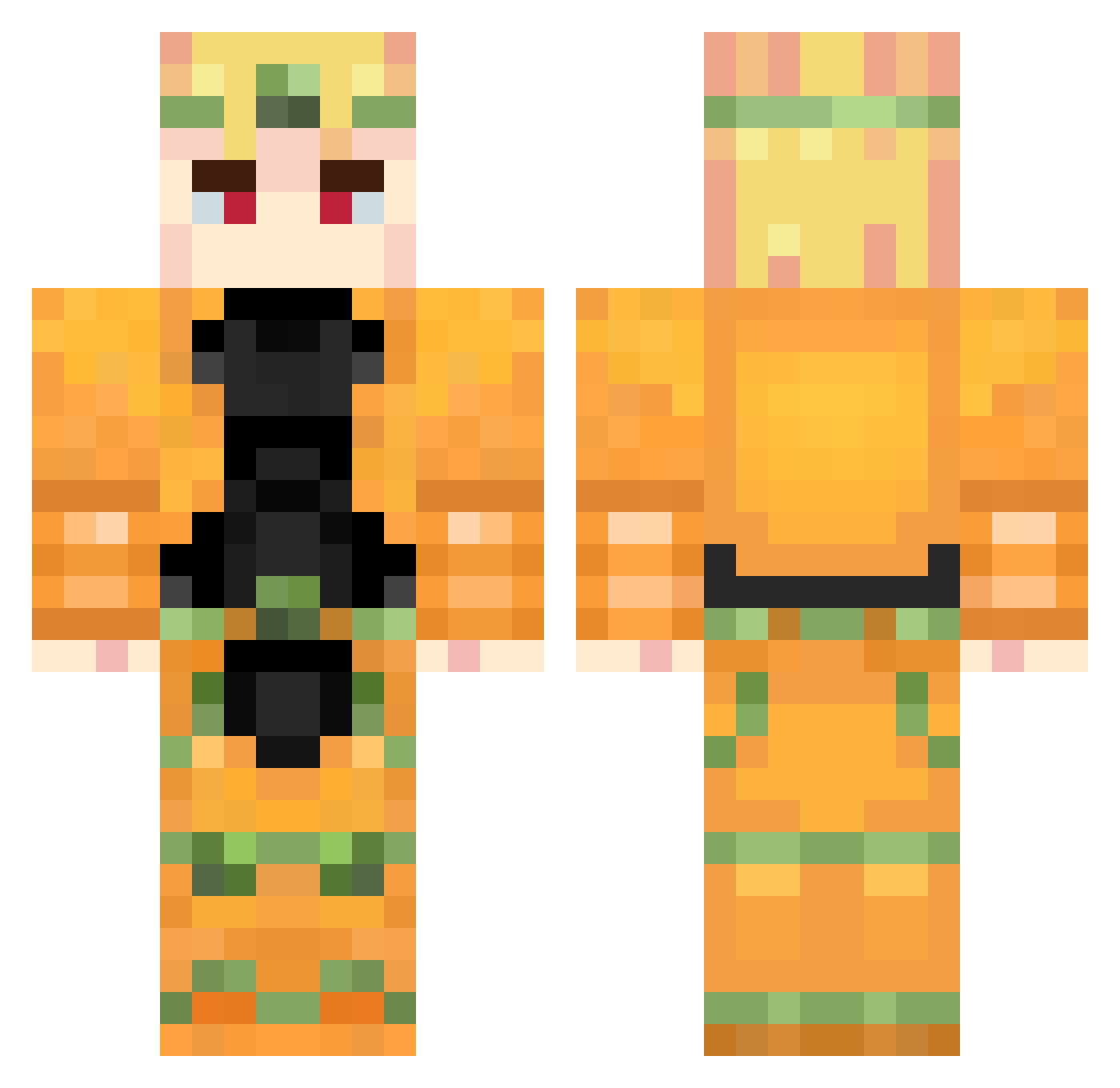
Current Minecraft skin of the player nashino1, loaded from the official Mojang API. Rotate the 3D model with your mouse or finger, then download the skin as a PNG file and use it in Minecraft: Bedrock Edition or Java Edition for free. When nashino1 changes their skin, this page updates automatically and the old skin stays in the history below.
Other players with this skin (880)
nashino1 was the 446th player we have seen with this skin, first spotted on 20.09.2026. The same skin was seen on these players. Open a nickname to see their current skin and skin history.
 Skyranger99 zzcOuO JJ838383 _Macumba_ BT_6250 SkippyPee Pionierz DimkaKoren ZINGUI Kayoou12 YOL_SILINDIRIII DoaWuhei midotto HOBO3 Superzana27 GINandSCOTCH Houyon Sneevv FergusX29 JotaDio TMC130 Dio_Saboroso HUVIX _Dracon__ trbaooo joelprobably Blueberry_404 Gleesh888 _dango ignaper24 Podiot Mr_Wolf7458 N1ppleK1ng AmacamA VeganPan Neront KojicAcid AverageEh Fluh_Barrel A_Boogi kimsooo Valentin_Brando akill001 catchtheNOVrain TheBichboy IRMAOS_FQ SireNeon P110255 DutchXaRmy_1 popito_2015 ReWAIV Laggyboi anko115 nimoba Zero5329 SoftEeveePuff Za_Warudo_Wrrrry starlitTulip GORDEJ2010 DTen
More Dio Brando Minecraft skins
How to install the nashino1 skin
- Press the Download button above to save the skin as a PNG file.
- Minecraft: Bedrock Edition (PE): open the Dressing Room from the main menu (or tap your character → Edit Character), go to Classic Skins → Owned, press the + (new skin) button, choose the downloaded PNG and pick the Classic (Steve) model. Works on PC and mobile; consoles cannot import custom skins.
- Minecraft: Java Edition: open the Minecraft Launcher, go to the Skins tab, click New Skin, load the PNG, pick the Classic (Steve) model and press Save & Use. You can also upload it at minecraft.net → Profile → Change Skin.
The skin does not show up after import - what should I do?
Restart Minecraft and open the Dressing Room again - imported skins sometimes appear only after a restart. Also make sure you selected the imported skin and picked the Classic (Steve) model.
Which model should I choose, Classic or Slim?
This skin is designed for the Classic (Steve) model. If you pick the wrong model, the arms of the skin will look stretched or squeezed.
Is the skin of nashino1 free to download?
Yes. Press Download, save the PNG file and use it in Minecraft: Bedrock Edition or Java Edition - no payment or registration needed. The skin also works on multiplayer servers and Realms.
More skins
Looking for more? Go back to all Minecraft skins and check the top skins of the week, month and all time, or find any player's skin by nickname.