
narvalnudiste - Minecraft Skins & Skin History
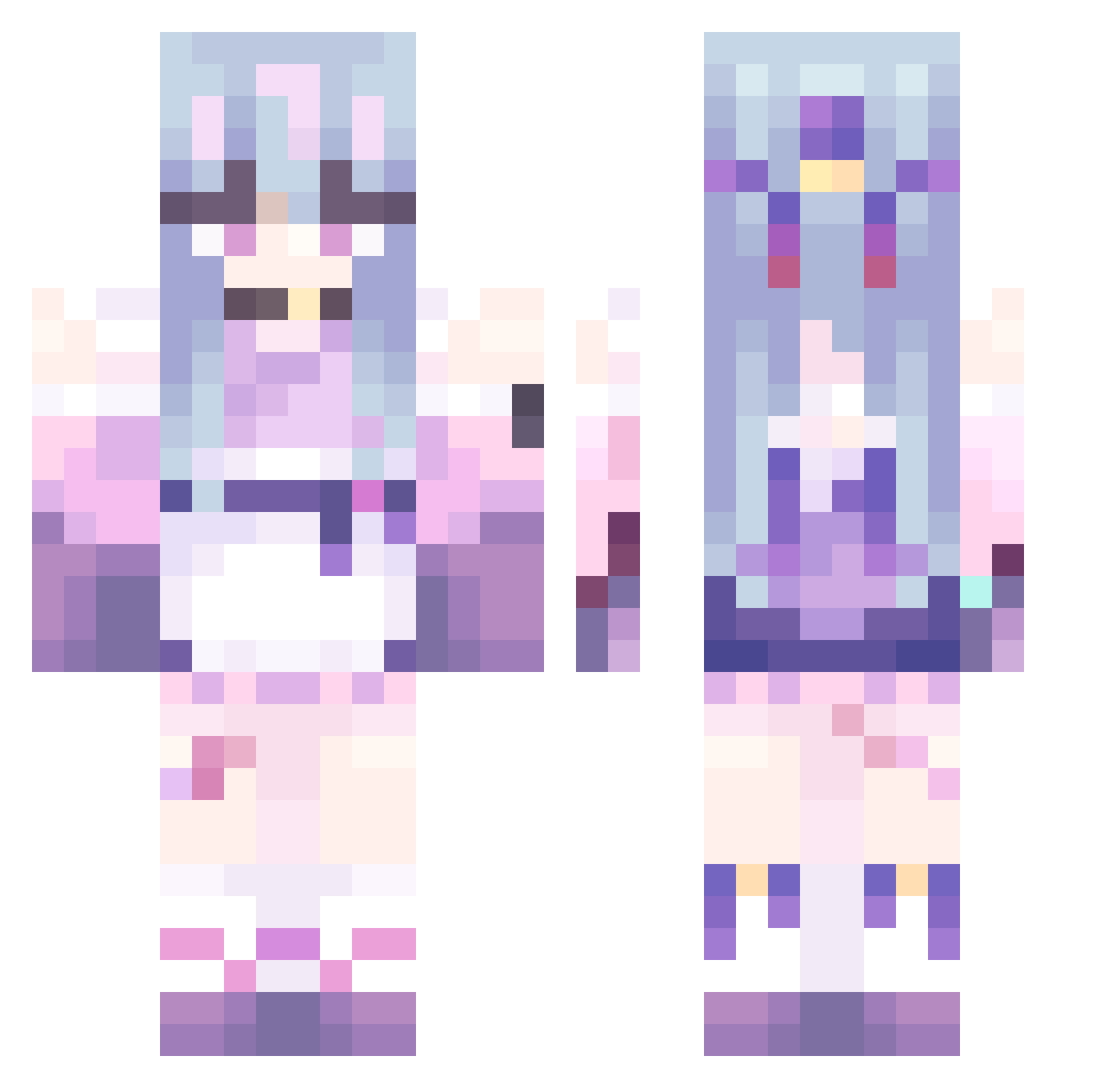
Current Minecraft skin of the player narvalnudiste, loaded from the official Mojang API. Rotate the 3D model with your mouse or finger, then download the skin as a PNG file and use it in Minecraft: Bedrock Edition or Java Edition for free. When narvalnudiste changes their skin, this page updates automatically and the old skin stays in the history below.
Other players with this skin (486)
narvalnudiste was the 274th player we have seen with this skin, first spotted on 01.10.2026. The same skin was seen on these players. Open a nickname to see their current skin and skin history.
 guli0 ActiveFusion mai_zi_cha_0808 chii_tg yexing12 itoshiki09 Xiaohuo66 Yuki_moon wzizz mimeow0 eggs229 Ohioman232 Airqiu Feliter CaptainMrSir physcoTR FQat Yukari1Zz SakuraNi123 1022October ComfyFemboy xiugarpop SenLL Himekoo27 UNA0206 DerBlitzkasten CandiceGames THEDAMAJA06 dickxiao _0000_0000_ gmgrc TOMAminnn Ghxstbxnni Musu_Yu TWWWWWW cvwe IxmGoat GabaGoo19 corbqn yutongwu siromachi T0xicTokyo Hwaseong_ xieguihua SoulyAyu Byakko1 CharliekirkDEAD _ToruKuro_ HeartReaper20 Azelie7 sivaskangali5858 Callay02 Loveshy303 Tribios Kohackyyy fafa555 EvieIsAlive TTsyx gaogao_9 ttttti
More Anime Girl Minecraft skins
See all 13603 Anime Girl skins
How to install the narvalnudiste skin
- Press the Download button above to save the skin as a PNG file.
- Minecraft: Bedrock Edition (PE): open the Dressing Room from the main menu (or tap your character → Edit Character), go to Classic Skins → Owned, press the + (new skin) button, choose the downloaded PNG and pick the Classic (Steve) model. Works on PC and mobile; consoles cannot import custom skins.
- Minecraft: Java Edition: open the Minecraft Launcher, go to the Skins tab, click New Skin, load the PNG, pick the Classic (Steve) model and press Save & Use. You can also upload it at minecraft.net → Profile → Change Skin.
The skin does not show up after import - what should I do?
Restart Minecraft and open the Dressing Room again - imported skins sometimes appear only after a restart. Also make sure you selected the imported skin and picked the Classic (Steve) model.
Which model should I choose, Classic or Slim?
This skin is designed for the Classic (Steve) model. If you pick the wrong model, the arms of the skin will look stretched or squeezed.
Is the skin of narvalnudiste free to download?
Yes. Press Download, save the PNG file and use it in Minecraft: Bedrock Edition or Java Edition - no payment or registration needed. The skin also works on multiplayer servers and Realms.
More skins
Looking for more? Go back to all Minecraft skins and check the top skins of the week, month and all time, or find any player's skin by nickname.