
nandaeyo - Minecraft Skins & Skin History
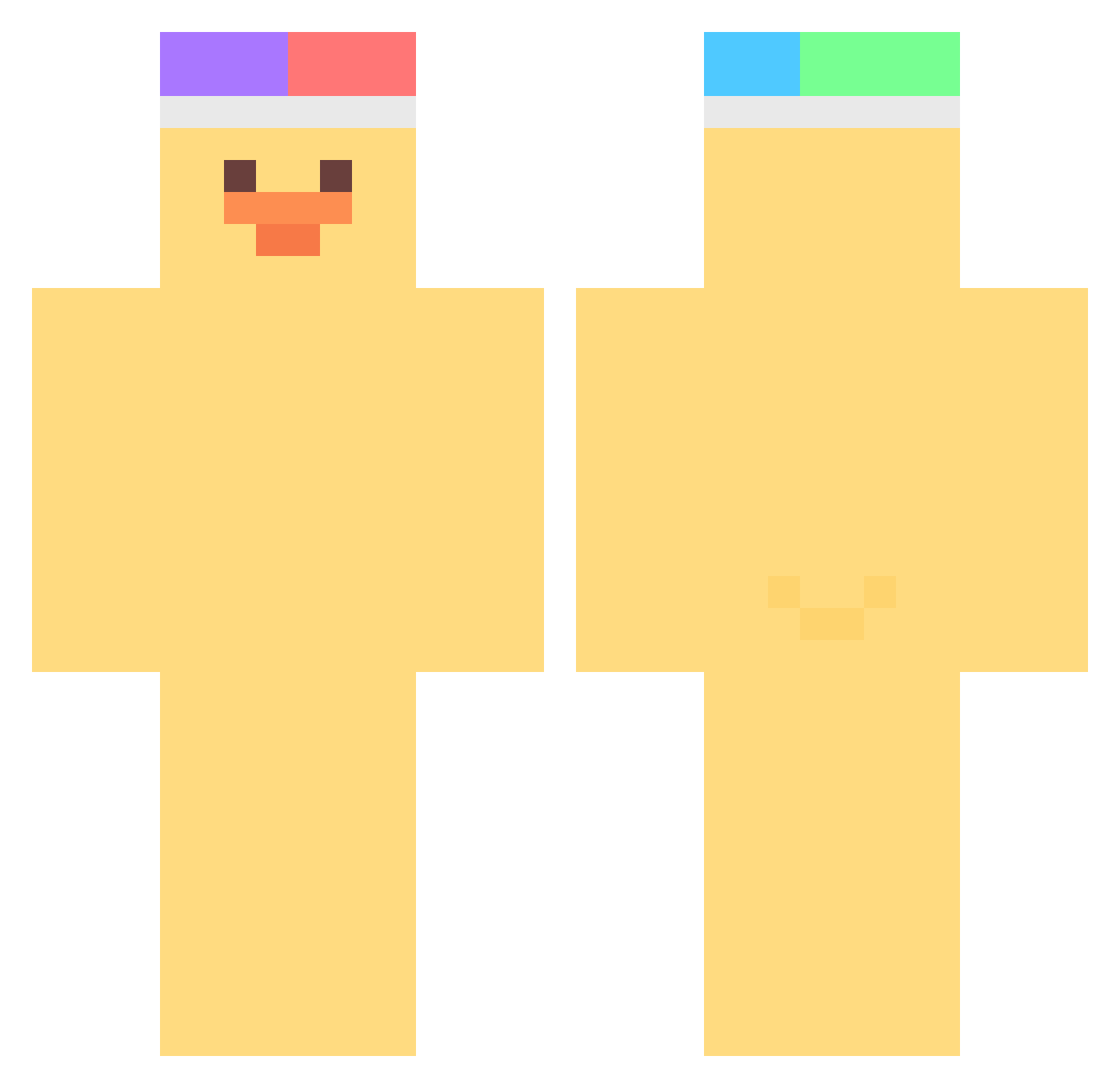
Current Minecraft skin of the player nandaeyo, loaded from the official Mojang API. Rotate the 3D model with your mouse or finger, then download the skin as a PNG file and use it in Minecraft: Bedrock Edition or Java Edition for free. When nandaeyo changes their skin, this page updates automatically and the old skin stays in the history below.
Other players with this skin (463)
nandaeyo was the 344th player we have seen with this skin, first spotted on 14.10.2026. The same skin was seen on these players. Open a nickname to see their current skin and skin history.
 blondeshareef zzyong Bebertou MILES76 ki_kiwi bruht ZeroPoint0220 LDalie Yucca2 diane0523 nunbit FAYKI_ motimotikimoti moffko Ni_Baiyi MISSER_ jsb9914 Staticcc7 Toniii_lol jeongeuni Sshuen_ BigCoog H_0383 TwinklePlanet s03277 dianariii KimTrand MrPIKACZU1337 o_dohun hn_423 toriniku308 VeixelCam Dorit__ shinwoochan Swqns MelloXD7644 zefie123 leszektokotek groceryjin iGiuly13 astr6 onionChipse petrzela WingKi_ meliody kee3p AS1602 Diddled spampam GDJ_ Falx2010 Suya2Netaro PapaSamuu IZLena Hyos0419 B0onsu szkielet_realny ArnasBlatata yabsab2 AbominableOreo_
More Duck Minecraft skins
How to install the nandaeyo skin
- Press the Download button above to save the skin as a PNG file.
- Minecraft: Bedrock Edition (PE): open the Dressing Room from the main menu (or tap your character → Edit Character), go to Classic Skins → Owned, press the + (new skin) button, choose the downloaded PNG and pick the Classic (Steve) model. Works on PC and mobile; consoles cannot import custom skins.
- Minecraft: Java Edition: open the Minecraft Launcher, go to the Skins tab, click New Skin, load the PNG, pick the Classic (Steve) model and press Save & Use. You can also upload it at minecraft.net → Profile → Change Skin.
The skin does not show up after import - what should I do?
Restart Minecraft and open the Dressing Room again - imported skins sometimes appear only after a restart. Also make sure you selected the imported skin and picked the Classic (Steve) model.
Which model should I choose, Classic or Slim?
This skin is designed for the Classic (Steve) model. If you pick the wrong model, the arms of the skin will look stretched or squeezed.
Is the skin of nandaeyo free to download?
Yes. Press Download, save the PNG file and use it in Minecraft: Bedrock Edition or Java Edition - no payment or registration needed. The skin also works on multiplayer servers and Realms.
More skins
Looking for more? Go back to all Minecraft skins and check the top skins of the week, month and all time, or find any player's skin by nickname.