
nakhari - Minecraft Skins & Skin History
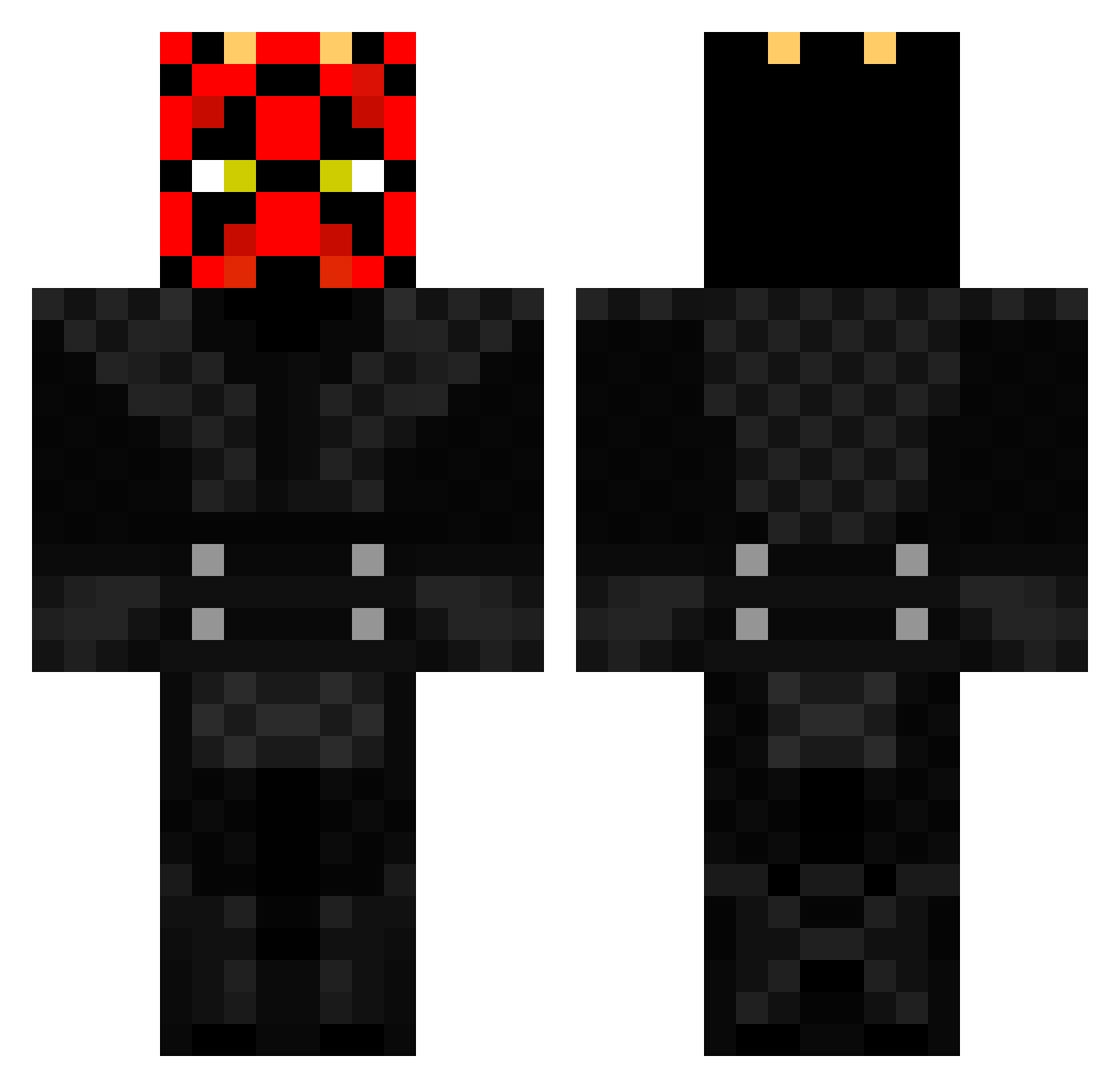
Current Minecraft skin of the player nakhari, loaded from the official Mojang API. Rotate the 3D model with your mouse or finger, then download the skin as a PNG file and use it in Minecraft: Bedrock Edition or Java Edition for free. When nakhari changes their skin, this page updates automatically and the old skin stays in the history below.
Other players with this skin (441)
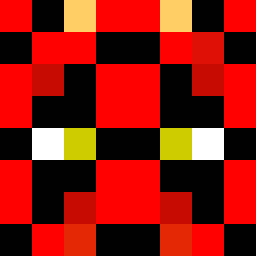
nakhari was the 404th player we have seen with this skin, first spotted on 27.10.2026. The same skin was seen on these players. Open a nickname to see their current skin and skin history.
 ethanrulz candycandy41 Zyriden GreenJacket2014 JaxTheRam L0stUrKeyz Jalle95 cody7749 tylerabrams42 chalky93 LordKeko Isaac_1999 Fire_Apple MrWolfjr loui700v El_Cafards RogueKillz Fruitless69 2268hockey Maloff95 DARCKM10 kiren1999 Aliebug Gamerrrr Otterinthewater Russell_Jones256 JColeMac DANIELFERRY southern_sauce bessy77 Darth_Gitch 69_Schnitzel grzechupo kitkatraiders thost288 melondude21 KataPetarStefan an_gel78 liamthegoat fsilber _slayerman broyleskurtis91 Mosch25 Ucla_the_Mock MontemayorR Mocas16_115 DoeiDoei USABart102 VegaNovus Tanksthename sumo_slamers NovusBot8 Camani_Banana lolpoopmen240 Sith_L0rd PardonSir tanktanking zah10001 Timthunder Hellorink
More Darth Maul Minecraft skins
How to install the nakhari skin
- Press the Download button above to save the skin as a PNG file.
- Minecraft: Bedrock Edition (PE): open the Dressing Room from the main menu (or tap your character → Edit Character), go to Classic Skins → Owned, press the + (new skin) button, choose the downloaded PNG and pick the Classic (Steve) model. Works on PC and mobile; consoles cannot import custom skins.
- Minecraft: Java Edition: open the Minecraft Launcher, go to the Skins tab, click New Skin, load the PNG, pick the Classic (Steve) model and press Save & Use. You can also upload it at minecraft.net → Profile → Change Skin.
The skin does not show up after import - what should I do?
Restart Minecraft and open the Dressing Room again - imported skins sometimes appear only after a restart. Also make sure you selected the imported skin and picked the Classic (Steve) model.
Which model should I choose, Classic or Slim?
This skin is designed for the Classic (Steve) model. If you pick the wrong model, the arms of the skin will look stretched or squeezed.
Is the skin of nakhari free to download?
Yes. Press Download, save the PNG file and use it in Minecraft: Bedrock Edition or Java Edition - no payment or registration needed. The skin also works on multiplayer servers and Realms.
More skins
Looking for more? Go back to all Minecraft skins and check the top skins of the week, month and all time, or find any player's skin by nickname.