
nEsqulcK - Minecraft Skins & Skin History
Current Minecraft skin of the player nEsqulcK, loaded from the official Mojang API. Rotate the 3D model with your mouse or finger, then download the skin as a PNG file and use it in Minecraft: Bedrock Edition or Java Edition for free. When nEsqulcK changes their skin, this page updates automatically and the old skin stays in the history below.
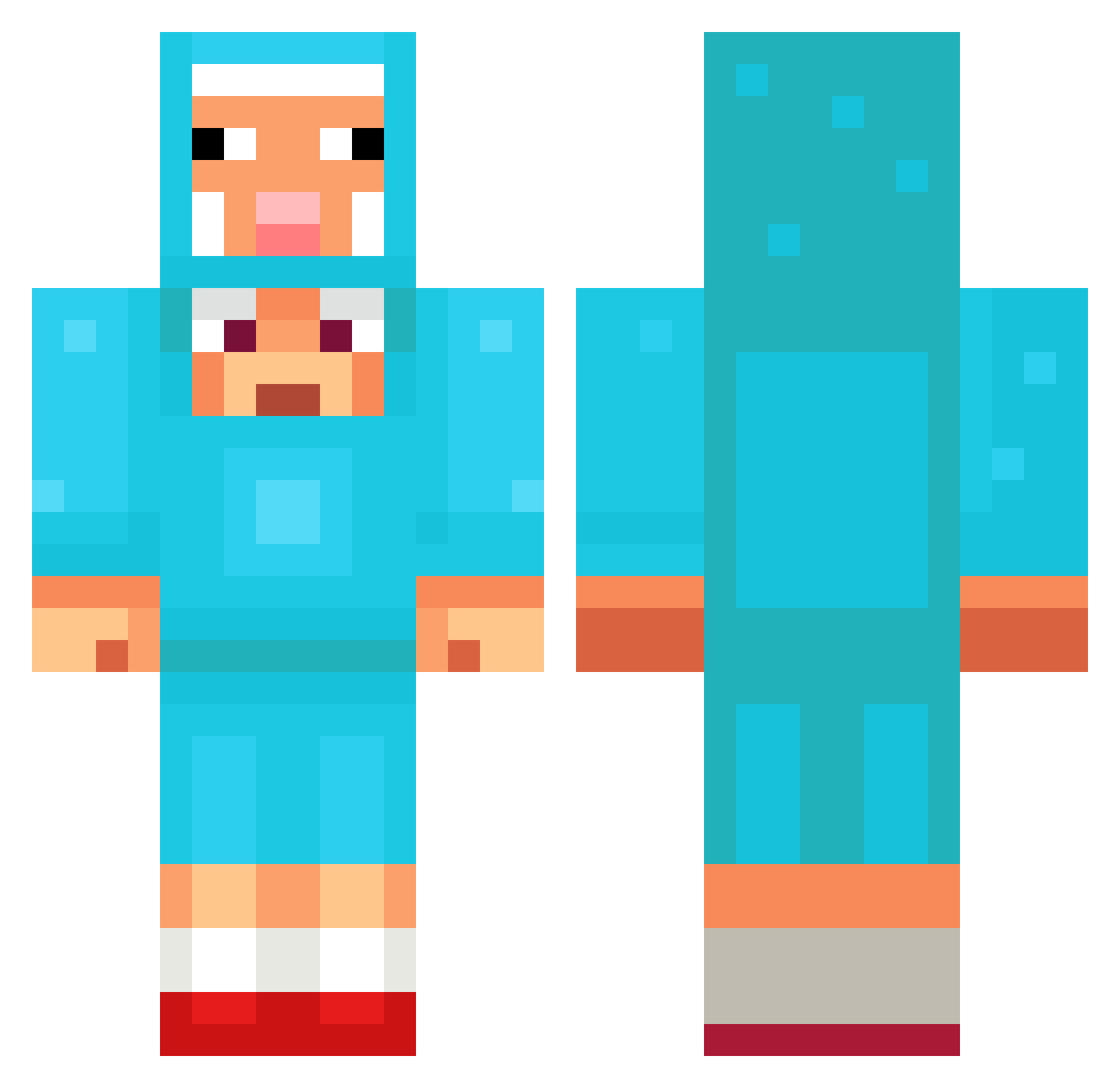
Other players with this skin (1264)
nEsqulcK was the 838th player we have seen with this skin, first spotted on 04.10.2026. The same skin was seen on these players. Open a nickname to see their current skin and skin history.
 h4nnezzz SquidBlax gfhjhhh Nathnn0 Hugo31128 Ostebiff hhttss Galasso13 kysterama TubiiTub ggmrpanda ShowbizAnt haunt177 Angkan09 watermelonebaka4 KBOT88 CigLemoon BentTractor ReaperBeamz hyeonjun_1176 rambosemih YeJun4001 youngnick3777 meechaiman Sweepy121 aloisma geraldduhhh basketball084 j0quinha MARYBUSS halone Mprinzzz Miral116 Kuling1 Kallima96 breshean07 RuNE_B34ST typo778 Wiggleomania dafabi81 75PercentKyle Lolentiy_orig kjseo123 mpmarw Nicolai1007 QwertyBird03 Bennthic Jazzyoo LitchNohara Bombear2 Gahsturso2 Hxbbes_ tree0264 nongshimramen08 Nerrrrrrd Kyrano2005 bluusheep ksw8479 UnLiKlY1 Jippy2000
More Sheep Minecraft skins
How to install the nEsqulcK skin
- Press the Download button above to save the skin as a PNG file.
- Minecraft: Bedrock Edition (PE): open the Dressing Room from the main menu (or tap your character → Edit Character), go to Classic Skins → Owned, press the + (new skin) button, choose the downloaded PNG and pick the Classic (Steve) model. Works on PC and mobile; consoles cannot import custom skins.
- Minecraft: Java Edition: open the Minecraft Launcher, go to the Skins tab, click New Skin, load the PNG, pick the Classic (Steve) model and press Save & Use. You can also upload it at minecraft.net → Profile → Change Skin.
The skin does not show up after import - what should I do?
Restart Minecraft and open the Dressing Room again - imported skins sometimes appear only after a restart. Also make sure you selected the imported skin and picked the Classic (Steve) model.
Which model should I choose, Classic or Slim?
This skin is designed for the Classic (Steve) model. If you pick the wrong model, the arms of the skin will look stretched or squeezed.
Is the skin of nEsqulcK free to download?
Yes. Press Download, save the PNG file and use it in Minecraft: Bedrock Edition or Java Edition - no payment or registration needed. The skin also works on multiplayer servers and Realms.
More skins
Looking for more? Go back to all Minecraft skins and check the top skins of the week, month and all time, or find any player's skin by nickname.