
mwondr - Minecraft Skins & Skin History
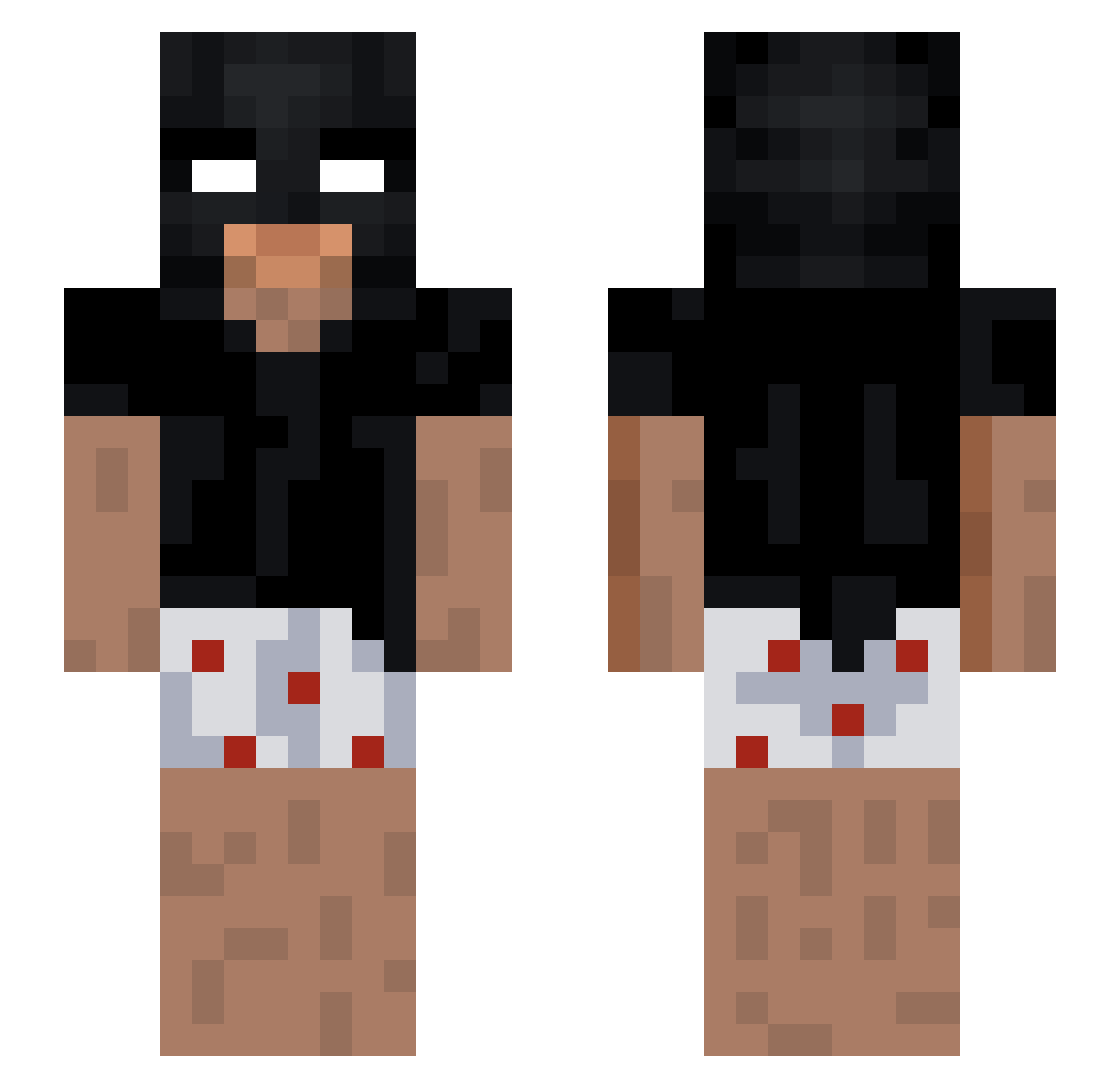
Current Minecraft skin of the player mwondr, loaded from the official Mojang API. Rotate the 3D model with your mouse or finger, then download the skin as a PNG file and use it in Minecraft: Bedrock Edition or Java Edition for free. When mwondr changes their skin, this page updates automatically and the old skin stays in the history below.
Other players with this skin (205)
mwondr was the 144th player we have seen with this skin, first spotted on 05.10.2026. The same skin was seen on these players. Open a nickname to see their current skin and skin history.
 gamja_36 Royers20 TOTEMOMW threesixtyxd goatsanbe De4dIIy AspanS Jorghinoo cookicraft365 zezox0 ItzTingEn VegaR19 Borygo_MKS Ackiedvard laz_CAN Andy977825 ISHKURAA poliab01 LuchymanHD iysss MrBushido345 BP_patro Deriv4tives JohnyJeMagor astutin Chyap_Chu mmmati7 bronfcb xPxiu Toppen69 Juju_L0 HardSigh Carlito77177 _TheBullet_ MrPipiskin110 Valeys nin777 obma23 zLinderH_ Gruby_Cyc BrawlReflex Vini_732 veM00 Elliotsommer BigBembula blackreturn1 Qt_Meech 2Dosic ChmurkaKawi chillsick Sotexxx YIANNNNN_OAO leon_nrts R4zex Julimuusi yeremma boz14 Electr01 offshino joebby
More Funny Minecraft skins
How to install the mwondr skin
- Press the Download button above to save the skin as a PNG file.
- Minecraft: Bedrock Edition (PE): open the Dressing Room from the main menu (or tap your character → Edit Character), go to Classic Skins → Owned, press the + (new skin) button, choose the downloaded PNG and pick the Slim (Alex) model. Works on PC and mobile; consoles cannot import custom skins.
- Minecraft: Java Edition: open the Minecraft Launcher, go to the Skins tab, click New Skin, load the PNG, pick the Slim (Alex) model and press Save & Use. You can also upload it at minecraft.net → Profile → Change Skin.
The skin does not show up after import - what should I do?
Restart Minecraft and open the Dressing Room again - imported skins sometimes appear only after a restart. Also make sure you selected the imported skin and picked the Slim (Alex) model.
Which model should I choose, Classic or Slim?
This skin is designed for the Slim (Alex) model. If you pick the wrong model, the arms of the skin will look stretched or squeezed.
Is the skin of mwondr free to download?
Yes. Press Download, save the PNG file and use it in Minecraft: Bedrock Edition or Java Edition - no payment or registration needed. The skin also works on multiplayer servers and Realms.
More skins
Looking for more? Go back to all Minecraft skins and check the top skins of the week, month and all time, or find any player's skin by nickname.