
mrtsrky - Minecraft Skins & Skin History
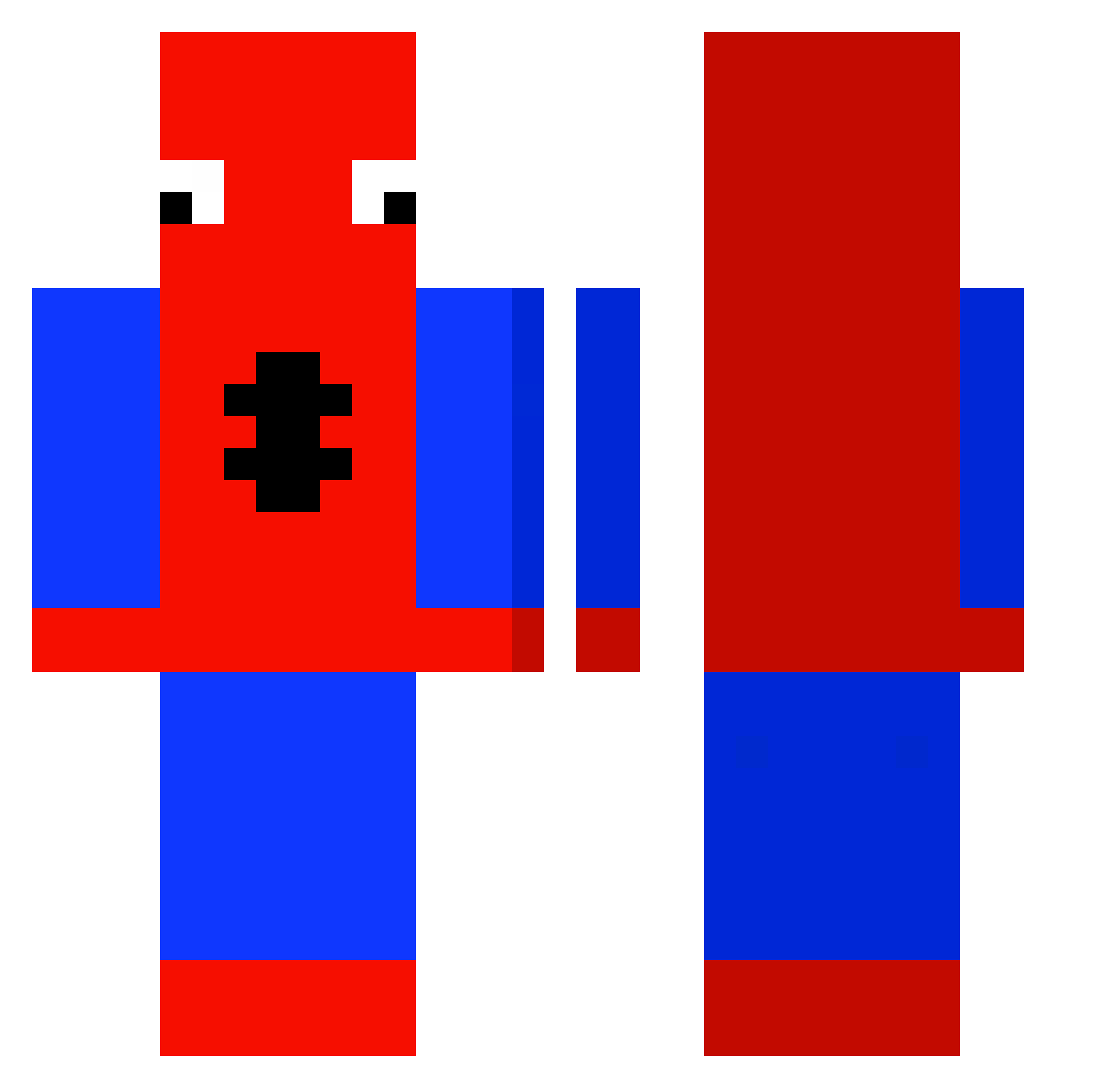
Current Minecraft skin of the player mrtsrky, loaded from the official Mojang API. Rotate the 3D model with your mouse or finger, then download the skin as a PNG file and use it in Minecraft: Bedrock Edition or Java Edition for free. When mrtsrky changes their skin, this page updates automatically and the old skin stays in the history below.
Other players with this skin (439)
mrtsrky was the 335th player we have seen with this skin, first spotted on 13.10.2026. The same skin was seen on these players. Open a nickname to see their current skin and skin history.
 Mighty_JayDog Swaggy_com dwightchrute xAsDaSx kysgf T_e_n_d_y ZyroXq Flamepro587 stev_14 Trebolzz _zwierzak_ LuudoSE Teelsay kjskr_0304 dilfuto Ezkill2517 MeowmereII MrPineapple679 rositasillykit doomedEgotist WheatBread_69 karobinha ClammyBarley924 M1O7 AJS1012 pancakeballs56 Alex_Lazuli TOXICVENOM25 jayromazzz Hutchy121 Isoo12 Blayne0510 poophead42069 BlackPancakees Soares069 FRANCEIS CrispyWaffles1 ReminTyZ YoungKingsman CZN666 Zewhy Kaunsz Azraelxx_ Camp4o Kutarawr TarDarr SantiENP yODA2120 coughler eunicetullao RavezarStan Skyzaa javooooabc123 _EGY_ bluehyacinthh DogasDog Yorgenn noodlerae Playz2much Ryzzennn
More Spider-Man Minecraft skins
How to install the mrtsrky skin
- Press the Download button above to save the skin as a PNG file.
- Minecraft: Bedrock Edition (PE): open the Dressing Room from the main menu (or tap your character → Edit Character), go to Classic Skins → Owned, press the + (new skin) button, choose the downloaded PNG and pick the Classic (Steve) model. Works on PC and mobile; consoles cannot import custom skins.
- Minecraft: Java Edition: open the Minecraft Launcher, go to the Skins tab, click New Skin, load the PNG, pick the Classic (Steve) model and press Save & Use. You can also upload it at minecraft.net → Profile → Change Skin.
The skin does not show up after import - what should I do?
Restart Minecraft and open the Dressing Room again - imported skins sometimes appear only after a restart. Also make sure you selected the imported skin and picked the Classic (Steve) model.
Which model should I choose, Classic or Slim?
This skin is designed for the Classic (Steve) model. If you pick the wrong model, the arms of the skin will look stretched or squeezed.
Is the skin of mrtsrky free to download?
Yes. Press Download, save the PNG file and use it in Minecraft: Bedrock Edition or Java Edition - no payment or registration needed. The skin also works on multiplayer servers and Realms.
More skins
Looking for more? Go back to all Minecraft skins and check the top skins of the week, month and all time, or find any player's skin by nickname.